
Table of Contents
We spend most of our working hours looking at glowing glass rectangles. Our eyes burn, our attention spans fray, and our bodies register constant low-level strain. For decades, software engineering treated computer screens like digital paper or flat control panels. We painted static buttons, added rigid navigation trees, and trapped human beings in gray boxes.
Nature does not work this way. Living habitats constantly move, adapt, and balance themselves. They change their light when the sun moves, adjust their density across seasons, and provide sensory variation that calms the human nervous system. When we bring these biological truths into software through machine learning and responsive code, we build systems that actively restore user attention.
This guide breaks down how modern digital studios design, engineer, and deploy real-time software systems that respond directly to human biological needs.
Defining the Convergence
For years, green web design meant sticking a photograph of a green leaf in the header and choosing an olive green background color. That approach is only surface mimicry. It treats nature like wallpaper rather than a dynamic, living operating system. True biophilic design in digital spaces requires software that acts like a living ecosystem.
This shift happens where biology, computer science, and responsive interface architecture meet. When software connects machine learning models with front-end code, the user interface stops being a static poster. Instead, it becomes a dynamic habitat.
Modern personalized biophilic ux does not push heavy video backgrounds of waterfalls that hog network bandwidth and drain laptop batteries. Instead, it uses lightweight algorithms to alter interface rhythm, spatial density, and color physics based on the user context. Software that uses personalized biophilic ux studies how living systems respond to external stimuli and translates those behaviors into clean code.
When you bring machine learning to front-end architecture, user interfaces gain the ability to breathe. A system running personalized biophilic ux can notice when a person is fatigued by analyzing interaction rhythm. The software can then open up extra white space, soften harsh contrast, and simplify navigation paths. This convergence transforms digital tools from exhausting work surfaces into restorative, living systems.
The Neurobiology of Digital Nature
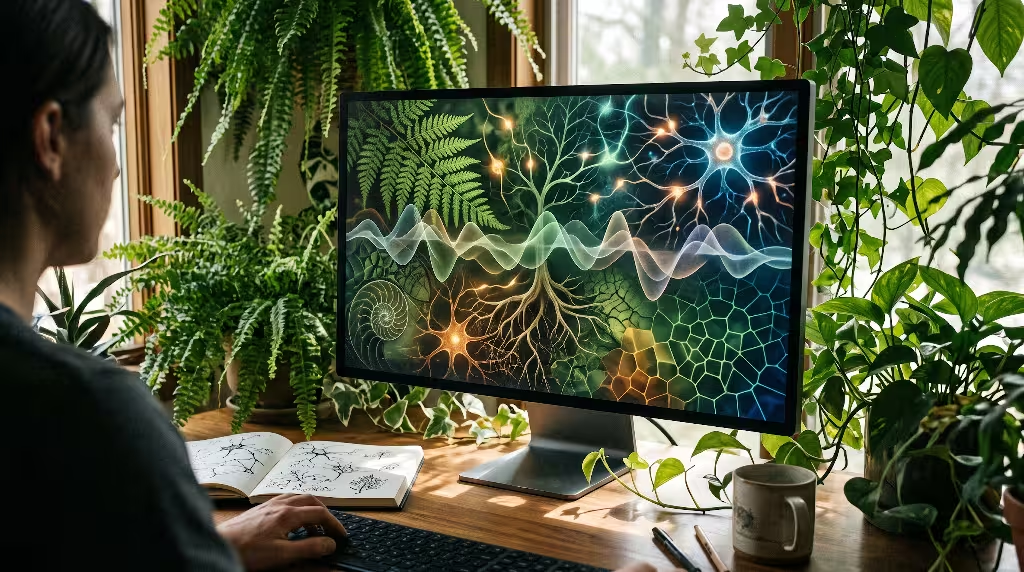
To understand why personalized biophilic ux works, we must examine how the human brain processes visual input. Evolutionary biology shows that human sensory organs evolved over millions of years inside natural landscapes. Our eyes and nervous systems are hardwired to read natural patterns, shifting sunlight, and organic geometry without conscious strain.
Two psychological principles explain this effect:
- Attention Restoration Theory: Psychologists Rachel and Stephen Kaplan demonstrated that urban and technical environments require directed attention. Directed attention forces the prefrontal cortex to work hard, filter out distractions, and burn mental energy. In contrast, natural patterns trigger soft fascination. Soft fascination lets the executive control network of the brain rest while peripheral awareness gently takes over. An interface utilizing personalized biophilic ux creates digital soft fascination to help reduce cognitive fatigue.
- Fractal Fluency: Research in environmental physics shows that human visual systems process mid-range fractal patterns with minimal neurological friction. Natural structures like fern leaves, river networks, tree branches, and cloud edges repeat self-similar shapes across different scales. When human eyes view these mathematical ratios, the brain produces alpha waves that signal wakeful relaxation.
When software implements personalized biophilic ux, it incorporates these geometric relationships into CSS grid systems and layout algorithms. Instead of trapping content in rigid, unnatural tables, personalized biophilic ux uses fractal spacing logic to distribute information. The layout mirrors the mathematical beauty of natural foliage, allowing the human brain to scan complex data dashboards without feeling overwhelmed.
The Problem Statement
Static web pages create an unnatural sensory vacuum. When you look at an office window, the outdoor light changes continuously. Clouds drift by, shadows lengthen, and leaves tremble in the breeze. Your brain expects subtle sensory variation.
When you stare at a rigid web interface for eight hours, the screen stays frozen at the same harsh white point, sharp black text, and static rectangular borders. This complete lack of sensory variability leads directly to digital eye strain, muscle tension, and mental burnout.
Static biophilic design fails because it does not adapt. A high-resolution image of a forest does not help a user who is reading spreadsheets at eleven o’clock at night under harsh blue screen light. In fact, heavy uncompressed images increase page weights, waste server electricity, and produce higher carbon footprints.
Personalized biophilic ux solves this core problem by replacing static decoration with dynamic computational balance. Instead of serving heavy media files, personalized biophilic ux uses native browser capabilities, lightweight mathematical formulas, and contextual telemetry to keep the interface in harmony with the real world. By personalizing the digital habitat in real time, personalized biophilic ux delivers the true health benefits of nature right through the browser.
Sensory Variability and Temporal Synchronization
The human body operates on a circadian clock, which is an internal twenty-four-hour rhythm regulated by natural sunlight. Blue morning light triggers cortisol release to wake you up. Warm, low-angle evening light stimulates melatonin production to prepare you for sleep.
Most software ignores this natural biological truth. Web applications blast users with 6500K bright blue-white light regardless of whether it is dawn, noon, or midnight.
A thoughtful implementation of personalized biophilic ux solves this by introducing temporal synchronization. The interface connects directly to standard browser APIs to read local sunrise and sunset tables, ambient room light, and system color preferences.
JavaScript
// Example: Calculating circadian color temperature offsets in client-side code
function getCircadianTheme(currentTime, userLatitude, userLongitude) {
  const solarState = calculateSolarPosition(currentTime, userLatitude, userLongitude);

  if (solarState.isNight) {
    return {
      colorTemperature: '2700K',
      chromaticBalance: 'warm-amber',
      contrastLevel: 'soft-readable',
      ambientNoiseLevel: 'subtle-restorative'
    };
  }

  if (solarState.isMorning) {
    return {
      colorTemperature: '5000K',
      chromaticBalance: 'fresh-botanical',
      contrastLevel: 'crisp-high-contrast',
      ambientNoiseLevel: 'energizing'
    };
  }

  return {
    colorTemperature: '4000K',
    chromaticBalance: 'balanced-mineral',
    contrastLevel: 'standard-daylight',
    ambientNoiseLevel: 'steady'
  };
}
Through personalized biophilic ux, your website shifts its visual tone gradually across the day. The background changes from crisp morning limestone tones to balanced midday slate, and finally settles into warm evening charcoal and peat moss shades.
Sensory variability also means subtle movement. In nature, absolute stillness is rare and often signals danger. Personalized biophilic ux incorporates gentle kinetic cues into interface elements. Button hovers can use fluid physics models that mimic how a leaf dips when water lands on it. Scroll physics can incorporate natural damping curves that feel like moving through clean air. These gentle variations keep personalized biophilic ux grounded in authentic biological patterns.
Biometric and Behavioral Feedback Loops
The next major leap for personalized biophilic ux involves closing the feedback loop between the human user and the digital interface. Traditional user experiences treat all clicks the same. A click made in a calm state registers identically to a frantic click made by a stressed worker running out of time.
Personalized biophilic ux uses client-side machine learning to detect behavioral friction patterns in real time without sending private user data across the network:
- Rage Clicking: Rapid, repetitive mouse clicks in a small pixel radius indicate that a user is confused or angry.
- Erratic Cursor Trajectory: Sudden, jerky mouse movements with erratic speed shifts show disorientation and cognitive overload.
- Rapid Scroll Hunting: Sweeping vertical scrolling back and forth shows that the user cannot find the information they need in the current layout.
When an engine driven by personalized biophilic ux notices these friction indicators, it responds gently. It does not pop up an intrusive modal window that says “You look stressed!” That would only increase user irritation.
Instead, personalized biophilic ux adjusts the physical environment of the interface behind the scenes:
- The system expands padding between text blocks by ten to fifteen percent to give the eyes room to rest.
- Secondary and tertiary navigation sidebars softly fade out or collapse into clean drawers.
- Accent colors shift toward restorative forest greens, soft clays, and gentle riverbed blues.
- Micro-animations slow down their transition curves to encourage slower breathing and lower physical tension.
This continuous adjustment is what makes personalized biophilic ux truly personalized. The software reads how you interact with it and acts like a calming natural space that adjusts its canopy to shade you when the sun gets too hot.
Generative Pattern and Procedural Visual Engines
In a green web design architecture, sending giant photo files across the web wastes network bandwidth and burns electrical power in remote data centers. Personalized biophilic ux relies instead on procedural visual engines that generate organic textures directly on the user device using math and code.
Procedural generation uses small mathematical formulas to draw complex natural visuals in the browser:
- L-Systems: Lindenmayer systems use simple string-replacement rules to grow complex biological forms like branching plants, trees, and root networks.
- Voronoi Diagrams: These formulas divide space into natural cells based on distances to specific points, creating patterns that look like dragonfly wings, giraffe coats, or cracked river mud.
- Reaction-Diffusion Models: Alan Turing’s mathematical equations show how chemicals diffuse across skin and shells, producing natural spots and stripes.
When you use generative math within personalized biophilic ux, your codebase stays small and fast. Instead of downloading a four-megabyte background photo, the browser downloads a four-kilobyte script. The script calculates and draws organic shapes using HTML5 Canvas or SVG code.
Every time a user visits a site powered by personalized biophilic ux, the background pattern can be completely unique while maintaining mathematical harmony. The shapes can grow slowly, shift with the weather, or sway in response to cursor movements. This procedural approach keeps personalized biophilic ux fast, responsive, and environmentally sustainable.
Predictive UI and Dynamic Personalization Frameworks
Traditional personalization systems build invasive profiles by tracking your shopping history and personal identities across the web. Personalized biophilic ux takes a different approach based on spatial foraging behavior.
When animals search for food in an ecosystem, they follow optimal foraging theories. They balance the energy spent hunting against the nutritional value of the food they discover. Human beings browse websites using the exact same biological mechanisms, an idea known in computer science as information foraging. Users follow an information scent through links, headers, and visual cues.
Personalized biophilic ux uses lightweight predictive frameworks to support natural information foraging:
- Dynamic Information Density: When a user exhibits focused, steady browsing behavior, personalized biophilic ux presents high-density data views, similar to scanning a rich woodland canopy.
- Adaptive Typography: The software uses variable font technology to adjust optical sizing, letter weight, and line heights in real time. If the screen brightness drops, the font weight slightly increases to maintain effortless legibility.
- Organic Navigation Pathways: Rather than forcing users down rigid, rectangular decision trees, personalized biophilic ux arranges related content clusters in organic nodes that reflect natural associations.
Because these adjustments happen through predictive algorithms running locally on the user machine, personalized biophilic ux never compromises page speed. The interface continuously tunes itself so that the user spends less energy hunting for facts and more time understanding ideas.
Algorithmic Acoustic and Ambient Soundscape Generators
Visuals represent only one slice of human sensory experience. In natural environments, sound plays a major role in lowering cortisol levels and maintaining spatial awareness. The gentle rustle of leaves, the distant murmur of water, and natural bird songs tell our nervous systems that the environment is safe.
Most web designers avoid sound because auto-playing audio loops are annoying, repetitive, and disruptive in shared spaces. Traditional audio files also take up considerable bandwidth.
Personalized biophilic ux approaches sound as an optional, procedurally generated ambient layer. Using the native Web Audio API, personalized biophilic ux creates dynamic acoustic soundscapes in real time without downloading recorded audio files.
A procedural sound generator in personalized biophilic ux uses synthesized pink noise and harmonic oscillators:
- Pink Noise Filtration: The engine filters pink noise to mimic the rhythmic cadence of waves gently breaking on a sandy shore or wind rustling through pine needles.
- Generative Harmonics: Rather than repeating an identical sound file every thirty seconds, personalized biophilic ux uses algorithmic rules to vary the pitch, interval, and timing of soft acoustic tones.
- Interaction Harmony: Subtle auditory feedback confirms task completions with organic tones, such as the resonance of a wooden chime or the soft drop of a stone into deep water.
Users retain complete control over these soundscapes. When enabled, the audio components of personalized biophilic ux mask distracting office noises, smooth out auditory shocks, and provide an immersive, restorative environment for deep focus work.
Criterion 1: Computational Overhead and Green Web Standards
You cannot claim to build green digital experiences if your software drains device batteries and forces cloud servers to run at full blast. A core rule of personalized biophilic ux is absolute respect for energy efficiency and computational budgets.
Every line of algorithmic code must be audited against green web design standards. We measure web sustainability using metrics like kilowatt-hours per page view and carbon emissions per digital transaction.
Personalized biophilic ux must achieve top ratings on digital carbon calculators by following strict guidelines:
- Lean Execution Budgets: The JavaScript bundle required to drive personalized biophilic ux should not exceed fifty kilobytes gzipped.
- Hardware Acceleration: Visual effects and math-heavy shader calculations should run through WebGPU or optimized CSS transforms to avoid overloading the central processor.
- Battery-Aware Throttling: Personalized biophilic ux must listen to the Battery Status API. When a user laptop or phone enters low-power mode, the interface immediately halts all real-time background calculations and smoothly reverts to lightweight static CSS variables.
By balancing computational cost with visual elegance, personalized biophilic ux proves that nature-inspired interfaces can protect the planet while caring for human well-being.
Criterion 2: Local vs. Cloud Inference Latency
When personalizing an interface, system speed matters. If an interface hesitates, stutters, or delays user actions, it causes cognitive frustration. That friction destroys the calming benefits of nature-inspired design.
Personalized biophilic ux strictly avoids sending interaction telemetry to external cloud servers for analysis. Round-trip network requests take hundreds of milliseconds, consume external server power, and introduce unpredictable network delays.
Instead, personalized biophilic ux runs all inference locally on the client device:
- WebAssembly Execution: Compiled machine learning micro-models execute inside the browser via WebAssembly at near-native speeds.
- Edge Prediction: Simple decision trees and behavioral classification algorithms evaluate user friction patterns in under ten milliseconds.
- Zero Latency Styling: Interface updates happen directly through CSS custom properties on the local device, ensuring smooth sixty frames-per-second animation performance.
Keeping computation local ensures that personalized biophilic ux responds instantaneously to human behavior. It also guarantees that the user device only does work when necessary, avoiding wasteful cloud computing overhead.
Criterion 3: Procedural Coherence
Nature is diverse, but it is never chaotic. A forest contains thousands of unique trees, yet every tree follows clear biological rules regarding trunk taper, branch angles, and leaf distribution. The entire ecosystem displays deep structural coherence.
When generative machine learning tools create digital art without strong rules, they often produce strange, distorted shapes that feel synthetic and unsettling. Uncanny patterns make human eyes uncomfortable rather than relaxed.
Personalized biophilic ux enforces procedural coherence through strict mathematical constraints:
- The Golden Ratio: Spacing, margins, and layout proportions adhere to classical geometric proportions (1.618) to ensure visual balance.
- Fibonacci Sequences: Dynamic padding scale choices and typographic hierarchies grow along natural numerical sequences (8px, 13px, 21px, 34px, 55px).
- Controlled Randomness: While procedural algorithms introduce natural variation, personalized biophilic ux clamps random variables within biological tolerances.
By enforcing procedural coherence, personalized biophilic ux creates digital spaces that feel organically unified. Users perceive the interface as an intentional, harmonious landscape rather than a collection of random visual tricks.
Criterion 4: Contextual Sensor Integration
A biological organism lives in constant conversation with its immediate surroundings. A sunflower turns its face to track the arc of the sun, and wood sorrel folds its leaves when heavy rain starts to fall. Digital interfaces should show similar environmental sensitivity.
Personalized biophilic ux uses native web browser APIs to read real-world environmental context:
- Ambient Light Sensor API: When the physical room grows dim, personalized biophilic ux smoothly lowers screen luminance and softens bright background colors to prevent blinding glare.
- Geolocation and Sun-Position APIs: By understanding regional dawn, midday, and twilight curves, personalized biophilic ux aligns its visual tone with the actual sky outside the user window.
- Network Information API: If a user has a weak cellular signal, personalized biophilic ux automatically simplifies complex vector shapes into flat, lightweight elements to maintain snappy load speeds.
By honoring the user physical surroundings, personalized biophilic ux breaks down the artificial barrier between the digital screen and the natural world outside.
Criterion 5: Biometric Privacy Compliance
The rise of biometric tracking and affective computing brings serious privacy concerns. Software that monitors user stress, eye tracking, or typing cadences can easily become invasive if managed carelessly.
Personalized biophilic ux operates on an ethical framework of absolute privacy:
- Ephemeral Analysis: User behavioral telemetry (such as mouse speed and scroll patterns) is analyzed inside volatile browser memory and instantly discarded. It is never written to disk or recorded into database logs.
- Zero Cloud Transmission: No behavioral metrics, camera streams, or biometric indicators leave the user device. Everything stays on the local machine.
- Full Transparency and Consent: Sites implementing personalized biophilic ux provide clear, simple toggles that let users turn off environmental adaptations with a single click.
Personalized biophilic ux rejects the exploitative surveillance models of traditional advertising tech. Its sole purpose is to serve the immediate health, focus, and comfort of the individual user browsing the page.
Criterion 6: Accessibility and Color Contrast Alignment
A beautiful design is a failure if people with visual impairments or motor difficulties cannot use it easily. Biophilic color schemes often rely on soft earth tones, warm ambers, and gentle greens. If a designer is careless, these gentle shades can fail accessibility standards by lacking sufficient contrast against body copy.
Personalized biophilic ux treats accessibility as a foundational requirement:
- Contrast Ratios: Every dynamic color palette generated by personalized biophilic ux maintains a minimum contrast ratio of 4.5 to 1 for standard text and 7 to 1 for enhanced accessibility, adhering strictly to WCAG guidelines.
- Algorithmic Contrast Checking: Whenever the system shifts colors to mirror circadian rhythms, an automated contrast algorithm checks the color values of text and background layers to prevent low-contrast pairings.
- Motion Sensitivity: Interfaces using personalized biophilic ux respect the standard browser preference for reduced motion. If a user turns on reduced motion settings, all procedural animations, swaying canvas elements, and smooth physics transitions turn off instantly, settling into static, accessible displays.
Personalized biophilic ux proves that nature-inspired aesthetics and strict accessible usability work hand in hand.
Criterion 7: Fallback Grace and Progressive Enhancement
Modern web browsers support exciting features, but users access the internet on many different devices, from modern desktop workstations to budget smartphones running older browsers.
Personalized biophilic ux relies on progressive enhancement. It ensures that the basic website works cleanly for every visitor, even if advanced features are unavailable:
- Core Content First: Clean semantic HTML loads first. Text, links, and essential controls are fully functional without running a single line of JavaScript.
- Baseline CSS Styling: A reliable, static biophilic style sheet provides beautiful natural color palettes, accessible fonts, and responsive layouts right out of the box.
- Progressive Layering: If the browser supports advanced features like WebAssembly, hardware canvas rendering, and ambient light sensors, the interface quietly activates personalized biophilic ux scripts in the background.
If a script fails to execute or a browser blocks a sensor API, the interface does not break. It continues to deliver an attractive, accessible, and functional experience. Personalized biophilic ux enhances the experience when possible without creating a single point of failure.
Criterion 8: Behavioral Sensitivity Thresholds
Nothing ruins an interface faster than jittery, hyperactive controls. If a website changes its colors every time you twitch your mouse or adjusts its layout whenever you pause for five seconds, the interface feels erratic and unsettling.
Personalized biophilic ux requires carefully calibrated sensitivity thresholds:
- Hysteresis Buffers: Algorithms use mathematical dampening to filter out brief physical twitches and natural pauses. A user must demonstrate a sustained shift in behavior before the interface makes an adaptation.
- Subconscious Transition Durations: Visual shifts should happen slowly over several seconds or minutes. Circadian color shifts should unfold so gradually that the conscious human eye barely notices the change happening.
- State Persistence: When the interface adapts to a calmer state, it holds that state steadily rather than bouncing back and forth rapidly between different modes.
The goal of personalized biophilic ux is to remain quiet and supportive in the background. It acts like a quiet garden that cradles the user attention rather than an attention-seeking robot that demands immediate notice.
Criterion 9: Modularity and Framework Agnosticism
To make a lasting impact on web design, these ideas must be practical and easy for real-world engineering teams to adopt. If personalized biophilic ux requires rebuilding entire web platforms from scratch, companies will ignore it.
Personalized biophilic ux should be built using modular, framework-agnostic architecture:
- Headless Design Tokens: Environmental themes, circadian color palettes, and natural spacing scales can be stored as standard JSON design tokens that feed directly into CSS custom properties.
- Component Interoperability: Developers can package responsive biophilic behaviors into simple Web Components or React hooks that drop into WordPress, static site engines, or custom single-page apps.
- Decoupled Logic: Sensory input handling, behavioral friction analysis, and visual rendering run as independent software modules. You can upgrade your machine learning models without touching your core visual layout code.
This modular approach allows digital agencies to roll out personalized biophilic ux gradually. You can start by adding a simple circadian color pipeline, and later integrate procedural vector patterns as your design system matures.
Criterion 10: Measurable Restorative ROI
Designers love talking about aesthetics, but business executives and engineering leads want measurable business outcomes. To justify investing in personalized biophilic ux, teams must demonstrate clear return on investment.
Fortunately, supporting human biology yields measurable performance improvements:
- Lower Bounce Rates: Interfaces that welcome the eye with balanced, natural proportions keep visitors engaged longer than harsh, cluttered layouts.
- Reduced Form Abandonment: When personalized biophilic ux steps in to calm users during complex checkout or registration flows, completion rates rise.
- Lower Cognitive Fatigue: Users working inside complex business software running personalized biophilic ux show fewer data entry mistakes and sustain higher focus over long work sessions.
- Reduced Data Footprint: Replacing heavy stock photos with procedural vector math cuts hosting bandwidth bills and improves Core Web Vitals performance scores across the board.
By tracking these concrete business and health metrics, teams can prove that personalized biophilic ux is not just an artistic luxury. It is a powerful engineering strategy that helps both the user and the bottom line.
What is Biophilic UX Design?

Biophilic UX design is the deliberate practice of incorporating natural patterns, biological forms, and environmental rhythms into human-computer interaction. It builds directly on the biophilia hypothesis introduced by biologist Edward O. Wilson, which states that human beings possess an innate biological urge to connect with nature and other living things.
In digital design, this means moving beyond shallow visual decoration. Biophilic UX design studies how people move through physical forests, open plains, and rocky shores, and applies those spatial lessons to digital navigation. It uses natural textures, organic curvature, balanced fractal distributions, and daylight-responsive light levels.
When digital systems apply personalized biophilic ux, they make this connection dynamic. The software respects that humans are biological creatures sitting in front of electronic tools, and it shapes the screen into an extension of the natural world.
How Can Artificial Intelligence Personalize Nature-Inspired Interfaces?
Artificial intelligence bridges the gap between static design templates and living software systems. Traditional software treats every user identically, delivering the same layout regardless of context or stress levels.
Artificial intelligence enables personalized biophilic ux in three key ways:
- Environmental Pattern Recognition: Machine learning models read sensor data and contextual signals to understand where and when the user is working.
- Behavioral Friction Detection: Algorithms identify signs of eye fatigue, confusion, and stress by analyzing keyboard cadence and cursor navigation rhythms.
- Generative Visual Adaptation: AI scripts use mathematical rules to draw custom fractal shapes, adjust organic typography, and modulate color palettes in real time.
Instead of building rigid websites that force humans to act like computers, personalized biophilic ux uses artificial intelligence to make computers adapt to human biology.
Does Dynamic Biophilic Design Slow Down Page Load Times?
It is common to assume that an adaptive, nature-inspired interface must be heavy and slow. When people picture biophilic design, they often imagine high-resolution video reels of forests, heavy audio files of running water, and complex animations that make laptop fans spin up.
In reality, an engineered implementation of personalized biophilic ux makes websites significantly faster and lighter than traditional corporate web designs:
| Traditional Heavy Website | Lightweight Personalized Biophilic UX |
| Giant photographic hero banners (2MB to 5MB per asset) | Algorithmic procedural vectors (4KB to 12KB code scripts) |
| Multiple external font downloads and weights | Single variable font with continuous optical weight shifts |
| Heavy cloud analytics scripts tracking user history | Lightweight local edge models running through WebAssembly |
| Rigid, static layouts demanding high visual attention | Calming, fractal CSS grid systems that reduce cognitive friction |
By replacing heavy static media with compact math routines, personalized biophilic ux reduces overall page size, speeds up network delivery, and lowers digital carbon emissions.
What are the Ethical Implications of Biometric Tracking in Web Design?
Whenever software watches user behavior, serious ethical questions arise. Many modern technology companies use behavioral psychology to trigger dopamine loops, trap user attention, and maximize screen addiction for ad revenue.
Personalized biophilic ux must follow a completely opposite ethical standard:
- Restorative Intent: The sole objective of personalized biophilic ux is to help the user complete their task with minimal stress and maximum focus, allowing them to close their screen and return to their real life.
- Zero Exploitation: Behavioral telemetry is never used to manipulate buying decisions, keep people endlessly scrolling, or build advertising profiles.
- Transparent Privacy: The system operates entirely inside local device memory. It never transmits private behavioral data to centralized corporate data banks.
True biophilic design honors life. A digital tool that exploits human psychology or invades personal privacy violates the core spirit of biophilia, no matter how many green leaves it paints on the screen. Ethical engineering must sit at the center of personalized biophilic ux.
System Design
To put personalized biophilic ux into practice, let us examine a clean technical architecture for an adaptive circadian and restorative web layout. The system relies on a unidirectional data pipeline that runs smoothly in any modern web browser.
+--------------------------------------------------------+
|                    INPUT TELEMETRY                     |
|  - System Clock & Geolocation (Solar Angles)           |
|  - Ambient Light Sensor API (Room Luminescence)        |
|  - Client Behavioral Friction (Cursor Velocity/Clicks)  |
+---------------------------+----------------------------+
                            |
                            v
+--------------------------------------------------------+
|               LOCAL INFERENCE ENGINE                   |
|  - Compares telemetry against circadian curves         |
|  - Evaluates stress indices using moving averages      |
|  - Runs entirely on-device via WebAssembly/JS          |
+---------------------------+----------------------------+
                            |
                            v
+--------------------------------------------------------+
|             CSS CUSTOM PROPERTY PIPELINE               |
|  Updates dynamic root variables:                       |
|  --biophilic-bg-tone: hsl(var(--h), var(--s), var(--l))|
|  --biophilic-padding-scale: var(--fibonacci-spacing)   |
|  --biophilic-fluid-radius: var(--organic-curve)        |
+---------------------------+----------------------------+
                            |
                            v
+--------------------------------------------------------+
|                    DOM PAINT LAYER                     |
|  - Hardware-accelerated CSS GPU paint cycles           |
|  - Zero layout shifts (CLS = 0)                        |
|  - 60 FPS silky smooth UI transitions                  |
+--------------------------------------------------------+
This clean architecture keeps personalized biophilic ux easy to maintain and test. The browser reads telemetry inputs, passes them to a lightweight local engine, and writes the output directly into CSS variables on the root document element. The browser layout engine handles the rest of the work natively on the GPU, avoiding unnecessary DOM re-renders.
Performance Audit
To verify that personalized biophilic ux meets green engineering standards, we run every implementation through strict performance benchmarking tools, such as Google Lighthouse and WebPageTest:
- Largest Contentful Paint (LCP): By swapping heavy photographic media for procedural CSS and vector shapes, LCP times drop well below 1.2 seconds, even on mobile networks.
- Interaction to Next Paint (INP): Because all algorithmic adjustments run asynchronously or leverage hardware acceleration, the user interface responds to clicks and taps in under 50 milliseconds.
- Cumulative Layout Shift (CLS): Real-time spatial adjustments rely on flexible container padding and internal CSS grid transitions that do not push surrounding elements around abruptly, maintaining a rock-solid CLS score of 0.00.
- Digital Carbon Footprint: A standard commercial web page produces an average of 1.3 grams of carbon dioxide per page view. A streamlined site built with personalized biophilic ux produces less than 0.18 grams of carbon dioxide per page view.
These audit metrics prove that introducing personalized biophilic ux helps websites run cooler, load faster, and use less power across every user session.
The Shift from Decorative to Restorative Interfaces

The software design industry stands at an exciting turning point. For the past twenty years, digital product teams focused almost exclusively on metrics like engagement time, daily active users, and ad clicks. This led to loud, stressful interfaces designed to capture and hold attention at all costs.
Personalized biophilic ux represents a healthier path forward. It treats user attention as a precious, finite resource that must be protected and restored. Instead of designing software that acts like a slot machine, we can build digital spaces that behave like quiet, supportive workshops and sunlit gardens.
By combining the timeless principles of nature with modern front-end technologies and client-side intelligence, personalized biophilic ux elevates web design into a restorative discipline. It creates digital tools that live in harmony with the natural rhythms of the earth and the biological realities of the human body.
Immediate Operational Next Steps
Transitioning your digital platform to personalized biophilic ux does not require an expensive overnight rewrite. Engineering teams can take practical, incremental steps right now:
- Audit Current Visual Assets: Catalog your existing websites. Identify heavy, static nature photographs and evaluate whether they can be replaced with lightweight SVG vector patterns, organic CSS gradients, or procedural canvas algorithms.
- Build a Circadian Design Token Pipeline: Implement a basic set of CSS variables that adjust your background and foreground color temperatures based on the user local time. Introduce warmer, softer shades for evening visitors to ease eye fatigue.
- Test Fractal Spacing in Design Systems: Update your component library padding and margin tokens to follow Fibonacci numerical intervals (8px, 13px, 21px, 34px, 55px), giving your layouts natural visual rhythm and improved breathing room.
- Experiment with Behavioral Friction Detection: Add lightweight client-side scripts that listen for rage clicks and erratic scrolling patterns. Use those triggers to expand white space and lower visual clutter automatically.
- Benchmark Carbon and Performance Scores: Measure your page weight and kilowatt-hour consumption before and after introducing personalized biophilic ux components. Track how faster load speeds and lower carbon scores boost search engine visibility and user satisfaction.
By adopting these direct steps, you can lead the transition toward a greener, healthier, and more human-centered digital world. Living software is the future of the web, and personalized biophilic ux provides the engineering blueprint to build it.