
Table of Contents
The Kinematics of the Digital Surface
When you touch a glass screen or slide a mouse across a smooth desk, you enter an invisible conversation with software. Every tap, click, hover, and drag creates a visual reaction. In modern digital design, we call these tiny reactions micro-interactions. A button changes its shade, a drawer glides open from the side of the display, or a photo card expands to fill the screen. These visual events tell you that the machine heard your request. They give software a sense of physical presence.
For many years, web creators built these movements with rigid formulas. We told the computer to start an action at point A, end at point B, and finish in an exact number of milliseconds. This method created digital products that felt tidy, but they also felt like stiff machines. Human beings did not grow up in a world of stiff clockwork. We grew up surrounded by rivers, swaying grass, running animals, and leaves floating on the wind. Our eyes and nervous systems know how natural things move.
This is where the study of organic fluid motion enters the picture. When we design with organic fluid motion, we throw away rigid stopwatches and turn to the living world for guidance. Instead of telling a button to take 300 milliseconds to move, we give that button physical properties like weight, springiness, and air resistance. The movement adapts to how fast your finger moved. It responds to where you let go. It feels alive because it follows the rules of our physical environment.
Understanding organic fluid motion requires us to look at how computer code and living biology meet. Digital interfaces are no longer static posters. They are dynamic environments where people spend hours of their working lives. If every movement on a website feels jarring, your brain works harder than it should to process what is happening. By learning how organic fluid motion differs from standard digital movement, we can build digital spaces that respect human attention.
The contrast between these two worlds is striking. On one side, we have fixed math formulas that force elements down strict paths. On the other side, we have organic fluid motion that listens to user energy and reacts in real time. As we explore this topic, we will see why moving toward organic fluid motion makes our websites more pleasant, easier to understand, and far more human.
In this deep examination, we will look at the math behind traditional movement, explore the physics of living movement, and discover why organic fluid motion is transforming web design. We will look at real code, study human biology, and see how you can bring organic fluid motion into your own projects without slowing down your computer.
Deconstructing the Cubic Bezier Curve: Mathematical Precision vs. Temporal Rigidity
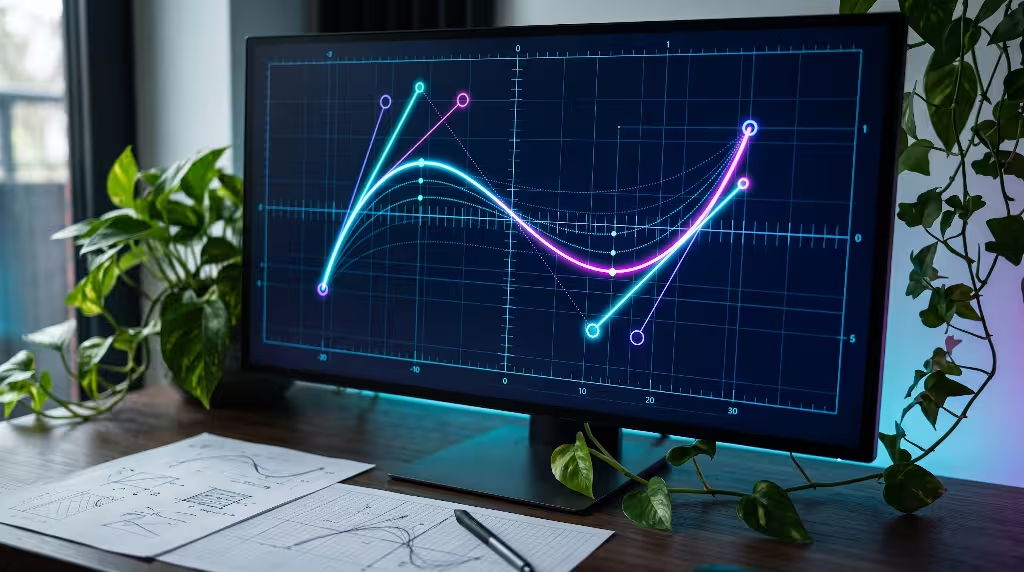
To appreciate why organic fluid motion matters so much, we first need to understand the tool that web designers have used for decades: the cubic Bezier curve. The name sounds complicated, but the idea is simple. In the 1960s, a French engineer named Pierre Bezier developed a mathematical way to draw smooth curves for car bodies at Renault. Decades later, computer scientists took those same curves and applied them to time.
In web code, a cubic Bezier curve controls the speed of an animation from start to finish. When you write a line of CSS, you often set an easing function like ease-in, ease-out, or ease-in-out. Under the hood, the browser turns those words into four coordinate numbers. These numbers create a graph where the horizontal axis represents time and the vertical axis represents progress. The curve connects the starting point to the ending point through two control handles. By pulling these handles, you can make an object start slowly and speed up, or start quickly and coast to a gentle stop.
This mathematical tool has great strengths. First, it is very lightweight. The web browser understands these math formulas natively. The graphics chip on your computer can run thousands of cubic Bezier calculations without breaking a sweat. It takes almost zero memory, and it never stalls your screen. For simple, predictable tasks, like making a link turn blue when your cursor hovers over it, a cubic Bezier curve works well.
Yet, this mathematical precision creates a major problem known as temporal rigidity. Temporal rigidity means the movement is locked to a fixed clock. When you tell a pop-up window to open using a cubic Bezier curve over 400 milliseconds, that window must take exactly 400 milliseconds to complete its journey. The math does not care if the user is in a hurry, nor does it care if the user suddenly changes their mind.
What happens when a user tries to interrupt an element driven by a cubic Bezier curve? Imagine you start dragging a menu open, but halfway through, you decide to flick it away. A standard cubic Bezier animation cannot handle that natural human gesture smoothly. Because it relies on a predetermined time clock, the animation often snaps violently, resets its velocity to zero, or jumps awkwardly across the screen. The physics break down instantly.
This visual snapping creates cognitive friction. In the physical world, no heavy object ever stops in zero seconds without hitting a solid brick wall. When a digital element stops instantly or changes direction without slowing down, your brain notices the glitch. It breaks the illusion of reality. Even if you do not think about it consciously, your nervous system registers that something unnatural just happened.
While cubic Bezier curves give us neat math and low processor overhead, they fail to deliver the responsiveness that modern touchscreens demand. They treat screen elements like train cars welded to an iron track. You can make the train go fast or slow along the track, but you cannot steer it into an open field. To solve this limitation, we have to move beyond rigid timelines and explore how organic fluid motion introduces natural freedom to digital surfaces.
The Mechanics of Organic Fluid Motion: Physics-Driven Kinematics

When we step away from predetermined time clocks, we enter the world of physics-driven kinematics, which forms the engine of organic fluid motion. Instead of asking how long an animation should take, organic fluid motion asks an entirely different question: what forces are acting upon this object?
In nature, motion is governed by laws that Sir Isaac Newton described centuries ago. If you pull a leaf down from a tree branch and let go, the leaf does not follow a timed curve. It springs back because of the physical tension inside the wood. It oscillates back and forth, pushed by the spring force of the branch and slowed down by the friction of the surrounding air. Eventually, it settles quietly into its resting position.
This is the foundation of organic fluid motion. When you build interfaces with organic fluid motion, you build a virtual physics engine inside the software. You define three basic physical properties for your interface components:
- Mass: This represents how heavy the item feels. A small icon might have very little mass, so it moves quickly with minimal effort. A large full-screen modal sheet might have significant mass, giving it a stable, deliberate presence on the screen.
- Stiffness: This represents the strength of the virtual spring pulling the object toward its goal. High stiffness makes an element snap into position with energetic urgency. Low stiffness makes it drift lazily like a boat docking on water.
- Damping: This represents friction or fluid resistance. Without damping, a virtual spring would bounce back and forth forever, like a satellite orbiting in deep space. Damping absorbs energy over time, bringing the motion to a calm, controlled stop.
By combining mass, stiffness, and damping, organic fluid motion creates a completely different feeling for micro-interactions. The duration of the movement is not decided ahead of time by the designer. Instead, the duration is a natural result of the physics math resolving itself. If you toss an item across the screen with great force, organic fluid motion carries it far down the page before the virtual friction slows it to a halt. If you nudge it gently, it travels just an inch and rests.
The true superpower of organic fluid motion is momentum inheritance. When your finger swipes across a glass phone screen, your hand has actual physical velocity. With organic fluid motion, the software reads that exact velocity at the moment your skin lifts from the glass. The on-screen card catches your speed and continues moving along the same trajectory at that exact same speed, gradually bleeding off momentum until the spring pulls it into place.
There are no awkward jumps, no visual hitches, and no unnatural resets. If you grab an element while it is still flying across the screen, organic fluid motion absorbs your touch seamlessly. The existing velocity blends with the new force of your finger. This continuous flow of energy is why organic fluid motion feels so silky and satisfying to use. It bridges the gap between your physical body and the digital pixels glowing behind the glass.
Biophilia in Digital Ergonomics: Why the Human Brain Craves Natural Kinetics

Why does natural movement matter so much in software design? The answer lies in our evolutionary history and a concept known as biophilia. The biophilia hypothesis, popularized by biologist Edward O. Wilson, states that human beings possess an innate, biological tendency to seek connections with nature and other forms of life. For hundreds of thousands of years, our survival depended on our ability to read natural patterns.
Our ancestors survived by watching the trajectory of running game, the bend of tree limbs under the weight of fruit, the rippling flow of clean streams, and the sudden rustle of grass hiding a predator. Our eyes, retinas, and visual processing centers in the brain were sculpted to track moving masses governed by gravity and momentum. We are deeply attuned to organic fluid motion because our visual systems were built in a world where everything moves with organic fluid motion.
When we sit in front of computer monitors for eight to ten hours a day, we place our brains into an artificial sensory environment. Traditional computer interfaces are filled with sharp right angles, blinking cursors, and mechanical animations that pop into existence without warning. When an interface relies entirely on unnatural kinetic paths, it forces the human visual cortex to perform extra cognitive work. Your brain must constantly adjust to movements that violate the physical laws of our planet.
This constant mental adjustment produces visual fatigue and cognitive friction. You might finish a long day of screen work feeling drained without understanding why. A subtle part of that exhaustion comes from sensory dissonance. Your eyes are telling your brain that objects are stopping in zero milliseconds, moving at impossible constant speeds, and jumping across space without traveling through the intervening distance.
When we incorporate organic fluid motion into digital products, we practice digital biophilia. We design software that speaks the native visual language of the human brain. When a card slides into place using organic fluid motion, your eyes track its deceleration without strain. The brain predicts where the card will land because the motion obeys familiar rules of momentum and friction. This predictability creates a profound feeling of ease, safety, and visual comfort.
Furthermore, organic fluid motion respects the concept of natural resonance. In nature, living things conserve energy. A river bends around hard rock rather than smashing through it with blunt force. A sapling bends gracefully with the gale rather than snapping under rigid resistance. By bringing organic fluid motion to our buttons, menus, and page transitions, we make digital tools feel less like clattering factory machines and more like living extensions of our thoughts. Organic fluid motion softens the harsh edges of digital technology, making our daily interactions with computers feel grounded, tranquil, and healthy.
Head-to-Head Comparison: Cubic Bezier Versus Physics
To help you choose the right approach for your web projects, let us place these two animation paradigms side by side. While organic fluid motion provides incredible tactile realism, both methods have their place in modern web development. Looking at their characteristics clearly will show you where each tool shines.
First, let us examine how each system calculates its movement:
- Timing Mechanism: A cubic Bezier curve relies on a strict time duration set in milliseconds. You define how many seconds the trip should take. In contrast, organic fluid motion relies on dynamic force equations. Time is completely variable, allowing the element to stop whenever its kinetic energy reaches zero.
- Interruption Handling: If a user clicks or drags an element while a cubic Bezier animation is running, the browser must either cancel the animation abruptly or jump straight to the end state. This causes visual stuttering. With organic fluid motion, the system welcomes interruptions. The current velocity vector is simply added to the new force, creating continuous, unbroken movement.
- Browser Performance: Cubic Bezier animations win on raw computing efficiency. Because their paths are simple math curves, the browser compositor thread can handle them without touching the main JavaScript thread. Organic fluid motion traditionally required JavaScript calculations on every frame. However, modern CSS techniques are closing this performance gap rapidly, allowing us to run organic fluid motion with near-zero lag.
- Kinetic Realism: Cubic Bezier curves offer stylized movement. They can feel slick and polished, like a well-timed cartoon, but they rarely feel truly physical. Organic fluid motion delivers authentic physical realism. Elements feel like tangible materials that have real substance, weight, and inertia.
- Implementation Complexity: Setting up a cubic Bezier curve takes just a single line of standard CSS. Implementing organic fluid motion requires understanding spring math, configuring physics libraries, or generating complex frame steps. It requires more thought and testing during development.
| Feature Comparison | Cubic Bezier Curves | Organic Fluid Motion |
| Driver | Predetermined Time (ms) | Dynamic Physical Forces |
| Interruption Quality | Low (snaps or resets) | High (blends velocity smoothly) |
| CPU Footprint | Extremely Low (native browser thread) | Low to Moderate (depends on engine) |
| Setup Speed | Fast (single CSS property) | Moderate (requires tuning parameters) |
| Tactile Feel | Mechanical and stylized | Natural, living, and responsive |
| Best Use Cases | Passive alerts, color fades, background shifts | Swipes, sheets, drags, cards, drawers |
This comparison highlights an important principle of modern interface design: you do not need to throw away cubic Bezier curves entirely. Instead, you should recognize their limitations. For passive elements that the user never touches directly, a simple cubic curve is often sufficient. But whenever an interaction involves direct physical touch, dragging, tossing, or rapid user decisions, organic fluid motion is far superior. By applying organic fluid motion to interactive components, you elevate the product from a static website to a responsive, living environment.
Technical Implementation: Code, Engine, and Pipeline Architecture
Now that we understand why organic fluid motion is so valuable, let us explore how we actually build it in web software. There are two primary ways to create organic fluid motion today: using modern CSS features or using specialized JavaScript physics libraries.
Method One: Modern CSS with the Linear Function
For many years, web developers could not write true organic fluid motion in pure CSS because CSS only accepted cubic Bezier coordinates. However, modern web browsers now support an advanced CSS feature called the linear timing function. This function allows developers to supply a long list of calculated points, creating complex spring trajectories that run entirely inside native CSS.
Instead of writing a simple cubic Bezier curve, you can generate a spring path using a mathematical tool and paste it directly into your stylesheet:
CSS
/* An organic fluid motion spring transition running in pure CSS */
.biophilic-card {
  transition-property: transform, opacity;
  transition-duration: 650ms;
  transition-timing-function: linear(
    0, 0.009, 0.035 2.1%, 0.141 4.4%, 0.723 12.9%, 0.938 16.7%,
    1.017 20.2%, 1.049 23.6%, 1.046 27.3%, 1.021 31.5%,
    0.998 36.4%, 0.989 42.1%, 0.994 51.5%, 1
  );
  will-change: transform;
}
Notice what is happening in this code. The numbers rise past 1.0 to roughly 1.049 before settling back down to 1. This subtle overshoot and gentle recovery mimics a physical mass bouncing on a spring. Because this runs through pure CSS, the browser compositor thread executes the organic fluid motion on your graphics card. It does not tie up the main thread of your web browser, keeping your page silky smooth and light on battery consumption.
Method Two: JavaScript Physics Engines
While modern CSS works wonders for simple clicks and reveals, complex interactions, like dragging a photo card across the screen, require a real-time JavaScript physics engine. Libraries like Motion (formerly Framer Motion) or Popmotion calculate Newton’s laws on every frame.
Here is how you can set up an organic fluid motion spring using a physics declaration in JavaScript:
JavaScript
import { animate } from "motion";

// Selecting our interactive element
const drawerElement = document.querySelector(".biophilic-drawer");

// Triggering an organic fluid motion spring animation
function openDrawerWithFluidMotion() {
  animate(
    drawerElement,
    { transform: "translateX(0px)" },
    {
      type: "spring",
      stiffness: 350,  // Higher value makes the spring snap faster
      damping: 28,     // Absorbs oscillation energy naturally
      mass: 0.75,      // Lighter mass reacts instantly to user energy
      velocity: 2.0    // Inherits incoming swipe velocity from the touch event
    }
  );
}
In this JavaScript example, we do not declare a duration. We never say “take 400 milliseconds.” We simply declare the stiffness, damping, mass, and incoming velocity. The physics engine handles the calculations, moving the drawer element with authentic organic fluid motion. If the user swipes their thumb quickly, the incoming velocity increases, and the drawer flies open naturally. If the user taps slowly, the drawer glides open with gentle, calm precision.
Performance Guidelines for Clean Rendering
When implementing organic fluid motion, you must protect your website from visual lag. To ensure your organic fluid motion runs at a solid 60 or 120 frames per second, follow these technical rules:
- Only Animate Transforms and Opacity: Never use organic fluid motion to animate CSS properties like
width,height,top,left, ormargin. Changing those properties forces the browser to recalculate the layout of the entire page on every single frame, causing stutter. Stick totransformandopacitybecause the graphics card can paint them without moving other page elements. - Use the Will-Change Property Judiciously: Adding
will-change: transform;tells the browser to place that element on its own GPU layer ahead of time. This ensures your organic fluid motion begins instantly without a single dropped frame. - Monitor Interaction to Next Paint (INP): Google measures how quickly your site responds to user taps using a metric called Interaction to Next Paint. If your organic fluid motion relies on heavy JavaScript loops that block the main thread, your INP score will drop. By keeping your calculations lean or using CSS linear springs, you protect your search engine rankings while giving users an elite sensory experience.
Accessibility and Sensory Considerations
As designers and developers, we must always remember that our websites serve diverse human beings with varying physical needs. Creating organic fluid motion is not an excuse to turn your web pages into chaotic carnivals of bouncing elements. When overused or poorly calibrated, movement on a screen can cause genuine physical harm.
A significant portion of the population suffers from vestibular disorders. The vestibular system is the delicate balance mechanism located inside your inner ear. It coordinates with your eyes to tell your brain where your body is located in physical space. When there is a mismatch between what your eyes see on a screen and what your inner ear feels, you can experience vestibular motion sickness. Symptoms include dizziness, nausea, headaches, and extreme disorientation.
Uncontrolled animations that bounce excessively, zoom rapidly across the screen, or wobble out of control are dangerous for people with vestibular sensitivities. This is why organic fluid motion must always be implemented with restraint and discipline. Authentic natural movement in living ecosystems is rarely wild or chaotic. In nature, fluid motion is governed by viscous damping. A leaf floating on a stream does not bounce uncontrollably; the thick water slows it down and holds it steady.
When tuning your spring physics for organic fluid motion, prioritize critically damped or slightly underdamped systems. A critically damped spring reaches its resting point as quickly as possible without bouncing back and forth. It moves smoothly, decelerates gracefully, and comes to a full stop without shaking. This provides all the visual elegance of organic fluid motion without triggering nausea or sensory overload.
Furthermore, every professional website must respect the user’s operating system preferences regarding movement. Modern operating systems allow individuals to toggle an option called “Reduce Motion.” When a visitor has this setting enabled, your website should automatically disable large motion effects and switch to instant, tranquil visual state changes.
You can easily handle this in your CSS code:
CSS
/* Respecting users who need reduced motion for health and comfort */
@media (prefers-reduced-motion: reduce) {
  *,
  *::before,
  *::after {
    animation-duration: 0.01ms !important;
    animation-iteration-count: 1 !important;
    transition-duration: 0.01ms !important;
    scroll-behavior: auto !important;
  }
}
In your JavaScript physics configurations, you can check this setting before running any dynamic effects:
JavaScript
const userPrefersReducedMotion = window.matchMedia("(prefers-reduced-motion: reduce)").matches;

if (userPrefersReducedMotion) {
  // Apply changes instantly without running physics springs
  drawerElement.style.transform = "translateX(0px)";
} else {
  // Execute our calm, biophilic organic fluid motion
  openDrawerWithFluidMotion();
}
By pairing organic fluid motion with thoughtful damping and full accessibility controls, you create a digital environment that is welcoming to everyone. True biophilic design is not about flashy decoration. It is about crafting healthy, harmonious spaces that nurture all human beings who enter them.
Common Questions About Interface Movement and Organic Fluid Motion
When web professionals begin researching animation methods, several common questions arise. Here are straightforward answers to the most frequent inquiries found on search engines regarding interface movement and physics.
What is the difference between organic fluid motion and cubic bezier in UI design?
The core difference between organic fluid motion and a cubic Bezier curve lies in how time and physical forces are handled. A cubic Bezier curve uses a predetermined, fixed time clock. You tell the browser to take an exact number of milliseconds to complete a transition, and the computer follows a static mathematical curve between two points.
In contrast, organic fluid motion does not rely on a fixed duration. It uses virtual physics formulas based on real-world concepts like mass, spring stiffness, and friction. Because organic fluid motion calculates movement using forces rather than a stopwatch, it can adapt instantly to user touch, inherit the speed of a swipe, and handle unexpected interruptions without visual stuttering.
Are spring animations better than cubic bezier curves for micro interactions?
Spring animations are significantly better than cubic Bezier curves whenever an interaction involves direct physical touch, dragging, or gestures that can be interrupted. When you swipe a card, drag a menu, or pull down to refresh a feed, spring animations capture the energy of your hand and continue that movement naturally.
However, cubic Bezier curves remain superior for simple, non-interactive state changes where low file size and absolute predictability are required. If an icon is simply changing its color when you hover over it, or if a subtle text label is fading in after a page load, a lightweight cubic Bezier curve is often the most efficient tool for the job.
Which cubic-bezier curve feels most natural for web elements?
The cubic Bezier curves that feel most natural are those that feature an immediate burst of initial speed followed by a long, gentle deceleration period. In natural physics, objects pushed by a sudden force accelerate quickly and spend most of their journey slowing down against the friction of their environment.
A classic curve that mimics this natural slowing is cubic-bezier(0.16, 1, 0.3, 1), commonly known as exponential ease-out. Another excellent choice is cubic-bezier(0.25, 1, 0.5, 1), known as quartic ease-out. Both curves front-load the movement, giving the user immediate visual feedback while allowing the element to coast to a serene, natural stop that mimics organic fluid motion.
Does complex fluid motion impact Core Web Vitals and INP?
Yes, complex animation can harm your Core Web Vitals if it is built incorrectly. If you run unoptimized physics calculations in JavaScript on every frame, you tie up the main processing thread of the browser. When a user tries to click a button or type into an input field while the main thread is busy calculating animation frames, the interface freezes momentarily.
This delay hurts your Interaction to Next Paint score, which Google uses to rank websites. To use organic fluid motion without hurting your search rankings, make sure your physics calculations only animate CSS transform and opacity. Even better, take advantage of the modern CSS linear() timing function so the graphics card handles the organic fluid motion away from the main thread.
Strategic Framework: How to Choose for Your Design System
Building a cohesive website requires consistent rules. If every button on your page moves with a different speed and springiness, your interface will feel disorganized and confusing. To create harmony, you should establish a clear framework within your design system that dictates when to use organic fluid motion and when to use traditional cubic curves.
Here is a simple, three-part decision tree to guide your design choices:
                  [User Triggers an Action]
                              |
               Is it directly interactive or
                 gesture-driven (touch/drag)?
                            /   \
                         YES     NO
                         /         \
   [Apply Organic Fluid Motion]   Does it communicate a passive
   (Springs, velocity transfer)   system status or simple fade?
                                            /   \
                                         YES     NO
                                         /         \
               [Fast Cubic Bezier]     [Subtle Organic Fluid Motion]
               (ease-out, <180ms)      (linear CSS spring, gentle damping)
To put this strategic framework into practice across your entire product team, organize your movement tokens into three distinct functional categories:
1. Direct Manipulations (Gesture Level)
- What it covers: Swipeable cards, pull-to-refresh indicators, bottom modal sheets, floating panels, and draggable gallery sliders.
- The Motion Choice: Pure physics-driven organic fluid motion.
- Why: These elements touch the user’s skin or cursor directly. They must inherit gesture velocity and tolerate instant interruptions. If a user changes their mind and throws a card back, the organic fluid motion must react without a single awkward jump.
2. High-Frequency Productive Actions (Utility Level)
- What it covers: Dropdown menus, form checkmarks, text button color states, navigation links, and table row expansions.
- The Motion Choice: Fast cubic Bezier curves or tight, non-oscillating CSS springs.
- Why: When someone uses a software application for work, they might click the same menu fifty times an hour. If that menu bounces, wobbles, or takes half a second to settle, it will irritate the user. For high-frequency tasks, utility must lead. Keep the motion fast, clean, and under 180 milliseconds.
3. Ambient Environmental Reactions (Atmospheric Level)
- What it covers: Page transitions, large modal reveals, floating notification toasts, and image lightbox expansions.
- The Motion Choice: Moderately damped organic fluid motion using modern CSS
linear()tokens. - Why: These transitions establish spatial continuity. They help the user understand where they just came from and where they are going on the site. Using a relaxed, biophilic spring gives the entire digital space a calm, premium atmosphere without demanding heavy processor power.
By defining these boundaries in your design system, you ensure that organic fluid motion is applied where it brings delight and clarity, while avoiding unnecessary motion where speed and simplicity are paramount.
Synthesizing Code and Nature
The web is undergoing a quiet, profound transformation. For the first several decades of digital design, our interfaces were constrained by the limitations of early computing hardware. We lived in a world of stark, rectangular boxes, static type, and jerky animations that behaved like miniature mechanical clocks. We built digital tools that reflected the machinery of computers rather than the biology of human beings.
Today, our screens are high-resolution windows capable of rendering complex visuals at breathtaking speeds. We have the computational power to move past the mechanical era of web design. By embracing organic fluid motion, we can build digital spaces that honor the natural world and respect human biology.
Throughout this guide, we have seen how organic fluid motion transforms digital surfaces:
- It replaces rigid, pre-baked clocks with authentic Newtonian physics based on mass, stiffness, and friction.
- It eliminates visual stuttering by allowing interface elements to inherit user momentum and handle unexpected interruptions gracefully.
- It supports our human evolutionary wiring through biophilic design, reducing eye strain and cognitive fatigue during long hours of computer work.
- It harmonizes with modern browser rendering pipelines, delivering silky performance on the graphics card without hurting Core Web Vitals or search engine rankings.
As creators, designers, and developers, our goal should never be to decorate a page with unnecessary visual noise. Our goal should always be to craft experiences that feel effortless, intuitive, and calm. Software should feel like a natural extension of human intention, responding to our touch with the same grace and fluidity that we find in living ecosystems.
When you sit down to plan your next web project, look away from your computer monitor for a moment. Look out the window at the branches swaying in the breeze, the water rippling in the garden, or the dog running across the grass. Observe how the physical universe solves the puzzle of movement through balance, inertia, and grace. Then, bring those timeless lessons back to your code editor, and let organic fluid motion breathe life into your digital creations.