At Silphium Design LLC, we believe that nature is not just something you look at on a screen. Nature is a living system built on balance, efficiency, and zero waste. When we build websites that mimic nature, we must apply those same living principles to our digital architecture.
Many web designers today create pages that look green on the outside, but run on dirty energy and bloated code on the inside. This practice is known as digital greenwashing. In this article, I will show you how to spot greenwashing, why greenwashing harms both users and the environment, and how you can build authentic, low-carbon digital habitats that truly honor nature.
Table of Contents
The Disconnect Between Aesthetics and Environmental Reality
When you visit a modern website, you might see soft green color palettes, high-resolution background photos of rainforests, and leaf icons on every button. It looks peaceful and eco-friendly. However, underneath that pretty surface, the website might be downloading dozens of megabytes of uncompressed video files, running heavy background scripts, and heating up physical servers in data centers powered by coal or gas.
This deep disconnect between visual appearance and physical reality is the heart of greenwashing in digital space.
+-----------------------------------------------------------------------+
|                         SURFACE APPEARANCE                            |
|    Green palettes, leaf icons, forest photos, organic imagery          |
+-----------------------------------------------------------------------+
                                   |
                         [ HIDDEN DISCONNECT ]
                                   |
+-----------------------------------------------------------------------+
|                         PHYSICAL REALITY                              |
|   15MB video loops, 80 HTTP requests, high CPU load, dirty energy     |
+-----------------------------------------------------------------------+
Defining the Main Problem
The main problem in nature-inspired web design is treating sustainability as a cosmetic paint job. Designers often mistake natural imagery for environmental responsibility. When a site uses heavy graphics to show how much it loves the earth, it burns more electricity to deliver those graphics across the internet.
Every picture, video, and font file you download requires physical power. That power comes from an electric grid. If your design choices increase page weight, you increase energy consumption. A site that looks natural while burning excess energy creates an obvious contradiction. That contradiction is the classic definition of greenwashing.
The Definition of Digital Greenwashing
Digital greenwashing happens when a web design uses environmental visuals, green language, or eco-themed styling to project an environmentally friendly image while relying on unoptimized code and carbon-heavy server infrastructure.
Greenwashing tricks users into feeling good about their digital habits while ignoring the real footprint of the web. Just like a physical company might paint a plastic bottle green to hide its waste, a web developer might use leaf patterns to mask an unoptimized, energy-guzzling homepage. Preventing greenwashing requires looking past surface art and inspecting the underlying data transfer.
Thesis Statement
Authentic biophilic web design requires uniting biology and computer science. To prevent greenwashing, every nature-inspired graphic choice must be backed by lean front-end code, low-carbon server infrastructure, and measurable environmental data.
The Carbon Footprint of Nature Aesthetics (The Technical Mechanics)
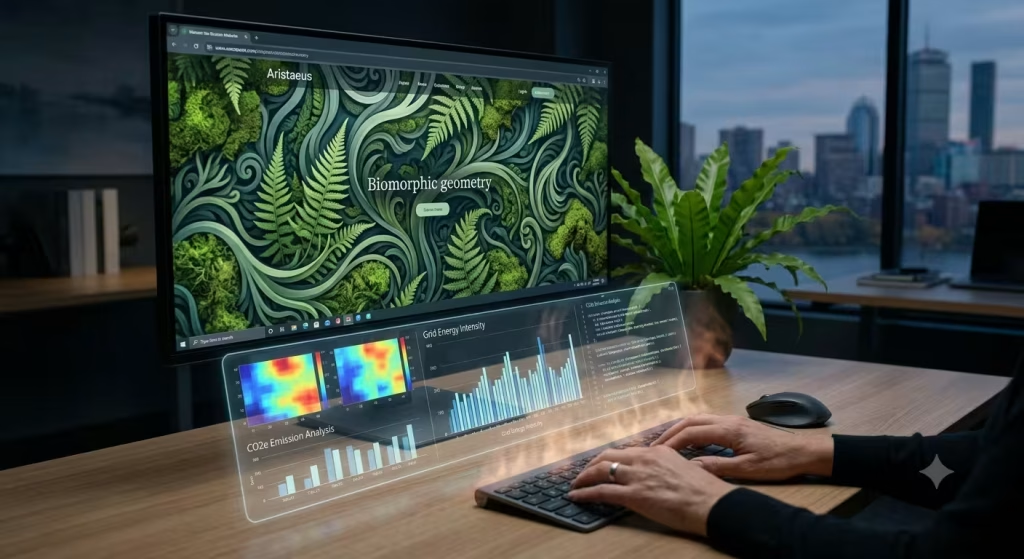
To understand how greenwashing happens, we need to trace what happens when someone clicks a web link. Your phone or computer sends a request across thousands of miles of fiber-optic cables to a data center. That data center uses electricity to process your request and send data packets back to your screen. Your local device then uses battery power and CPU power to render the pixels on your screen.
When a designer adds massive files to make a site look organic, they increase electricity use at every step of that path. That hidden power usage turns good intentions into greenwashing.
+---------------+      +-------------------+      +------------------+      +-----------------+
| User Device   | ---> | Fiber-Optic Cable | ---> | Internet Routers | ---> | Data Center     |
| (Battery/CPU) | <--- | (Data Transfer)   | <--- | (Network Nodes)  | <--- | (Server Power)  |
+---------------+      +-------------------+      +------------------+      +-----------------+
The Energy Cost of Unoptimized Media
Unoptimized media is one of the primary triggers of greenwashing in modern layout design. Consider a high-definition video of a misty forest playing in the background of a homepage. That single video file might be twenty megabytes in size.
When thousands of people visit that page every day, the server transfers gigabytes of data over the network. The mobile devices loading that video must work their processors hard to render every single frame. The heat you feel on the back of your phone while loading heavy websites is physical energy turning into wasted heat.
If a website uses heavy, uncompressed leaf textures and video loops while calling itself sustainable, it falls straight into greenwashing. The energy spent delivering those files directly conflicts with the ecological message of the site.
Mathematical Assessment of Digital Impact
We can calculate the carbon emissions of a web page using a basic formula based on data transfer and grid energy intensity.
CO2 per pageview = Data Transferred (GB) X 0.812 kWh/GB X 442g CO2/kWh
Let us break down what this means in simple terms:
- Data Transferred (GB): The total weight of all images, scripts, text, and styles loaded by the page.
- 0.812 kWh/GB: The estimated energy consumed by servers, networks, and consumer devices to move one gigabyte of data.
- 442 g CO2/kWh: The global average carbon output generated per kilowatt-hour of electricity.
If your homepage downloads 3 megabytes (0.003 GB) of data per visit, each view creates roughly 1.07 grams of carbon dioxide. If that page gets 100,000 visits a month, it releases over 128 kilograms of carbon dioxide every year just from basic browsing.
To stop greenwashing, we must establish a strict page weight budget. At Silphium Design LLC, we set a target page weight budget of no more than 1.0 megabyte for an initial page load. Keeping pages light prevents greenwashing by ensuring our digital footprint stays small.
Server Infrastructure and Hosting Integrity
Where your website lives matters just as much as how much data it sends. Server hosts run thousands of computers inside massive warehouses that require round-the-clock cooling.
Many web hosts use marketing language that sounds eco-friendly, but they actually run on fossil fuels while buying cheap carbon offsets once a year. Relying on vague host promises without checking their actual fuel source is another common form of greenwashing.
To avoid greenwashing, web creators should verify their web hosting using independent tools like the Green Web Foundation database. True green hosting means the data center receives power directly from local renewable sources like solar, wind, or hydroelectric power.
Translating Biophilic Design Patterns to UX Without Decoration

Biophilic design is the practice of connecting human beings to natural systems within built environments. In physical architecture, biophilic design uses natural sunlight, fresh air flow, non-rectilinear shapes, and organic materials. In digital user experience design, biophilic principles are often misunderstood. Designers often reduce biophilia to visual imagery, which leads straight to greenwashing.
Authentic biophilic UX does not mean pasting leaf icons over standard rectangular boxes. It means structuring digital spaces so they mirror the calm efficiency, spatial balance, and restorative patterns found in living ecosystems.
+-----------------------------------------------------------------------+
|                     AUTHENTIC BIOPHILIC DESIGN                        |
|                                                                       |
|  [ Natural Rhythm ]       [ Organic Geometry ]     [ Spatial Relief ] |
|  Light/Dark Modes         Golden Ratio Spaces      Restorative Focus  |
|  Low System Load          Clean Vector Lines       Zero Visual Bloat  |
+-----------------------------------------------------------------------+
Direct Experience of Nature (Digital Equivalents)
In the physical world, direct experiences of nature include seeing sunlight change throughout the day or feeling a cool breeze. In a web browser, we can create digital equivalents of these experiences without adding heavy media files or causing greenwashing.
One natural digital equivalent is light and dark mode mapping tied to local time. Instead of downloading heavy video backgrounds, a website can use simple CSS code to gradually shift interface background colors based on the user’s local solar hours. Warm, low-blue light palettes in the evening align with human circadian rhythms.
Another direct equivalent is subtle visual motion that mimics natural fluid movement. Instead of using heavy JavaScript libraries that drain mobile batteries, developers can build light micro-interactions using native CSS code. A button that gently expands like a breathing lung when hovered gives a feeling of life while consuming almost zero extra power. This approach delivers a authentic nature connection while avoiding greenwashing.
Indirect Experience of Nature (Biomorphic Forms)
Indirect biophilic experiences use shapes, patterns, and proportions inspired by natural growth. Nature rarely uses perfect, rigid grid systems with hard ninety-degree corners. Natural forms grow along curved lines, spirals, and mathematical ratios like the Golden Ratio.
    Golden Ratio Layout Scale
    +-------------------+-------+
    |                   |   1   |
    |                   +-------+
    |         3         |   2   |
    |                   |       |
    +-------------------+-------+
You can build biomorphic layout structures using pure CSS grid systems based on natural proportions. For example, using layout ratios like 1 to 1.618 creates a visual balance that feels comfortable to the human eye.
Instead of downloading large raster image textures of stone or wood, developers can use lightweight vector shapes and native SVG filters to create subtle curves. SVG vectors are written in plain mathematical text, meaning they load instantly and take up tiny amounts of storage space. Using clean mathematical geometry instead of heavy image downloads keeps the interface organic while preventing greenwashing.
Space and Place Conditions
In natural environments, humans feel safe and calm when they have a clear view ahead of them and a secure place behind them. This is known in spatial architecture as prospect and refuge.
In web design, you can create prospect and refuge through clean spatial grouping and deliberate white space. High visual clutter stresses the human brain and forces mobile processors to draw more elements on screen. Clear spatial hierarchy gives users visual relief.
A page with generous line spacing, structured margins, and minimal distractions helps users process information with lower cognitive fatigue. Creating spatial comfort through clean code delivers true biophilic value while avoiding greenwashing.
Detecting and Eliminating Green UX Dark Patterns
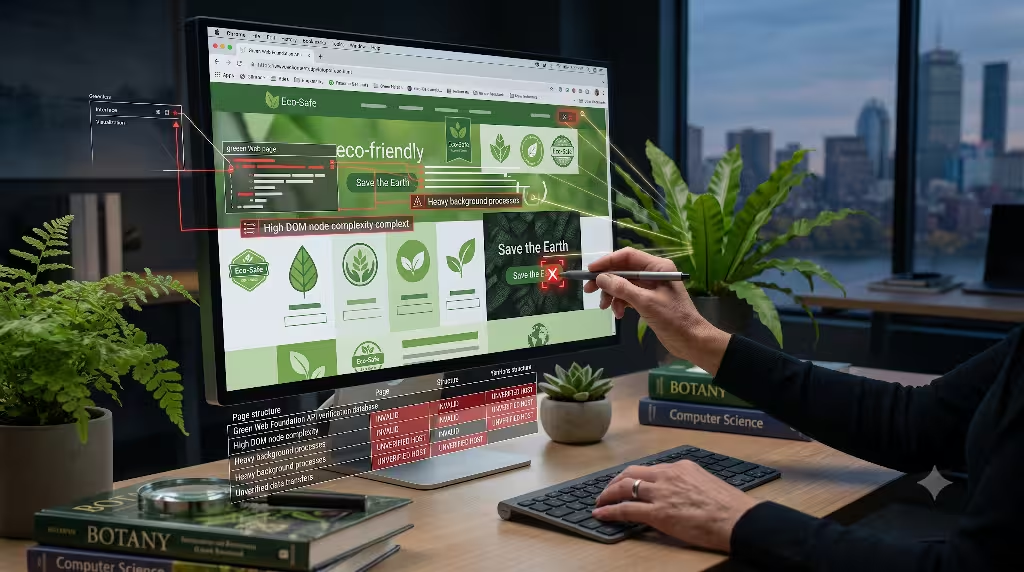
A dark pattern in user experience design is a visual trick that deceives users into doing something they did not intend to do. When dark patterns use green imagery to manipulate user trust, they become greenwashing dark patterns.
Recognizing these deceptive design habits is essential for any developer or organization seeking to combat greenwashing on the web.
+-----------------------------------------------------------------------+
|                    GREEN UX DARK PATTERNS TO ELIMINATE                |
+-----------------------------------------------------------------------+
|  [!] Decorative Leaf Icons on Checkout Buttons                        |
|  [!] Unverified "Eco-Friendly" Custom Badges                          |
|  [!] Vague Copywriting ("100% Planet Approved")                       |
|  [!] Hiding Physical Delivery Emissions Data                          |
+-----------------------------------------------------------------------+
Superficial Green Tropes to Retire
Designers frequently rely on a standard set of visual tropes when attempting to make a site look environmentally conscious:
- Small leaf icons placed next to “Buy Now” buttons.
- Bright green background banners on shipping options.
- Unverified earth logos placed in website footers.
These tropes trigger an instant emotional reaction called the halo effect. The user sees a leaf icon and unconsciously assumes the product, service, or company is helping the planet. If that purchase actually involves high carbon shipping or non-recyclable materials, placing a leaf on the button is outright greenwashing.
To eliminate greenwashing, remove decorative eco-icons unless they represent a clear, third-party verified standard. If a button simply submits a form, keep the button styling clean and functional. Do not hide corporate actions behind cheap environmental symbols.
Deceptive Copywriting vs. Explicit Transparency
Vague claims are the primary weapon of digital greenwashing. Words like “eco-friendly,” “green,” “earth-conscious,” and “sustainable” have no strict legal definitions when used in general web copy.
+-----------------------------------------------------------------------+
|                        COPYWRITING COMPARISON                         |
+-----------------------------------------------------------------------+
| GREENWASHING COPY:                                                    |
| "Our revolutionary green platform is 100% eco-friendly and loves      |
| Mother Earth!"                                                        |
|                                                                       |
| AUTHENTIC TRANSPARENT COPY:                                           |
| "Our web servers run on verified local solar power. Each pageview     |
| transfers 0.2 MB of data and generates 0.08 grams of CO2."            |
+-----------------------------------------------------------------------+
To eliminate greenwashing in copy, replace vague buzzwords with concrete, verifiable metrics:
- Instead of saying “Our website is green,” state “Our website runs on servers powered by 100% on-site solar energy.”
- Instead of saying “Low carbon web design,” state “Our homepage total download size is 350 kilobytes, emitting less than 0.1 grams of CO2 per visit.”
Specific data kills greenwashing. When you share exact numbers, you offer facts that users and auditors can independently check.
E-Commerce Ethical Visuals
E-commerce web sites are hotbeds for greenwashing dark patterns. Online stores often place green badges on product cards to encourage sales, even when those products have high carbon footprints.
+-----------------------------------------------------------------------+
|                       ETHICAL PRODUCT CARD UX                         |
+-----------------------------------------------------------------------+
|  [ Product Image: Recycled Wool Sweater ]                             |
|                                                                       |
|  Material Traceability: 85% Post-Consumer Wool                       |
|  Supply Chain Distance: 240 Miles                                     |
|  Packaging Material: Unbleached Cardboard                            |
|  Lifecycle Data: Verified by Independent Audit #4092                  |
+-----------------------------------------------------------------------+
An authentic biophilic e-commerce design provides full transparency across the product lifecycle. Instead of using a generic green star rating, show real material traceability, shipping distances, and packaging choices. When you show clear supply chain facts, you replace greenwashing with authentic user empowerment.
Green Code: Front-End Architecture for Authentic Biophilia
Authentic biophilic design requires deep structural efficiency. Just as natural organisms evolve to use as little energy as possible to survive, sustainable code must be written to run with minimal computational waste. Green front-end web architecture is the strongest defense against greenwashing.
+-----------------------------------------------------------------------+
|                     GREEN CODE ARCHITECTURE TRIAD                     |
|                                                                       |
|     [ DOM Optimization ]    [ Modern Assets ]    [ System Fonts ]     |
|     Shallow Tree Depth      AVIF / WebP Format   Zero Network Downloads|
|     Lower CPU Cycles        Vector SVG Graphics  Fast Native Rendering|
+-----------------------------------------------------------------------+
DOM Tree and Rendering Optimization
The Document Object Model, or DOM, is the internal structure that a web browser creates to represent a web page. Every heading, paragraph, image, and container box forms a node on this DOM tree.
When a webpage has a deep, messy DOM tree with thousands of nested container elements, the user’s device must spend considerable computing power parsing, layout processing, and painting those elements onto the screen. High CPU load drains mobile phone batteries and generates heat.
BAD: Deep, Messy DOM (Causes high CPU load)
<div>
  <div>
    <div>
      <section>
        <div>
          <p>Text Content</p>
        </div>
      </section>
    </div>
  </div>
</div>

GOOD: Clean, Shallow DOM (Fast, low power)
<main>
  <p>Text Content</p>
</main>
To keep your code lean and prevent greenwashing, maintain a shallow DOM structure:
- Avoid unnecessary wrapping
<div>elements. - Use semantic HTML tags like
<main>,<article>,<nav>, and<aside>. - Keep total page DOM nodes under 800 total elements whenever possible.
A clean, minimal DOM structure reduces device processing power. This makes the user experience faster while keeping your low-energy claims free from greenwashing.
Asset Loading Strategies
Images and media files make up over 60% of the total data transferred across the web today. Unoptimized images are the single largest contributor to digital greenwashing.
To optimize visual media and keep your site truly sustainable:
- Convert Raster Images to AVIF or WebP Formats: Modern image formats offer up to 50% better compression than older JPEG or PNG files without losing visual quality.
- Implement Native Lazy Loading: Use the
loading="lazy"attribute on image tags so images below the screen fold are only downloaded when the user scrolls down to them. - Replace Images with Native SVG Shapes: Where possible, replace heavy photographic textures with mathematical vector graphics.
<!-- Example of sustainable image loading -->
<picture>
  <source srcset="forest-path.avif" type="image/avif">
  <source srcset="forest-path.webp" type="image/webp">
  <img src="forest-path.jpg" alt="A quiet walking path through a sunlit mossy forest" loading="lazy" width="800" height="600">
</picture>
By reducing image sizes from megabytes down to kilobytes, you reduce physical data transfer across the global internet. This physical reduction protects your design from greenwashing.
System Font Stacks as a Sustainable Choice
Typography is another hidden energy drain on the modern web. Many websites download three or four custom web font files just to display text headings and body paragraphs. Each font file can add hundreds of kilobytes to the initial load size, causing noticeable page rendering delays.
+-----------------------------------------------------------------------+
|                        SYSTEM FONT STACK EXAMPLE                      |
+-----------------------------------------------------------------------+
| font-family: -apple-system, BlinkMacSystemFont, "Segoe UI", Roboto,   |
| Helvetica, Arial, sans-serif;                                         |
|                                                                       |
| Benefits:                                                             |
| - 0 Kilobytes transferred over network                                |
| - Instant text rendering (No layout shifts)                           |
| - Zero extra energy spent loading font files                          |
+-----------------------------------------------------------------------+
Using a system font stack means telling the web browser to use the fonts already built into the user’s operating system, such as San Francisco on Apple devices or Segoe UI on Windows.
System fonts require zero network downloads. They load instantly, look crisp, and use no extra transfer energy. Relying on system fonts proves that you value structural performance over decorative bloat, helping you avoid greenwashing.
Compliance, Guidelines, and Framework Alignment
Designing sustainable digital products is no longer a matter of personal preference. Global standards and regulatory frameworks are emerging to define what makes a digital product truly eco-friendly and how to eliminate greenwashing under international law.
+-----------------------------------------------------------------------+
|                     GOVERNANCE & STANDARDS MATRIX                     |
+-----------------------------------------------------------------------+
|  Standard / Law             | Core Focus                              |
| ----------------------------+---------------------------------------- |
|  W3C WSG                    | 93 Guidelines for digital efficiency    |
|  WCAG 2.2                   | Accessible contrast and screen readers  |
|  EU Green Claims Directive  | Legal penalties for unverified claims   |
+-----------------------------------------------------------------------+
W3C Web Sustainability Guidelines (WSG)
The World Wide Web Consortium (W3C) publishes the Web Sustainability Guidelines (WSG). This framework contains 93 actionable guidelines for reducing the environmental impact of web applications across four core pillars:
- User Experience Design
- Front-End Web Development
- Server Infrastructure and Hosting
- Business Strategy and Operations
Aligning your design choices with the W3C WSG gives your team a clear, standard framework. Following established international guidelines protects your project from greenwashing accusations because your team works against recognized industry baselines.
WCAG 2.2 Accessibility Integration
Nature-inspired design palettes often rely on muted earth tones like sage green, soft sand, light slate, and warm ochre. While these colors feel calming, they frequently fail strict visual contrast guidelines if not checked carefully.
When body text lacks high visual contrast against its background, users with visual impairments or age-related vision changes cannot comfortably read the content. Creating an eco-themed layout that fails basic accessibility requirements is a quiet form of greenwashing. It claims to honor human life while excluding people with accessibility needs.
+-----------------------------------------------------------------------+
|                      COLOR CONTRAST COMPARISON                        |
+-----------------------------------------------------------------------+
| FAIL (Greenwashing Trap):                                             |
| Sage text (#8A9A86) on Sand background (#EAE6DF)                      |
| Contrast Ratio: 2.1:1 (Fails WCAG Standards)                         |
|                                                                       |
| PASS (Authentic Accessible Biophilia):                                |
| Deep Forest text (#1B321D) on Off-White background (#F7F9F6)          |
| Contrast Ratio: 10.4:1 (Exceeds WCAG AAA Standards)                   |
+-----------------------------------------------------------------------+
Under the Web Content Accessibility Guidelines (WCAG 2.2), body text must maintain a visual contrast ratio of at least 4.5 to 1 against its background. Authentic biophilic design must be inclusive. Ensuring that natural color schemes meet WCAG 2.2 guidelines keeps your project accessible, functional, and free from greenwashing.
Regulatory Landscape
Governments around the world are passing strict legislation to penalize companies that use misleading environmental marketing.
- EU Green Claims Directive: Mandates that all environmental claims made on digital platforms must be backed by scientific evidence and independent third-party verification.
- UK Green Claims Code: Focuses on eliminating deceptive marketing, specifically targeting unverified green badges, misleading claims, and hidden environmental costs in consumer interfaces.
Failing to back up environmental claims on your website can lead to legal penalties under these new laws. Implementing low-carbon front-end code and verifying hosting infrastructure protects your organization from greenwashing liabilities.
Common Questions Answered about Greenwashing
Search engines frequently highlight direct questions from users looking for clear answers about sustainable web design and greenwashing. Below are direct, factual answers to the most common queries.
What is greenwashing in web design?
Greenwashing in web design occurs when a website uses visual elements like green color schemes, nature imagery, and leaf icons to project an eco-friendly image while utilizing unoptimized code and carbon-heavy server infrastructure that actively harms the environment. It is the act of painting a website green on the surface while ignoring its real digital carbon footprint.
How does nature-inspired web design affect website performance?
Nature-inspired web design can affect website performance either positively or negatively depending on how it is built. If built using heavy background video loops and uncompressed textures, it increases page weight, slows load times, and drains device batteries, causing digital greenwashing. However, if built using clean biomorphic CSS grids, system fonts, and lightweight vector graphics, it creates a fast, restorative, and highly sustainable user experience.
How do you verify if a website is genuinely sustainable?
To verify if a website is genuinely sustainable, you must audit three main factors:
- Data Transfer Volume: Use tools like Website Carbon Calculator or PageSpeed Insights to measure total kilobytes transferred per view.
- Server Energy Source: Check the domain against the Green Web Foundation database to verify if data centers use verified renewable energy.
- Data-Backed Disclosures: Check if environmental claims on the site link directly to verified third-party audits rather than generic marketing buzzwords.
Can biophilic design principles improve digital conversion rates?
Yes, authentic biophilic design principles can improve digital conversion rates. By removing visual clutter, organizing layouts according to natural proportions, and supporting light-dark circadian needs, biophilic interfaces reduce user stress and cognitive fatigue. When combined with clear, transparent copywriting free from greenwashing, this peaceful user experience builds user trust, leading to higher engagement and better conversion rates over time.
Case Study Analysis: Superficial vs. Structural Biophilic UX
To see how authentic biophilic web design differs from digital greenwashing in the real world, let us compare two web implementations for a hypothetical outdoor brand.
+-----------------------------------------------------------------------+
|                    CASE STUDY COMPARISON MATRIX                       |
+-----------------------------------------------------------------------+
| Feature / Metric    | Greenwashed Nature Site  | Authentic Biophilic  |
| --------------------+--------------------------+--------------------- |
| Hero Section        | 18 MB 4K Video Loop      | 120 KB SVG Pattern   |
| Hosting Infrastructure| Unverified Cloud Server| Verified Solar Host  |
| Color Palette       | Low Contrast Ochre/Sage  | High Contrast Earth  |
| DOM Element Count   | 2,400 Nodes              | 520 Nodes            |
| Page Load Time      | 4.8 Seconds              | 0.9 Seconds          |
| Carbon Output       | 2.40g CO2 per view       | 0.12g CO2 per view   |
| Carbon Rating       | F Grade                  | A+ Grade             |
| Compliance          | Greenwashing Risk        | Fully Compliant      |
+-----------------------------------------------------------------------+
Analysis of the Greenwashed Nature Site
The Greenwashed Nature Site opens with an 18-megabyte background video loop showing misty pine trees. It uses a low-contrast sage green text palette that fails WCAG accessibility standards. Its DOM tree contains over 2,400 nodes due to heavy framework wrappers, causing mobile phone processors to run hot.
The site produces 2.40 grams of carbon dioxide every time someone loads the homepage. Despite its forest imagery, its heavy technical design choices make it a classic example of greenwashing.
Analysis of the Authentic Biophilic Site
The Authentic Biophilic Site uses a dynamic inline SVG foliage pattern that weighs only 120 kilobytes. It runs on a verified solar-powered data center. Its typography relies on native system fonts, and its color palette maintains a clear 10.4 to 1 contrast ratio for easy reading.
The DOM tree stays lean at 520 nodes, allowing the page to render in under one second. It emits just 0.12 grams of carbon dioxide per load, earning an A+ carbon rating. This site delivers a calming, nature-inspired experience while eliminating greenwashing through lean computational design.
The Silphium Biophilic Web Authenticity Audit Checklist
At Silphium Design LLC, we use a 5-step audit checklist to evaluate digital projects. You can use this checklist to review your own website, spot hidden environmental waste, and eliminate greenwashing from your digital footprint.
+-----------------------------------------------------------------------+
|           THE SILPHIUM BIOPHILIC WEB AUTHENTICITY CHECKLIST           |
+-----------------------------------------------------------------------+
| [ ] Step 1: Metric Verification                                       |
|     - Measure initial page load weight (Target: <= 1.0 MB).           |
|     - Calculate g CO2e per view (Target: <= 0.20g).                   |
|                                                                       |
| [ ] Step 2: Hosting Compliance                                        |
|     - Run domain through Green Web Foundation database.               |
|     - Verify green power source matches physical data center region.  |
|                                                                       |
| [ ] Step 3: Visual & Spatial Assessment                               |
|     - Audit organic visual elements for real functional UX value.     |
|     - Remove purely decorative media files that inflate page size.    |
|                                                                       |
| [ ] Step 4: Accessibility & Contrast Audit                            |
|     - Test all earth-tone color pairings for WCAG 2.2 compliance.    |
|     - Ensure minimum contrast ratio of 4.5:1 for body text.          |
|                                                                       |
| [ ] Step 5: Copywriting & Data Integrity                              |
|     - Replace generic buzzwords with clear, quantitative facts.       |
|     - Add direct links to third-party certifications and data.        |
+-----------------------------------------------------------------------+
Step 1: Metric Verification
Start by running your web page through independent carbon auditing tools such as Website Carbon Calculator or PageSpeed Insights. Check your total page weight. If your initial page load exceeds 1.0 megabyte, your site is spending unnecessary energy. Target a carbon emission score of 0.20 grams of carbon dioxide or less per page view to ensure your performance claims stay free from greenwashing.
Step 2: Hosting Compliance
Check your server host against the Green Web Foundation database. Ensure that your host uses verified local renewable energy rather than relying solely on annual carbon offsets. True renewable hosting ensures that your digital data is processed using clean electricity, protecting your brand from greenwashing accusations.
Step 3: Visual and Spatial Assessment
Inspect every graphic on your website. Ask yourself a simple question: Does this graphic serve a clear functional purpose for the user, or is it decorative fluff? If an image is purely decorative and weighs over 100 kilobytes, remove it or convert it to a native vector shape. Streamlining visual elements removes extra data weight and protects your design from greenwashing.
Step 4: Accessibility and Contrast Audit
Test all your site color combinations using an automated accessibility contrast checker. Ensure that your body copy achieves at least a 4.5 to 1 contrast ratio against the background. Making your nature-inspired color schemes easy to read ensures your site stays accessible and free from greenwashing.
Step 5: Copywriting and Data Integrity
Review all text across your marketing pages. Remove vague words like “green,” “eco-friendly,” or “planet-safe.” Replace them with specific, measurable facts about your server choices, page load weights, and data reduction efforts. Providing clear data builds genuine user trust while eliminating greenwashing from your brand communications.
Designing True Digital Habitats
Digital spaces are physical places. Every website we build lives on physical computers, sends data across physical cables, and burns physical electricity generated by the global power grid. When we treat nature-inspired design as a superficial visual theme, we pollute our digital habitats with heavy code and fall into greenwashing.
+-----------------------------------------------------------------------+
|                    THE AUTHENTIC BIOPHILIC PROMISE                    |
|                                                                       |
|  "True nature-inspired web design bridges visual restoration with     |
|   computational efficiency. When we build with lean code, clear data, |
|   and accessible spaces, we honor human minds and the physical earth." |
+-----------------------------------------------------------------------+
Authentic biophilic web design offers a better path forward. By uniting biology, design psychology, and computer science, we can create digital environments that feel peaceful and restorative to human users while remaining remarkably efficient on the electric grid.
When you replace heavy media loops with native CSS biomorphic geometry, trade custom fonts for system typography, host your files on verified renewable data centers, and back every claim up with transparent data, you eliminate greenwashing entirely.
Let us build a web that does not just look like nature, but acts like nature. By choosing low-carbon code over superficial decoration, we can build digital spaces that respect human focus, preserve battery power, and protect our physical planet.