
Table of Contents
To answer this question, we must look at how urbanization shapes human attention, visual processing, and everyday digital needs. Rapid global urbanization alters how people interact with physical space, ambient sound, and digital screens. As urbanization concentrates human populations into dense metropolitan areas, it creates two distinct visual needs. On one hand, urbanization produces intense physical sensory overload, driving users toward clean, open, minimalist digital sanctuaries. On the other hand, urbanization creates fast-paced, transit-heavy daily routines, driving users toward high-density interfaces that offer immediate access to dozens of tools on a single screen.
In this examination, we will explore the cognitive science, cultural drivers, and user experience frameworks behind this dual trend. We will examine how urbanization influences user fatigue, why super-apps thrive in growing urban hubs, how biophilic layout techniques restore cognitive energy, and how modern design systems can reconcile density with visual calm.
Executive Summary and Structural Thesis
When analyzing how urbanization affects user interface architecture, we discover that urbanization does not push all software toward a single visual style. Instead, urbanization drives a clear bimodal divergence in interface patterns. The impact of urbanization on human attention creates two separate, highly successful digital design responses.
The first response to urbanization is minimalist user interface design. In cities where urbanization creates constant physical clutter, loud noises, and bright artificial lights, human working memory becomes drained. As a result, urbanization makes clean, open digital spaces feel like a visual relief. Minimalist user interfaces act as a digital refuge, offering wide margins, generous whitespace, and minimal distractions.
The second response to urbanization is high-density user interface design. In dense cities shaped by urbanization, daily life moves at a fast pace. Commuters, office workers, and urban residents need to complete tasks quickly while moving through busy transit systems. For these users, urbanization demands transactional efficiency. High-density interfaces group dozens of features, shortcuts, and live updates onto a single screen, eliminating extra taps and page loads.
+-----------------------------------------------------------------------+
|                            URBANIZATION                               |
|                (Heightened Ambient Cognitive Load)                    |
+-----------------------------------------------------------------------+
                                   |
                  +----------------+----------------+
                  |                                 |
                  v                                 v
   +------------------------------+  +------------------------------+
   |   MINIMALIST UI RESPONSE     |  |   HIGH-DENSITY UI RESPONSE    |
   |   - Visual & Mental Sanctuary|  |   - High-Speed Transactions  |
   |   - Low Cognitive Friction   |  |   - Zero-Click Feature Access|
   |   - Generous Whitespace      |  |   - High Data Throughput     |
   +------------------------------+  +------------------------------+
Our main thesis is this. Rising urbanization pushes everyday consumer software toward progressive minimalist surfaces, while simultaneously driving complex operational and transit tools toward structured high-density dashboards. Designers who understand how urbanization affects user psychology can choose the exact layout strategy required for their target audience.
Cognitive Ergonomics of the Urban User
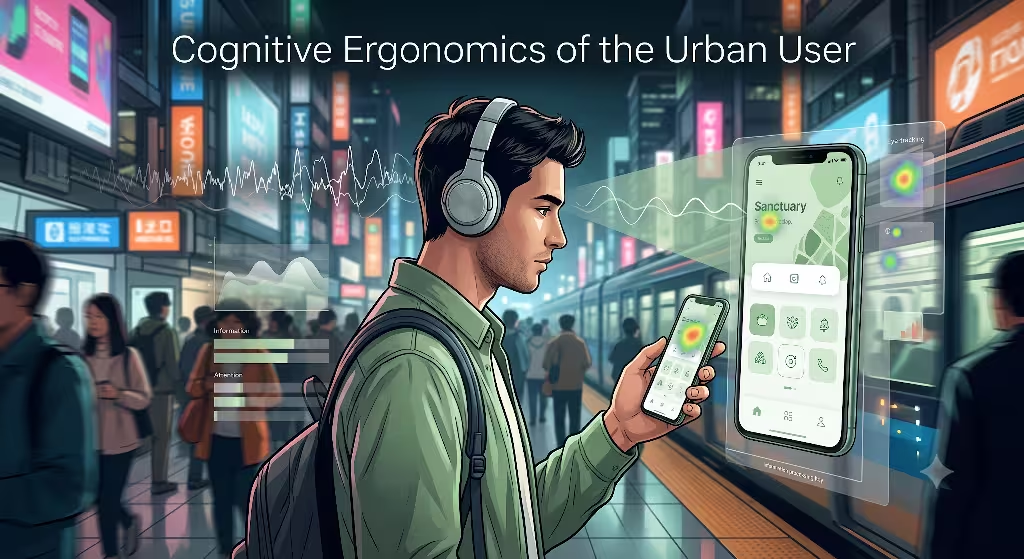
To understand how urbanization impacts digital design, we must study cognitive ergonomics. Cognitive ergonomics examines how human memory, attention, and perception operate within different environments. Physical urbanization places continuous stress on the human sensory system. Car horns, flashing street advertisements, crowded trains, and tall concrete buildings constantly demand visual and auditory attention.
+-----------------------------------------------------------------------+
|                     PHYSICAL URBAN ENVIRONMENT                        |
|        (Loud Noises, Traffic, Crowds, Visual Advertisements)         |
+-----------------------------------------------------------------------+
                                   |
                                   v
+-----------------------------------------------------------------------+
|                    EXTRANEOUS COGNITIVE LOAD                          |
|             (Working Memory Drained by Sensory Input)                 |
+-----------------------------------------------------------------------+
                                   |
                  +----------------+----------------+
                  |                                 |
                  v                                 v
+-----------------------------------+  +-----------------------------------+
|     MINIMALIST UI NEED            |  |     HIGH-DENSITY UI NEED        |
|  Seeks visual calm and relief    |  |  Seeks quick, 1-thumb transit    |
|  from physical city clutter.      |  |  actions without extra clicks.    |
+-----------------------------------+  +-----------------------------------+
Attention Restoration Theory in Digital Spaces
Attention Restoration Theory, originally developed by environmental psychologists, explains that natural settings help restore human focus. Natural environments feature soft visual patterns, such as waving tree branches or moving water, which engage our brain without draining our energy. In contrast, urbanization forces us to use directed attention, which requires active mental effort to filter out unwanted distractions.
When urbanization exhausts a user’s directed attention, their working memory capacity drops. When an urban resident opens an app after a long commute, a crowded or messy screen causes instant visual fatigue. Here, urbanization drives the need for digital biophilia. By using clean layouts, soft natural color tones, and breathing room, minimalist web interfaces offer digital restoration. Minimalist UI acts as a digital green space, helping the brain recover from the heavy mental load imposed by modern urbanization.
The Transit Interaction Paradox
While urbanization creates a need for visual calm, it also creates unique physical interaction constraints. Consider a user standing on a packed subway train in a city heavily shaped by urbanization. The user is holding a handrail with one hand while holding a smartphone with the other hand. In this high-movement setting caused by urbanization, the user cannot easily perform complex multi-step navigation menus.
This situation creates the transit interaction paradox. On one hand, urbanization makes the user want clean, calm visual layouts. On the other hand, urbanization demands instant task execution. If a train app requires four navigation clicks to show a live bus arrival time, the user might miss their connection. Therefore, urbanization forces designers to balance low visual clutter with fast access to critical information.
High-Density UI Patterns: The Urban Efficiency Engine
High-density user interface design is a direct product of rapid urbanization in major global economic centers. In cities where urbanization creates high population density, digital software often serves as the primary system for daily survival, transit, shopping, and communication.
Cultural and Demographic Drivers
In many densely populated Asian megacities, urbanization occurred alongside the rapid adoption of mobile smartphones. Cities where urban development accelerated over recent decades saw millions of users bypass desktop computers entirely, moving straight to mobile internet.
In these environments, urbanization fostered the growth of super-apps. A super-app combines messaging, ride-hailing, food delivery, banking, and public utility payments inside a single application. Because urban areas concentrate millions of local services into dense metropolitan hubs, putting all these services onto one main app screen saves valuable time. High-context cultural communication norms also favor rich, information-dense screens over sparse, empty ones. In these societies, urbanization encourages apps to display maximum choices immediately, treating the mobile screen like a bustling, efficient city marketplace.
Transactional Throughput over Aesthetics
For time-poor office workers living in regions impacted by heavy urbanization, speed of execution is more important than open whitespace. When urbanization compresses daily schedules, users value transactional throughput above all else.
High-density user interfaces reduce navigation depth. By presenting twenty tools, shortcuts, and live notifications on a single home screen, high-density UI allows users to trigger actions with a single tap.
- Zero Click Access: Critical information like ride status or bank balances is displayed immediately without opening sub-menus.
- Compact Visual Framing: Small icons, tight list spacing, and dense grid alignments maximize every square millimeter of screen space.
- Parallel Tasking: Users can switch between food delivery tracking and train schedules without changing views.
In environments where urbanization creates constant motion, high-density interfaces function as powerful efficiency engines.
Minimalist UI Patterns: Digital Biophilia and Spatial Sanctuary
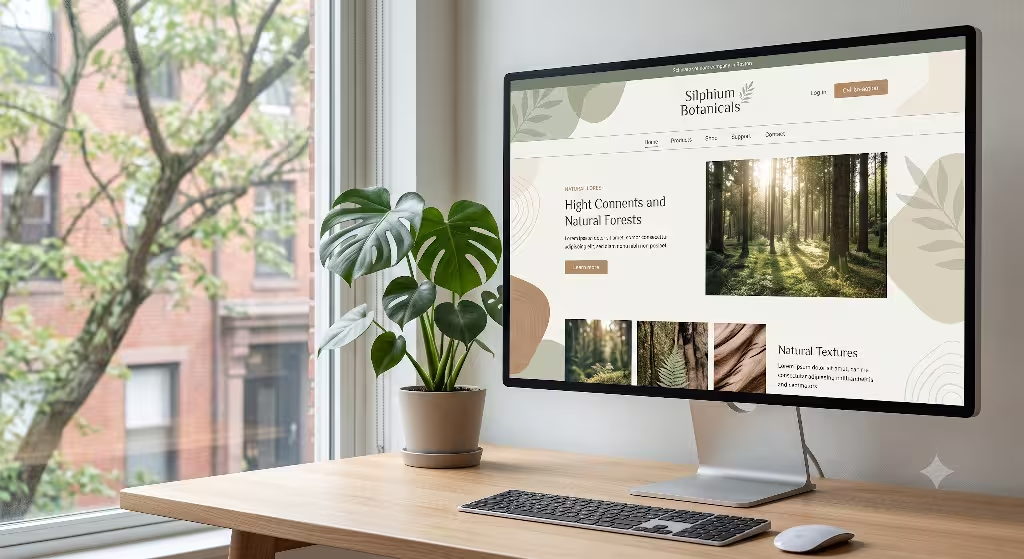
While high-density interfaces solve transit and speed challenges, minimalist user interfaces solve the mental fatigue caused by urbanization. Minimalist UI design uses open space, simplified color scales, and clear visual hierarchies to give users a sense of control and mental clarity.
Calm Technology and Biophilic Spatial Rhythms
Biophilic design is the practice of incorporating natural patterns, structures, and rhythms into man-made environments. In physical architecture, biophilic design uses natural sunlight, indoor plants, open views, and wood textures to reduce human stress. At Silphium Design LLC, we translate these exact principles into digital interfaces to counteract the negative psychological impacts of urban areas.
Urbanization surrounds people with hard geometric lines, concrete walls, and relentless artificial visual noise. When an interface applies biophilic spatial rhythms, it uses natural proportions and organic visual structures to create a calming digital environment.
Biophilic digital design uses generous whitespace, gentle visual gradients, and organic grouping to turn digital screens into quiet sanctuaries that relieve the sensory pressure of urbanization.
By organizing layout grids with natural proportional spacing, minimalist design creates visual breathing room. This spatial calm offers a direct counter-weight to the dense physical reality created by urbanization.
Reducing Extraneous Cognitive Load
Cognitive load theory divides mental effort into three types: intrinsic load (the difficulty of the core task), germane load (the mental processing that creates learning), and extraneous load (wasted mental effort caused by poor design). High density urban areas increases environmental noise, which inflates the user’s base level of mental fatigue.
When an app adds unnecessary visual decorations, competing colors, or popping banners, it increases extraneous cognitive load. Minimalist UI design systematically removes these distractions. By keeping the visual surface clean, minimalism ensures that a user living in a high-stress environment shaped by urbanization can focus entirely on their core task without unnecessary mental friction.
Frequently Asked Questions about Urbanization in UI
To provide a complete analysis of how urbanization alters interface design, we must address the most common questions asked by designers, researchers, and product managers.
How does urbanization impact cognitive load in digital users?
Urbanization increases ambient cognitive load by exposing city dwellers to continuous sensory inputs, including traffic noise, crowded sidewalks, physical advertisements, and rapid environmental changes. This constant sensory input drains working memory and limits the amount of information a user can process at one time.
As a result, an urban area makes digital users far more sensitive to visual clutter on screens. When urbanization wears down a user’s attention, poorly organized or overly complex digital interfaces lead to higher bounce rates, user frustration, and rapid mental fatigue.
What is the primary difference between minimalism and high-density UI?
The primary difference lies in how each pattern handles user effort:
- Minimalist UI prioritizes low visual friction and mental relaxation. It uses generous whitespace, sequential steps, and simple visuals to minimize cognitive load.
- High-Density UI prioritizes raw operational speed and surface access. It packs maximum data, controls, and features onto a single screen to eliminate navigation clicks and speed up transactions.
While minimalism reduces visual stress, high-density design reduces physical interaction steps. The choice between them depends on whether the user’s main bottleneck is mental overload or physical speed.
Why are mobile interfaces in dense Asian cities often high-density?
Mobile interfaces in dense Asian cities favor high-density patterns due to a combination of rapid urbanization, mobile-first internet adoption, and cultural communication styles. In megacities where urbanization happened alongside mobile growth, smartphones quickly became the primary portal for all city services.
Super-apps evolved to combine transportation, food, payment, and social messaging into single application platforms. Additionally, high-context communication cultures in these regions are accustomed to processing rich, multi-layered visual information simultaneously. Therefore, urban effects in these markets reinforced high-density digital hubs as the default standard for daily urban life.
How can biophilic design reconcile UI density and cognitive relief?
Biophilic design reconciles density and cognitive relief by applying natural organizing patterns to complex information displays. In nature, dense systems such as trees, coral reefs, and leaf veins contain immense complexity, yet they do not look messy or overwhelming because they follow organic visual structures.
By using natural fractal proportions, soft organic color relationships, clear visual hierarchies, and structured grouping, biophilic UI design allows an interface to present dense data while keeping visual stress low. Biophilic design helps human brains process heavy information efficiently, proving that urbanization does not force designers to choose between high utility and visual peace.
Comparative Analysis: Spatial Analogy Matrix
To better understand how urban areas influences digital architecture, it is helpful to compare software patterns directly to physical urban structures. Just as physical architecture responds to urbanization through parks, high-rises, and vertical gardens, digital software uses different layout styles to balance speed and human wellness.
| Metric / Dimension | Minimalist UI Pattern | High-Density UI Pattern | Biophilic Hybrid Pattern |
| Urban Architectural Equivalent | Public Park / Urban Sanctuary | High-Rise Transit Hub | Integrated Vertical Garden |
| Cognitive Objective | Attention Restoration | Speed of Execution | Sustainable Mental Energy |
| Primary Interaction Type | Sequential / Step-by-Step | Direct Access / Multi-Control | Context-Aware Disclosure |
| Impact of Urbanization | Relieves mental clutter | Speeds up fast urban tasks | Balances speed with health |
| Ideal Use Case | Wellness, Reading, Deep Work | Transit, Banking, Logistics | Complex Workspaces, Portals |
| Visual Stress Level | Very Low | High (if unstructured) | Balanced and Moderate |
This matrix illustrates how physical urbanization mirrors digital spatial choices. When an urban area creates high physical density, software must either provide a visual park for mental recovery or a well-organized transit hub for quick utility.
Synthesis and Design Framework: Biophilic Progressive Disclosure
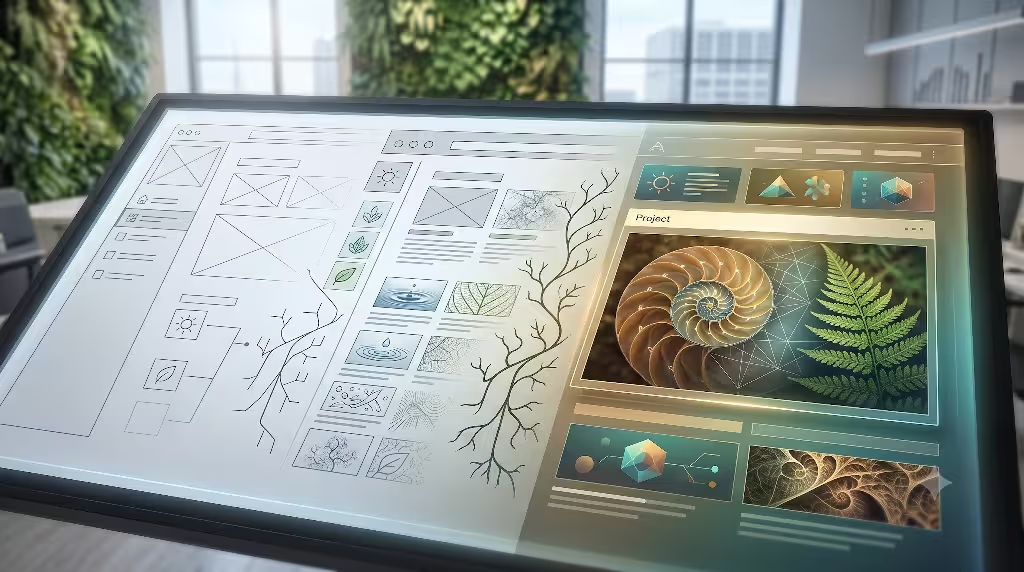
The debate over whether urbanization drives minimalist or high-density UI patterns leads us to an important conclusion. Urbanization actually demands both patterns, but at different moments in the user’s daily journey. The most effective digital interfaces do not lock themselves into pure minimalism or raw density. Instead, they use a design framework called Biophilic Progressive Disclosure.
Biophilic Progressive Disclosure is a design approach that maintains a clean, soothing visual environment by default, while smoothly expanding into high-density data modes whenever complex urban tasks require rapid interaction.
1. Establish the Minimal Surface State: Default screen view for low-stress interaction.
Design the initial landing or home screen with low visual noise, generous whitespace, and organic color palettes. This initial view protects users from the ambient sensory stress caused by physical urban density, offering a clear visual starting point.
2. Implement Contextual Density Triggers: Dynamic transition based on user intent.
Allow the user to reveal high-density controls through explicit actions, such as tapping a transit map, opening a trading desk, or expanding a live delivery tracker. Dense visual information is shown only when the user active needs high operational speed.
3. Apply Organic Spatial Grouping: Using biophilic rhythms to organize dense data.
When displaying high-density data, organize components using soft visual containers, natural grid ratios, and gentle visual hierarchy. This prevents high-density features from triggering visual stress, even during intense multitasking in busy urban environments.
By implementing Biophilic Progressive Disclosure, web designers can solve the challenges created by global urbanization. This balanced strategy respects the human need for visual calm while fulfilling the urban demand for speed, access, and digital utility.
Designing for the Future of Urban Areas
As global urbanization continues to expand, the relationship between human psychology and screen design will become even more critical. Urbanization reshapes our cities, our daily habits, and our mental energy. By understanding that urbanization creates both a demand for mental sanctuary and a demand for operational speed, designers can build smarter, more supportive digital experiences.
At Silphium Design LLC, we believe that web software should respect human biology. By combining computer science, cognitive ergonomics, and biophilic design principles, we can create web applications that flourish in an increasingly urbanized world. Whether building clean minimalist retreats or powerful high-density tools, our ultimate goal remains the same: using intelligent design to harmonize human technology with natural human needs.