
Table of Contents
When we spend our days looking at flat glass panels, we lose our natural bond with the outdoors. As a biologist and computer scientist, I have spent decades studying how natural rhythms change our mood, our attention, and our physical health. Natural systems are never frozen in place. The outdoor light shifts constantly, shadows move, and skies cycle through blue, grey, gold, and dark indigo. Traditional web design treats digital pages like printed paper. Most sites use a harsh white canvas, or they offer a simple switch between black and white mode. This setup feels completely disconnected from our living world.
We can fix this issue with biophilic web design. Biophilic design brings natural elements into built environments. When applied to web pages, it does not mean just pasting pictures of green leaves in the margins. It means making digital systems behave like living environments. One of the strongest ways to do this on a personal portfolio is with dynamic lighting. Dynamic lighting changes the shadows, colors, contrast, and highlights of your website to match the actual outdoor sky outside your visitor’s physical window.
To build this connection, we use free weather APIs. Modern weather APIs serve as a real-time sensory bridge between your code and the sky. By gathering atmospheric data like cloud cover, solar elevation, and local time, weather APIs let front-end developers create responsive, living digital spaces.
Portfolio websites are the best place to test these ideas. A portfolio must show your technical competence, your creative eye, and your ability to work with live data streams. When you use weather APIs to adjust your portfolio canvas, your site proves that you understand advanced code and mindful user experience. Let us walk through how dynamic lighting works, how to choose the right data tools, and how to write the code that brings the outside atmosphere right onto your screen.
Digital Biophilia and Dynamic Lighting
Biophilia describes our innate human desire to connect with nature and other living things. When architects build modern offices, they add skylights, open indoor gardens, and natural wood textures. They know that people feel less stress and focus better when they can see changing daylight. Digital spaces should follow the exact same rule.
Bringing Nature’s Circadian Cycles to the Screen
Our physical bodies follow an internal biological clock called a circadian rhythm. This clock responds to the changing color and intensity of daylight. In the early morning, sunlight has a warm, reddish-orange glow. Around midday, the sun climbs high, casting strong, blue-tinted, cool light. In the late afternoon, during the golden hour, the light softens into amber and gold. After dusk, deep navy and black take over.
Standard web design fights our biology. When a user opens a bright white website late at night, the screen blasts their eyes with midday daylight signals. This ruins their natural sleep cycles and causes heavy eye strain. A site powered by weather APIs respects human biology. By reading local daylight cycles through live data streams, weather APIs allow a website to soften its contrast at twilight and cast gentle, amber-toned hues as night falls.
Why Dynamic Lighting on Portfolios Matters
A web development or design portfolio has one primary job: it must prove what you can do. Most portfolios rely on standard templates. They feature a basic hero section, a grid of static project screenshots, and a standard dark mode switch. While functional, this traditional approach does not stand out.
Adding dynamic lighting powered by weather APIs completely changes how clients and hiring managers see your work:
- It shows that you can handle asynchronous network requests and external data cleanly.
- It highlights an understanding of progressive CSS architecture and WebGL canvas pipelines.
- It demonstrates empathy for the visitor by protecting their eyes from unnecessary visual glare.
- It makes your portfolio memorable. A visitor who opens your site during a rainstorm in Boston will see soft, slate-grey highlights. If they check back on a clear sunny morning, they will see warm light washing across the screen.
Basic Technical Needs for Dynamic Lighting
To simulate natural sunlight correctly, you cannot just check the visitor’s local computer clock. A clock tells you what time it is, but it tells you nothing about the sky. It cannot tell you if the sky is blocked by heavy storm clouds, or if the sun is hidden behind a thick morning fog.
To build true dynamic lighting, your code needs several data points from reliable weather APIs:
- Solar Elevation and Azimuth: You need to know the angle of the sun above the horizon. This tells your CSS code how long to make element drop-shadows and where to direct them.
- Cloud Cover Fraction: A sunny day produces hard, sharp, dark shadows. An overcast day scatters light evenly, which produces wide, soft, faint shadows. Quality weather APIs return cloud cover as a percentage or fraction that you can map to shadow blur values.
- Atmospheric Visibility and Humidity: The moisture and particles in the air change how colors appear over distances. High humidity creates an atmospheric haze that softens bright colors. Weather APIs provide these metrics so your interface can reflect true environmental depth.
- Zero-Cost Constraints: A portfolio is a personal showcase. It rarely generates direct revenue. You cannot pick services that charge credit cards when traffic spikes. You need dependable, free weather APIs with generous usage limits that never surprise you with unexpected bills.
Evaluating Weather APIs for Front-End Portfolios
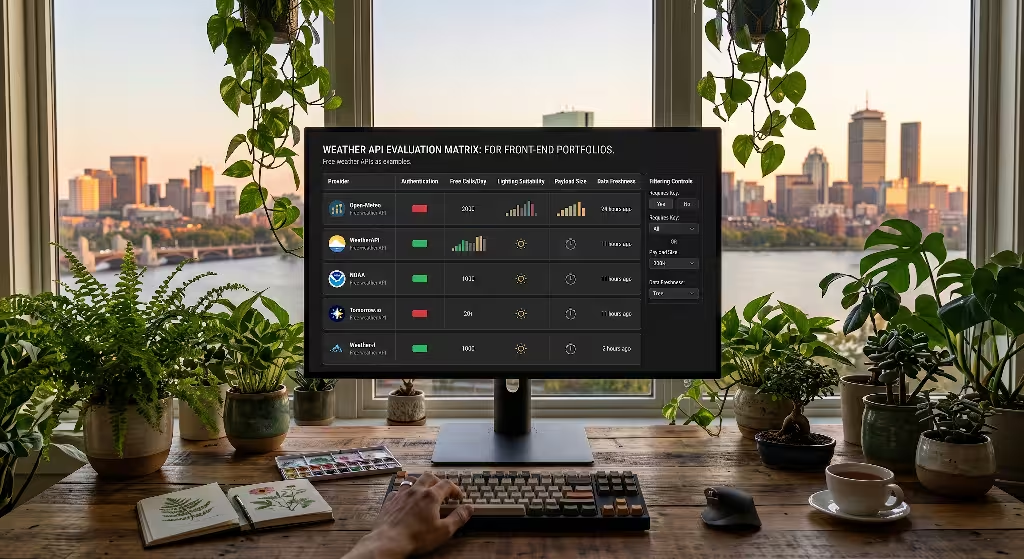
Not all data services work well for front-end interface design. Many meteorological systems were built for airport operations, agriculture models, or academic research laboratories. Their systems often return huge data files that slow down web performance. When choosing weather APIs for front-end dynamic lighting, we must evaluate them using strict engineering criteria.
Authentication and Security Overhead
Most commercial platforms hide their services behind secret account keys. This creates a security headache for static portfolio sites hosted on GitHub Pages, Netlify, or Vercel. If you put your private API key directly into your client-side JavaScript files, any visitor can open their browser developer tools, copy your key, and steal your data quota.
To protect yourself when using key-restricted weather APIs, you must either set up a serverless function proxy or use services that run entirely keyless. Keyless weather APIs are wonderful for portfolios. They let your client-side code make direct network requests without exposing sensitive credentials or requiring server infrastructure.
Payload Footprint and Parse Latency
Every byte sent across the network impacts how fast your portfolio loads. If your site has to download a massive, five-megabyte JSON file just to check if the sun is up, your page speed scores will drop.
When you evaluate weather APIs, look at the size of their data responses:
- Does the provider let you filter the response so it only returns the exact fields you need?
- Can you ask for just cloud cover and solar radiation, or are you forced to download historical data for the last forty years?
- Does the JSON structure unpack quickly in the browser engine without freezing user interaction?
Fast weather APIs deliver tiny, lightweight JSON packages that parse in just a few milliseconds. This ensures your visual styles update instantly without lagging the page.
Rate Limits and Traffic Spikes
Imagine your portfolio gets featured on a major design showcase, Hacker News, or social media. Your daily visitor count could jump from twenty people to twenty thousand in a few hours.
If your selected weather APIs have strict free caps of only five hundred calls per day, your site will quickly break. The data calls will fail, the dynamic theme will crash, and your visitors will see broken styles. You need weather APIs that offer thousands of free calls each day, along with clear failover defaults built right into your code.
Cross-Origin Resource Sharing (CORS) Configuration
Browser security rules block web pages from fetching data across different domain names unless the server explicitly permits it. The best weather APIs include wide-open CORS response headers (Access-Control-Allow-Origin: *). This header allows your portfolio script to request data straight from the browser without running into cross-origin network errors.
Top Free Weather APIs for Dynamic Lighting
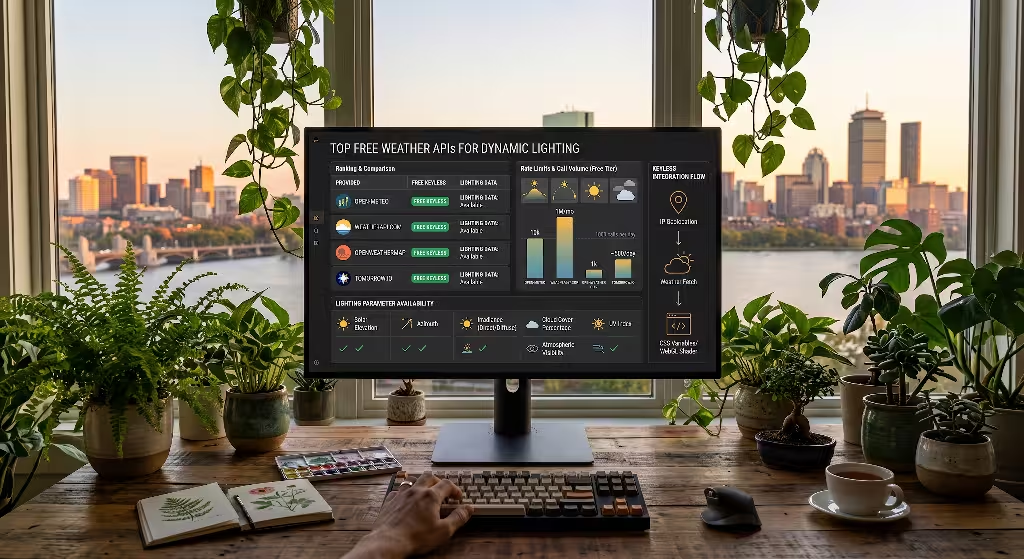
Here is a detailed, technical review of the best free weather APIs available for portfolio dynamic lighting. Each service offers distinct advantages depending on your specific front-end stack.
+--------------------------------------------------------------------------------+
|                        FRONT-END DATA PIPELINE ARCHITECTURE                    |
+--------------------------------------------------------------------------------+
|                                                                                |
|   1. Visitor Entry ---> Coarse IP Geolocation ---> Latitude & Longitude       |
|                                                                                |
|   2. Direct Request --> Weather APIs Fetch ------> Cloud Cover & Sunlight Data |
|                                                                                |
|   3. State Update ----> CSS Custom Properties ---> Live Theme Canvas & Shaders|
|                                                                                |
+--------------------------------------------------------------------------------+
Open-Meteo: The Premier Choice for Interface Developers
For front-end lighting projects, Open-Meteo is by far the most capable service available. It was designed from the ground up to be open-source, fast, and easy for developers to use.
Unlike almost every other major commercial service, Open-Meteo requires no account registration and no API key for non-commercial projects. You can write a single fetch() call in your JavaScript file and start receiving rich atmospheric data in seconds. It allows up to 10,000 requests per day for free, which provides plenty of headroom for personal portfolios.
What makes Open-Meteo truly stand out for dynamic lighting is its support for direct solar radiation variables. Most basic weather APIs only report broad weather conditions like “clear” or “cloudy.” Open-Meteo provides scientific measurements:
direct_normal_irradiance: The exact energy of direct sun rays hitting a surface positioned straight at the sun.diffuse_radiation: The scattered daylight coming from the sky when direct sunlight is blocked.cloud_cover: Total cloudiness expressed as an exact percentage from 0 to 100.cloud_cover_low,cloud_cover_mid,cloud_cover_high: Cloud measurements split across three altitude layers.
Having access to these numbers lets you calculate precise mathematical lighting models on your website. If direct_normal_irradiance is high, you can cast sharp drop-shadows under your portfolio cards. If cloud_cover reaches 90%, you can immediately lower your site contrast, soften your card shadows, and paint your backgrounds with calm, slate-grey tones.
WeatherAPI.com: Simple Setup and High Call Volume
WeatherAPI.com is another strong choice. It requires you to sign up for a free account to receive an API access token, but its free tier is very generous. The platform provides one million free calls every month, which is more than enough to handle unexpected spikes in portfolio traffic.
The data returned by WeatherAPI.com is clean and easy to navigate. It includes a dedicated field called is_day. This field returns a simple binary value: 1 when the sun is up, and 0 when the sun has dipped below the horizon. For simple portfolios that only need to switch between day and night lighting modes, this single value eliminates complex math.
Along with standard condition reports, WeatherAPI.com delivers UV index figures, cloud coverage percentages, and visibility numbers measured in kilometers. The main downside is the API key requirement. Because you should never display private keys in client-side code, you must either route requests through a lightweight edge worker or accept that someone might borrow your free token for their own experiments.
OpenWeatherMap: Reliable and Well Documented
OpenWeatherMap is an established industry standard. Almost every coding tutorial covers its systems, which means its documentation and community forums are filled with working examples.
Its free tier provides 1,000 calls per day through its One Call API, or 60 calls per minute through its traditional Current Weather data endpoint. OpenWeatherMap returns accurate sunrise and sunset times formatted as UNIX epoch timestamps. By comparing your visitor’s current time against these two numbers, you can calculate the exact solar progress across the sky.
OpenWeatherMap also reports cloudiness, humidity, and general visibility ranges. However, its free tier does not return direct normal solar radiation figures. To build dynamic lighting with OpenWeatherMap, you have to estimate your sun angles by combining its sunrise and sunset timestamps with third-party math libraries like SunCalc.
Tomorrow.io: Advanced Atmospheric Modeling
Tomorrow.io focuses on high-precision, hyperlocal weather modeling. Its systems pull from radar networks, satellite feeds, and advanced weather sensors.
For lighting designers, Tomorrow.io provides exceptional data quality. It includes global horizontal irradiance, direct normal irradiance, and atmospheric pressure trends. These numbers let you build deeply nuanced lighting scenes that mirror the exact physical sky.
The major challenge with Tomorrow.io is its strict free tier. It allows roughly 500 calls per day, along with strict per-second limits. If your portfolio lands on the front page of a popular design blog, you will exhaust your free daily allowance in minutes. If you choose Tomorrow.io, you must combine it with aggressive browser storage caching to prevent your portfolio from running out of requests.
NOAA / National Weather Service (weather.gov): Completely Open Data
For portfolios designed specifically for audiences in the United States, the National Weather Service API offers completely free, public data. It is maintained by the federal government, requires no secret access keys, and charges no user fees.
However, its data format is based on complex JSON-LD structures. You often have to make two separate, sequential API requests to get current observations: one to resolve latitude and longitude coordinates into a local radar grid, and a second to download the actual forecast. Its coverage is also limited to the United States and its territories, which makes it less suitable for portfolios with global visitors.
Feature Comparison Matrix: Dynamic Lighting Suitability
To help you pick the best tool for your design, this table compares the key features of each service side by side:
| Provider | Authentication | Free Daily Limit | Solar Irradiance Data | Setup Complexity | Best Use Case |
| Open-Meteo | None (Keyless) | 10,000 calls | Yes (Direct and Diffuse) | Very Low | Complex CSS lighting and WebGL sky shaders |
| WeatherAPI.com | Free API Key | ~33,000 calls | No (UV Index only) | Low | Straightforward CSS variable adjustments |
| OpenWeatherMap | Free API Key | 1,000 calls | No (Estimates required) | Medium | Standard circadian color temperature cycles |
| Tomorrow.io | Free API Key | ~500 calls | Yes (Advanced Irradiance) | Medium | High-precision custom 3D environments |
| NOAA weather.gov | None (Keyless) | Unlimited (Fair Use) | No (Text conditions) | High | Portfolios focused strictly on US visitors |
As the comparison shows, Open-Meteo stands out for dynamic portfolio lighting. It eliminates the security risks of public API keys while providing the raw solar radiation numbers needed for realistic lighting calculations.
Technical Implementation: Connecting Weather APIs to CSS and WebGL
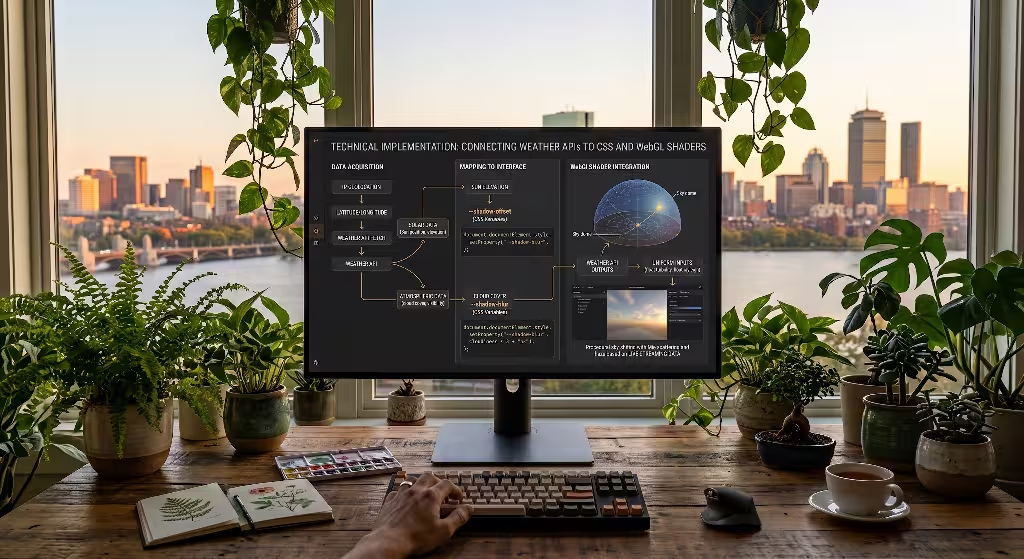
Now that we have reviewed the top services, let us walk through the code needed to connect atmospheric data directly to your visual styles.
+-----------------------------------------------------------------------------+
|                     CSS DYNAMIC LIGHTING PROPERTY MAPPINGS                  |
+-----------------------------------------------------------------------------+
|                                                                             |
|  Solar Elevation  ----->  --shadow-offset-y  (Short at noon, long at dusk)  |
|                                                                             |
|  Cloud Cover %    ----->  --shadow-blur      (Sharp in sun, soft in clouds) |
|                                                                             |
|  Solar Progress   ----->  --ambient-hue      (Warm morning to cool noon)    |
|                                                                             |
|  Precipitation    ----->  --canvas-contrast  (Lowered during storms)        |
|                                                                             |
+-----------------------------------------------------------------------------+
Finding Visitor Location Without Scary Browser Prompts
Before you can call any weather APIs, you must know where your visitor is located on Earth. Many beginners make the mistake of calling navigator.geolocation.getCurrentPosition().
Calling that browser method triggers a popup asking: “This website wants to know your exact physical location. Allow or Block?”
This prompt hurts the user experience:
- Most visitors click “Block” immediately out of privacy concerns.
- The popup interrupts their browsing before they have even seen your work.
- You do not need their exact street address. To determine the position of the sun, coarse city-level coordinates are more than enough.
Instead of intrusive browser prompts, use passive IP-to-location lookups. If you host your portfolio on Cloudflare Pages, Netlify, or Vercel, you can read the visitor’s approximate latitude and longitude directly from incoming network headers like cf-iplatitude and cf-iplongitude.
If you are using basic static hosting like GitHub Pages, you can make a quick, free call to a keyless IP lookup service like ipapi.co to get rough coordinates:
JavaScript
async function getCoarseCoordinates() {
  try {
    const response = await fetch('https://ipapi.co/json/');
    const data = await response.json();
    return {
      latitude: data.latitude || 42.3601, // Boston fallback
      longitude: data.longitude || -71.0589
    };
  } catch (error) {
    // Return graceful default coordinates if network fails
    return { latitude: 42.3601, longitude: -71.0589 };
  }
}
This approach never triggers annoying browser permission prompts, respects user privacy, and gives you the coordinates you need to query weather APIs.
Connecting Weather APIs to CSS Variables
Modern CSS custom properties make live theme updates fast and straightforward. Instead of writing dozens of complex CSS class overrides, you define your core lighting values as dynamic CSS variables on your root HTML element:
CSS
:root {
  --sun-angle: 45deg;
  --sun-elevation: 0.5; /* 0.0 at horizon, 1.0 at zenith */
  --cloud-density: 0.2; /* 0.0 clear sky, 1.0 full overcast */

  /* Calculated lighting variables */
  --ambient-hue: 40; /* Warm golden light by default */
  --ambient-saturation: 80%;
  --ambient-lightness: 95%;

  --shadow-color: hsl(220, 30%, 15%);
  --shadow-offset-x: calc((1 - var(--sun-elevation)) * 12px);
  --shadow-offset-y: calc((1 - var(--sun-elevation)) * 18px);
  --shadow-blur: calc(8px + (var(--cloud-density) * 24px));
  --shadow-opacity: calc(0.25 * (1 - (var(--cloud-density) * 0.7)));

  --background-canvas: oklch(
    calc(0.98 - (var(--cloud-density) * 0.08))
    calc(0.04 * (1 - var(--cloud-density)))
    var(--ambient-hue)
  );
}

body {
  background-color: var(--background-canvas);
  transition: background-color 1.2s ease, box-shadow 1.2s ease;
}

.portfolio-card {
  box-shadow: var(--shadow-offset-x) var(--shadow-offset-y) var(--shadow-blur)
              hsla(220, 20%, 20%, var(--shadow-opacity));
}
Now, write a JavaScript function to fetch live sky data from Open-Meteo and map those metrics straight into your CSS variables:
JavaScript
async function updateDynamicLighting() {
const coords = await getCoarseCoordinates();
const endpoint = `https://api.open-meteo.com/v1/forecast?latitude=${coords.latitude}&longitude=${coords.longitude}¤t=cloud_cover,direct_normal_irradiance,diffuse_radiation,is_day&timezone=auto`;
try {
const response = await fetch(endpoint);
const weatherData = await response.json();
const current = weatherData.current;
const root = document.documentElement;
// Normalize cloud cover between 0.0 and 1.0
const cloudFraction = current.cloud_cover / 100;
root.style.setProperty('--cloud-density', cloudFraction.toFixed(2));
// Check if it is currently daytime
if (current.is_day === 1) {
// Direct sunlight produces warmer hues, heavy clouds shift hues toward slate blue
const currentHue = 45 - (cloudFraction * 20);
root.style.setProperty('--ambient-hue', currentHue.toString());
root.style.setProperty('--ambient-lightness', '96%');
} else {
// Night lighting: deep indigo atmosphere
root.style.setProperty('--ambient-hue', '230');
root.style.setProperty('--ambient-lightness', '12%');
root.style.setProperty('--shadow-opacity', '0.6');
}
} catch (err) {
console.warn('Weather APIs fetch failed. Using fallback lighting theme.', err);
}
}
// Run dynamic lighting updates once DOM content loads
window.addEventListener('DOMContentLoaded', updateDynamicLighting);
With this script in place, your portfolio cards and canvas backgrounds update automatically. If your visitor opens the site during a clear, sunny morning, your project cards cast long, warm, distinct drop-shadows. As midday approaches, the shadows shrink and center directly beneath elements. When a cloudy storm rolls in, the shadows soften and blur, mirroring the diffuse lighting of the real world.
Integrating Weather APIs with Three.js Sky Shaders
If your portfolio includes interactive 3D elements, dynamic weather APIs can power your scene’s 3D lighting pipeline. You can bind live weather metrics directly to your Three.js directional lights, scene fog, and background sky domes.
JavaScript
import * as THREE from 'three';
import { Sky } from 'three/addons/objects/Sky.js';

function setupEnvironmentLighting(scene, weatherData) {
  // 1. Create directional sunlight
  const sunLight = new THREE.DirectionalLight(0xfffaed, 2.0);
  scene.add(sunLight);

  // 2. Adjust light intensity based on direct normal irradiance
  const directSun = weatherData.current.direct_normal_irradiance || 400;
  // Scale intensity smoothly between 0.2 and 2.5
  sunLight.intensity = Math.min(Math.max((directSun / 500), 0.2), 2.5);

  // 3. Add biophilic sky dome
  const sky = new Sky();
  sky.scale.setScalar(450000);
  scene.add(sky);

  const skyUniforms = sky.material.uniforms;
  skyUniforms['turbidity'].value = 10;

  // Rayleigh scattering governs how light scatters through air particles
  // On clear days rayleigh is low; on humid or hazy days it rises
  const cloudFactor = (weatherData.current.cloud_cover / 100);
  skyUniforms['rayleigh'].value = 1.0 + (cloudFactor * 3.0);
  skyUniforms['mieCoefficient'].value = 0.005 + (cloudFactor * 0.05);

  // 4. Add natural atmospheric depth fog
  const fogColor = cloudFactor > 0.6 ? 0x8c9ba5 : 0xd6e8f7;
  scene.fog = new THREE.FogExp2(fogColor, 0.0002 + (cloudFactor * 0.0004));
}
This Three.js setup takes full advantage of what weather APIs offer. Instead of rendering a static skybox texture that looks the same every day, your 3D canvas becomes a real-time window into the physical atmosphere.
Edge Performance, Caching, and Fallback Systems
A portfolio website must load quickly. Research shows that visitors abandon web pages that take longer than three seconds to load. You should never let an external weather network call hold up your Largest Contentful Paint (LCP) score.
+-----------------------------------------------------------------------------+
|                   STALE-WHILE-REVALIDATE CACHE FLOW                         |
+-----------------------------------------------------------------------------+
|                                                                             |
|  Page Load ---> Check localStorage Cache                                    |
|                      |                                                      |
|         +------------+------------+                                         |
|         |                         |                                         |
|    [Cache Fresh]            [Cache Stale/Empty]                             |
|         |                         |                                         |
|   Apply Theme Instantly     Apply Fallback Theme                            |
|                                   |                                         |
|                             Fetch Weather APIs                              |
|                                   |                                         |
|                             Save Cache & Update Theme                       |
|                                                                             |
+-----------------------------------------------------------------------------+
Mitigating Third-Party Network Delays
Third-party weather APIs can experience network slowdowns, downtime, or connection timeouts. If your portfolio code pauses while waiting for an API response, your site will feel slow and broken.
To prevent this, follow two clear rules:
- Never block page rendering: Always run your weather API requests asynchronously inside non-blocking event loops, or wrap them in modern
requestIdleCallback()calls. - Implement local storage caching: Weather changes gradually over hours, not milliseconds. There is no need to make a fresh network request every time a user clicks another page on your portfolio.
Here is a simple Stale-While-Revalidate caching pattern using the browser’s localStorage API:
JavaScript
async function getCachedWeatherData(lat, lon) {
const cacheKey = `weather_cache_${lat.toFixed(2)}_${lon.toFixed(2)}`;
const cachedString = localStorage.getItem(cacheKey);
const now = Date.now();
const ONE_HOUR = 3600000; // 60 minutes in milliseconds
if (cachedString) {
const cachedData = JSON.parse(cachedString);
// If the cache is less than one hour old, return it immediately
if (now - cachedData.timestamp < ONE_HOUR) {
return cachedData.payload;
}
}
// Cache is missing or older than one hour: fetch fresh data from weather APIs
try {
const response = await fetch(
`https://api.open-meteo.com/v1/forecast?latitude=${lat}&longitude=${lon}¤t=cloud_cover,is_day,direct_normal_irradiance&timezone=auto`
);
const freshData = await response.json();
// Store fresh results in browser storage with a current timestamp
localStorage.setItem(cacheKey, JSON.stringify({
timestamp: now,
payload: freshData
}));
return freshData;
} catch (error) {
// If the network call fails, return the old cached data rather than crashing
if (cachedString) {
return JSON.parse(cachedString).payload;
}
throw error;
}
}
This caching strategy protects your portfolio in three ways:
- It keeps your portfolio blazing fast. Repeat visitors load the dynamic lighting scheme in less than two milliseconds straight from local browser memory.
- It saves network bandwidth for mobile visitors who may be on metered cellular data plans.
- It reduces your total call volume, keeping you well within the free tiers of your chosen weather APIs.
Graceful Degradation and System Fallbacks
No third-party data service has 100% uptime. DNS lookups fail, corporate firewalls block cross-domain requests, and network connections drop. If a visitor opens your portfolio while traveling on an airplane without active internet access, your portfolio must still look beautiful.
Always build a clear mathematical fallback system:
- Calculate basic daylight using the visitor’s local system time. If their computer clock says 2:00 PM, use bright daylight variables. If their system clock says 11:00 PM, switch to nighttime mode.
- Pick a sensible cloud cover default value (such as 20% scattered clouds) if your weather APIs cannot be reached.
- Provide an accessible manual override control on your portfolio. Add a small settings toggle that lets visitors turn off dynamic lighting or manually select light, dark, or live weather themes. This protects accessibility for visitors with visual impairments who require fixed, high-contrast color themes.
Frequently Asked Questions about Weather APIs
What is the best free weather API that does not require an API key?
Open-Meteo is widely considered the best keyless weather API for web developers. It requires no user accounts, no access tokens, and no payment information. It allows up to 10,000 free calls per day for non-commercial projects.
Because Open-Meteo eliminates API keys entirely, you can include your data fetch calls directly inside your client-side JavaScript code. You never have to worry about accidentally publishing private tokens to public GitHub repositories or managing complex serverless proxy routes.
How do I make my website background change based on the user’s local weather?
The process follows four straightforward steps:
- Find rough visitor coordinates: Use coarse IP-based geolocation or edge headers to get latitude and longitude without triggering browser permission dialogs.
- Request atmospheric metrics: Send a request to free weather APIs to read current cloud cover and daylight state.
- Set your design styles: Update CSS variables on your root document element based on the returned weather metrics.
- Smooth your color transitions: Add CSS transitions (
transition: background-color 1.2s ease) to your body styles. This ensures background colors adjust smoothly without jarring visual jumps.
Can dynamic weather lighting slow down my portfolio website?
Dynamic lighting will not slow down your website if you implement it correctly. To keep your performance fast and your page speed scores high:
- Never use synchronous network calls that hold up page rendering.
- Wrap weather API requests in asynchronous functions that run after the main page layout finishes rendering.
- Cache returned weather responses in
localStoragefor at least thirty to sixty minutes. - Use CSS custom properties to update colors and shadows. Letting the browser handle style updates through CSS is much faster than running complex JavaScript loops over thousands of DOM elements.
How accurate are free weather APIs compared to paid enterprise alternatives?
Free weather APIs are surprisingly accurate. Services like Open-Meteo compile forecasts straight from national meteorological agencies, including NOAA in the United States, the European Centre for Medium-Range Weather Forecasts (ECMWF), and the German Weather Service (DWD).
These are the exact same high-resolution scientific models used by major commercial aviation, marine shipping, and agricultural platforms. For styling a portfolio website with dynamic lighting, free weather APIs deliver all the precision and reliability you will ever need.
Bridging the Digital and Natural Worlds
Biophilic design reminds us that technology does not need to feel sterile or artificial. We do not have to accept digital screens that remain completely cut off from the physical environments we live in.
+-----------------------------------------------------------------------------+
|                         BIOPHILIC DIGITAL ATTRIBUTES                        |
+-----------------------------------------------------------------------------+
|                                                                             |
|  * Circadian Color Adaptation (Protects healthy sleep cycles)               |
|                                                                             |
|  * Natural Light Variability  (Matches the living sky outside)              |
|                                                                             |
|  * Weather-Aware Contrasts    (Softens eye strain during storms)            |
|                                                                             |
|  * Environmental Continuity   (Bridges digital screens and physical spaces) |
|                                                                             |
+-----------------------------------------------------------------------------+
Using free weather APIs to power dynamic portfolio lighting creates a subtle, meaningful bridge between digital interfaces and physical outdoor spaces. It demonstrates your ability to write clean asynchronous code, use modern CSS variables effectively, and craft thoughtful user experiences. More importantly, it turns your portfolio into a living canvas that breathes alongside the natural world outside your visitor’s window.
As you build out your lighting systems, consider what other natural patterns you can explore. You could use wind speed data from weather APIs to adjust the speed of CSS foliage animations. You could use seasonal temperature trends to gently adjust the warmth of your typography. The outdoor world is filled with movement, nuance, and life. By bringing weather APIs into your front-end development workflow, your digital work can share in that same natural beauty.