
In the world of web design, we often talk about “clean” or “minimalist” layouts. But as a biophilic design expert, I find those terms a bit cold. Nature is rarely perfectly flat or static. When you look at a pond or the ocean, the water is a living lens. It bends light, creates dancing patterns, and changes how we see everything beneath the surface. This is what we call underwater distortion and light caustic effects.
In this article, I am going to guide you through the science, the beauty, and the technical “how-to” of bringing these liquid patterns to your website. We will explore why our brains love these shapes and how you can use code to make your site feel like a calm, underwater sanctuary without slowing it down. Let’s dive into the fluid mechanics of the modern internet.
Table of Contents
The Biology of the Shimmer: Why Our Brains Love Water
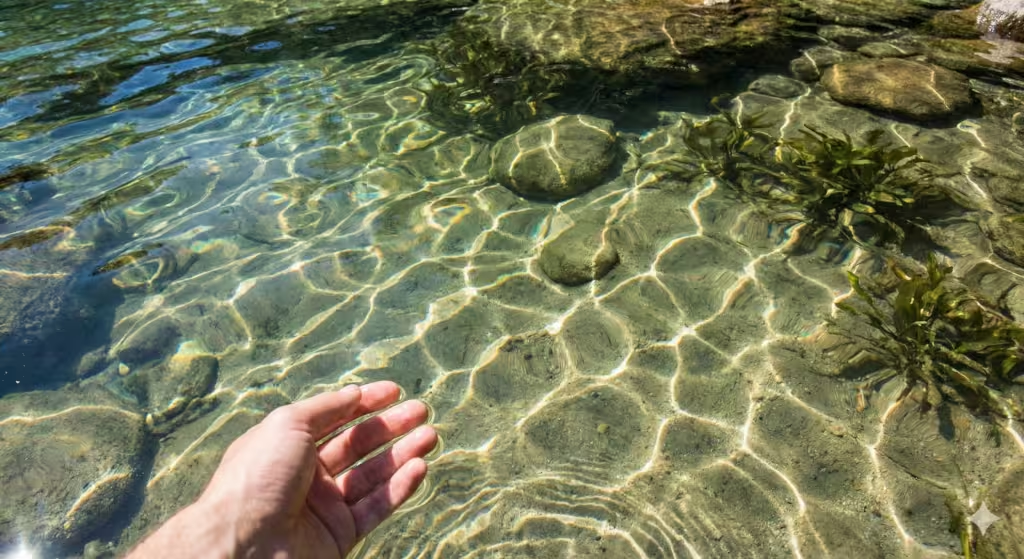
To understand why underwater distortion is so powerful, we have to look at our own history as humans. There is a concept called the Biophilia Hypothesis. It suggests that humans have a natural, built-in emotional connection to nature. One of the most important parts of that connection is our relationship with water.
In biophilic design, we talk about the “Presence of Water.” It is one of the fourteen patterns that make a space feel good to be in. When we see the gentle shimmer of underwater distortion on a screen, it triggers a relaxation response in our nervous system. It isn’t just a cool visual trick; it is a way to lower stress for the person looking at your website.
We always like to look at the “why” behind the “what.” The movement of light underwater is what we call “non-rhythmic sensory stimuli.” This is a fancy way of saying it is a movement that is predictable enough to be calming, but random enough to stay interesting. Unlike a flashing neon sign that screams for your attention, underwater distortion whispers to your brain, telling it that the environment is safe and full of life.
At Silphium Design, we don’t just put a picture of water on a page. We try to recreate the feeling of being near it. This involves understanding how the “shimmer” works mathematically so we can build digital ecosystems that feel authentic.
The Physics and Science of Light Caustics
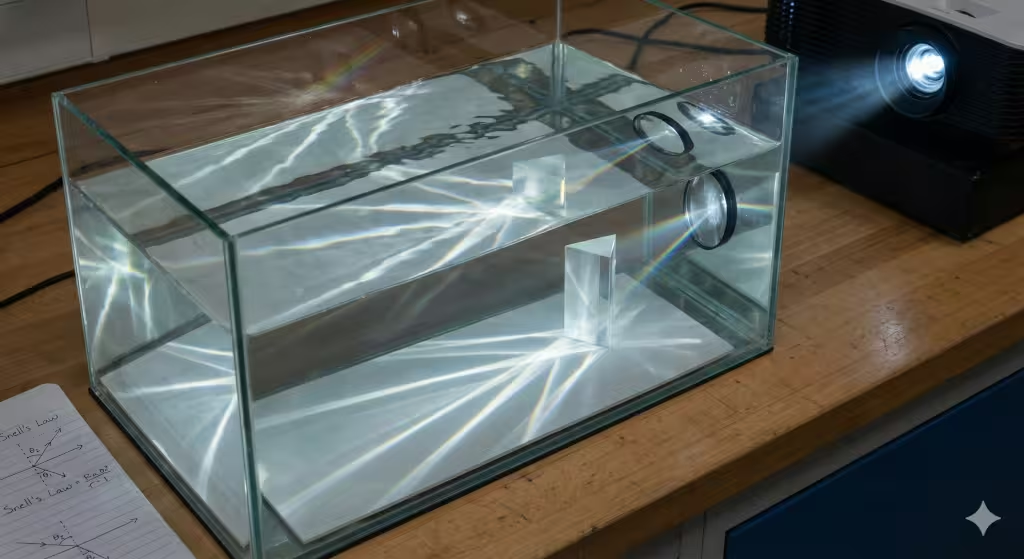
Before we can code these effects, we have to understand the physics. Have you ever looked at the bottom of a swimming pool on a sunny day? You see those bright, wiggly lines of light that dance around. Those are called “caustics.”
In physics, a caustic is formed when light hits a curved surface; like a wave on top of the water. Instead of the light passing straight through, the curve of the wave acts like a magnifying glass. It bends the light rays and bunches them together into bright streaks. This bending of light is called refraction.
To describe this mathematically, scientists use something called Snell’s Law. This law tells us exactly how much a light ray will bend based on the angle it hits the water and the “refractive index” of the liquid. For a web designer, underwater distortion is basically just a math problem where we tell the computer how to shift pixels around to mimic this bending.
Another part of this effect is called chromatic aberration. If you look closely at the edges of those bright light streaks underwater, you might see a tiny rainbow. This happens because water bends different colors of light at slightly different angles. Red light bends a little less than blue light. Adding a tiny bit of this color separation to your underwater distortion makes the digital effect look much more realistic to the human eye.
Implementing Underwater Distortion in Modern Web Design
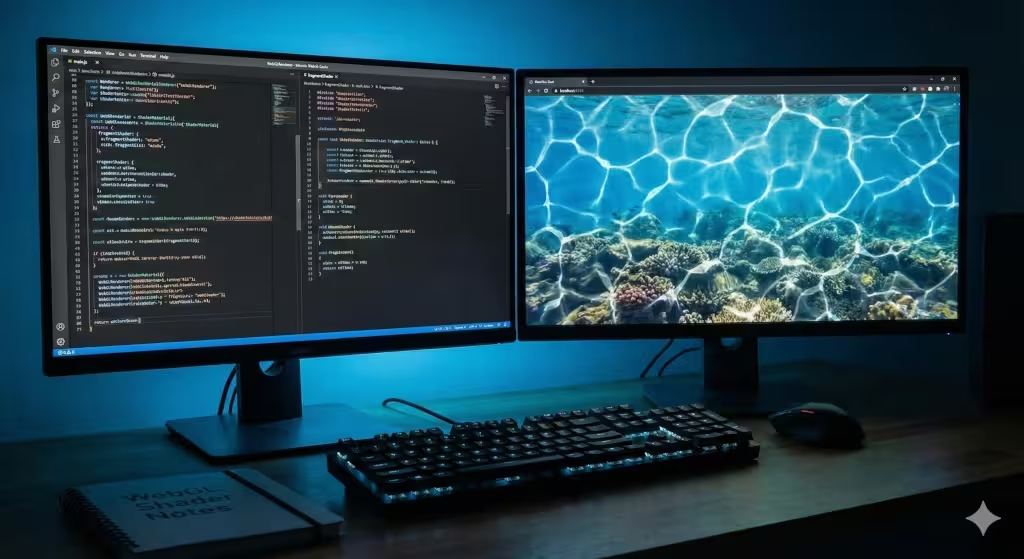
Now, let’s talk about how we actually build this on a website. In the old days of the internet, you might have used a simple animated GIF or a video file. But those are heavy and they don’t react to the user. Today, we use something called WebGL.
WebGL is a tool that lets your web browser use the power of your computer’s graphics card (the GPU). To create underwater distortion, we write special programs called “shaders.” There are two main types: vertex shaders and fragment shaders.
A fragment shader is where the magic of underwater distortion happens. It calculates the color of every single pixel on the screen. We can use a math formula called “Perlin Noise” or “Simplex Noise” to create a wavy pattern that looks like water. By moving this noise pattern over time, we create the illusion of flowing liquid.
If you are using tools like Three.js or React Three Fiber, you can create “volumetric lighting.” These are sometimes called “God Rays.” These are the beams of light you see coming down from the surface when you are deep underwater. They add a sense of depth and three-dimensional space to a flat website screen.
Common Questions About Digital Water
When people search for underwater distortion, they often have a few specific questions. Let’s tackle those now.
What are caustic light effects?
In simple terms, they are the “light envelopes” created when light reflects or refracts off a curved surface. Think of the bright spot a glass of water makes on a table when the sun hits it. That is a caustic.
How do you create an underwater distortion effect in CSS?
While WebGL is best for high-end effects, you can do a basic version with CSS. You can use the backdrop-filter property with a blur or use an SVG displacement map. An SVG displacement map is like a set of instructions that tells the browser to “push” parts of an image to the left or right based on a pattern. It isn’t as smooth as a shader, but it is easier to build.
Why is underwater lighting so hard to render?
It is hard because light is complicated! To do it perfectly, a computer has to track millions of light rays as they bounce and bend. This is called “ray tracing.” Since websites need to load fast, we have to find clever ways to “fake” it so it looks real without making your computer fan spin like a jet engine.
Biophilic Design Benefits for UX and UI
As a designer, my goal is to make the user experience (UX) as pleasant as possible. Using underwater distortion isn’t just about looking “cool.” It serves a functional purpose in the user interface (UI).
First, it helps with focus. In a world of “attention hacking,” where every app wants to distract you, a gentle underwater distortion effect creates a sense of “soft fascination.” This is a state where your brain is engaged but not overwhelmed. It allows a user to stay on your site longer without feeling “screen fatigue.”
Second, we can use these effects to hide or reveal information. For example, you could have a background that has a heavy underwater distortion until the user hovers their mouse over a specific area. As the mouse moves, the water “clears up,” revealing the content underneath. This creates a sense of discovery and play, which makes the website more memorable.
Finally, it builds a brand’s personality. If you are designing a site for a spa, a skincare line, or an environmental group, using these organic patterns tells the story of the brand before the user even reads a single word. It communicates “purity,” “calm,” and “nature.”
Technical Challenges and Performance SEO
As much as I love beautiful design, I am also a computer scientist. I know that if a website takes ten seconds to load, no one will ever see your beautiful underwater distortion. This is where technical SEO (Search Engine Optimization) comes in.
Google uses something called “Core Web Vitals” to measure how good a website is. One of these is “Largest Contentful Paint” (LCP). If your underwater distortion uses a giant, unoptimized video file, your LCP score will be terrible, and your site will rank lower in search results.
To fix this, we use the GPU. When we use WebGL shaders, the heavy math is done by the graphics card, not the main processor (CPU). This keeps the website snappy. We also have to think about mobile phones. A phone isn’t as powerful as a desktop computer. At Silphium Design, we often use “progressive enhancement.” This means if someone is on a slow phone, they might see a simple, pretty blue gradient. But if they are on a fast computer, they get the full, high-definition underwater distortion experience.
[Image comparing GPU rendering vs CPU rendering performance graphs]
Related Concepts to Know About Underwater Distortion
If you are going to be an expert in this field, there are some names and terms you should know.
- Snell’s Law: The formula for light bending.
- The Fresnel Effect: This explains why water looks transparent when you look straight down, but like a mirror when you look at it from a distance.
- Perlin Noise: A type of mathematical randomness used to make organic textures.
- Three.js: The most popular JavaScript library for 3D web design.
- Edward O. Wilson: The biologist who popularized the term “Biophilia.”
The Future of Fluid Interfaces
We are moving away from the “static” internet. The websites of the future will feel more like living organisms. They will react to our touch, they will change with the time of day, and they will incorporate the soothing patterns of the natural world.
Using underwater distortion is a step toward that future. It combines the hard science of physics and code with the soft beauty of biology. It reminds us that even though we are looking at a glass-and-metal device, we are still connected to the earth and its waters.
At Silphium Design LLC, we are constantly looking for new ways to blend these worlds. Whether it is through the perfect caustic light pattern or a subtle ripple effect, our goal is to create digital spaces that feel like home.
A Technical Deep Dive into Refraction Math
For those who want to see the “under the hood” logic, we can look at how we calculate the displacement of pixels. In a standard shader, we take the original position of a pixel (let’s call it P) and add a small change (called an offset) based on a sine wave:
Pnew = Pold + sin(Pold X frequency + time) X amplitude
This simple formula is the “DNA” of almost every underwater distortion effect you see online. By layering multiple waves of different sizes, we create the complex, beautiful chaos of real water.
Bonus: Code to Add Water Effects to Your Website
To create a high-quality underwater distortion effect, we have two main paths. The first is a simple method using CSS and SVG filters. This is great for text or simple images. The second is a more advanced method using a JavaScript library called Three.js. This second method is what I usually recommend at Silphium Design LLC because it uses the computer’s graphics card to make the underwater distortion look fluid and lifelike.
Below, I have broken down the code and the logic so you can see how the math of nature becomes the math of the web.
The CSS and SVG Filter Method
This method is surprisingly powerful. We use an SVG filter called feTurbulence. This filter creates a “noise” pattern that looks like clouds or ripples. We then use feDisplacementMap to tell the browser to shift the pixels of our image based on that noise. This creates a convincing underwater distortion without needing a lot of heavy code.
HTML
<svg style="display: none;">
  <filter id="water-filter">
    <feTurbulence
      type="fractalNoise"
      baseFrequency="0.01 0.02"
      numOctaves="3"
      result="noise" />
    <feDisplacementMap
      in="SourceGraphic"
      in2="noise"
      scale="20" />
  </filter>
</svg>

<div class="water-container">
  <h1>Silphium Design</h1>
  <p>Experience the calm of the deep.</p>
</div>

<style>
.water-container {
  width: 100%;
  height: 400px;
  background: url('ocean-floor.jpg') no-repeat center/cover;
  display: flex;
  flex-direction: column;
  justify-content: center;
  align-items: center;
  color: white;
  /* Apply the filter we created above */
  filter: url(#water-filter);
}
</style>
To make this move, we can use a tiny bit of JavaScript to change the baseFrequency over time. When the numbers change slightly, the ripples look like they are flowing. This creates a very gentle underwater distortion that feels natural to the eye.
The Professional WebGL Approach
If you want a truly immersive experience, we use a fragment shader. This is where my computer science background meets my love for biology. In a shader, we are talking to the pixels directly. We use a coordinate system where x and y represent the horizontal and vertical positions on the screen.
To create an underwater distortion, we calculate a new position for each pixel using a sine wave. The math looks like this:
Xoffset = sin(y x frequency + time) x amplitude
Here is how you would set up a basic scene in JavaScript using a plane that has an underwater distortion effect applied to it.
JavaScript
// Basic Three.js setup
const scene = new THREE.Scene();
const camera = new THREE.PerspectiveCamera(75, window.innerWidth / window.innerHeight, 0.1, 1000);
const renderer = new THREE.WebGLRenderer();
renderer.setSize(window.innerWidth, window.innerHeight);
document.body.appendChild(renderer.domElement);

// The "Water" Geometry
const geometry = new THREE.PlaneGeometry(5, 5, 32, 32);

// Custom Shader Material
const material = new THREE.ShaderMaterial({
  uniforms: {
    uTime: { value: 0.0 },
    uTexture: { value: new THREE.TextureLoader().load('your-image.jpg') }
  },
  vertexShader: `
    varying vec2 vUv;
    void main() {
      vUv = uv;
      gl_Position = projectionMatrix * modelViewMatrix * vec4(position, 1.0);
    }
  `,
  fragmentShader: `
    varying vec2 vUv;
    uniform float uTime;
    uniform sampler2D uTexture;

    void main() {
      // Create the underwater distortion math
      vec2 distortedUv = vUv;
      distortedUv.x += sin(vUv.y * 10.0 + uTime) * 0.02;
      distortedUv.y += cos(vUv.x * 10.0 + uTime) * 0.02;

      vec4 color = texture2D(uTexture, distortedUv);
      gl_FragColor = color;
    }
  `
});

const mesh = new THREE.Mesh(geometry, material);
scene.add(mesh);
camera.position.z = 5;

// Animation Loop
function animate(time) {
  material.uniforms.uTime.value = time * 0.001; // Update time for the wave
  renderer.render(scene, camera);
  requestAnimationFrame(animate);
}
animate();
In this code, we are using the sin and cos functions to wiggle the image coordinates. This is the foundation of underwater distortion. By changing the 10.0 (frequency) or the 0.02 (amplitude), you can make the water look like a calm lake or a choppy ocean.
Refining the Effect for Biophilic Design
When I design for Silphium, I make sure the underwater distortion is not too fast. If the movement is too quick, it can make users feel “seasick.” We want the movement to match the human breathing rate, which is about 12 to 16 breaths per minute. This rhythm is part of why biophilic design works so well to calm the mind.
We also have to consider the colors. Deep water tends to absorb red light first. As you add underwater distortion, you should also slightly “tint” your images with a blue or teal overlay. This makes the visual experience feel complete and scientifically accurate.
Using these techniques, you can turn a boring, flat website into a living environment. It is about more than just code; it is about creating a digital space that feels as real and as soothing as the natural world.