
Table of Contents
Strategic Context and Architecture Overview
Digital design systems determine how people interact with software every day. When we build an interface, the color palette we choose is not just a coat of paint. Color directs user attention, sets an emotional baseline, and dictates how long a person can look at a screen before their eyes feel tired.
Today, product teams face a major choice between two very different visual styles. On one side, we have an earth tone design system built on natural, low-saturation hues. On the other side, we have a vibrant high-contrast system built on bright, saturated colors that jump off the screen.
Defining the Dichotomy
An earth tone system takes its cues from the physical world. When you step outside, you see moss greens, slate grays, rich soil browns, clay terracottas, and soft sand tans. An earth tone palette relies on colors that have low to moderate chroma. That means the colors are not screaming for your attention. Instead, an earth tone interface creates a grounded surface where content sits peacefully.
In contrast, a vibrant high-contrast design system uses fully saturated hues that sit at the very edge of what modern screens can display. Think of neon blues, laser purples, intense cyans, and hot magentas. These bright systems often place vivid elements on stark black or pure white backgrounds. The contrast is sharp, energetic, and immediate.
While a vibrant system works like a neon sign in a busy city, an earth tone system works like a comfortable chair in a sunlit library. One shouts to be seen right away, while the other invites the user to settle in and stay for a while.
The Biophilic Baseline
To understand why an earth tone design system feels so comfortable, we have to look at human biology. For hundreds of thousands of years, the human visual system evolved outdoors. Our eyes and brains developed by looking at natural landscapes filled with stone, soil, foliage, water, and bark.
In environmental psychology, there is a well-known concept called Attention Restoration Theory. It explains that our brains have two kinds of attention: directed attention and involuntary attention. Directed attention requires hard mental effort. You use it when you read a complex spreadsheet, write code, or balance your budget. Over time, directed attention leads to mental exhaustion.
Natural elements trigger involuntary attention, also known as soft fascination. When you look at natural patterns, gentle movement, or an earth tone environment, your brain stays engaged without expending heavy mental energy. This allows your directed attention mechanisms to rest and recharge.
When a software interface uses an earth tone palette, it taps into this ancient biological preference. An earth tone backdrop does not force the brain to constantly filter out aggressive visual noise. By reflecting the light and colors of natural environments, an earth tone interface helps users maintain mental stamina over long work sessions.
The Main Question
This brings us to the main question that every modern product designer and design engineer must answer: When does visual restraint out-perform visual excitement?
Many startup teams believe that brighter colors automatically lead to higher conversions. Bright buttons get noticed quickly, which can lead to quick clicks in a marketing funnel. But what happens when the user has to live inside that product for forty hours a week? In a long-form workspace, high saturation can quickly turn into visual irritation. We must examine how an earth tone system balances visual comfort with functional clarity, and how design token architecture can support both styles without breaking accessibility.
Physiological and Cognitive Impact

Visual Ergonomics and Eye Fatigue
When a user looks at a computer monitor or a mobile phone, they are staring directly into a light source. The pixels on the screen emit photons that hit the retina. How those pixels are configured determines how hard the eye muscles have to work.
Eye strain, known in clinical terms as asthenopia, happens when the visual system is overworked. Two main factors cause this strain: extreme luminance contrast and high chromatic saturation.
A vibrant high-contrast interface often pairs pure black with pure white, or deep black with glowing electric blue. While high contrast is good for legibility, an extreme jump in brightness forces the pupils to constantly adjust. Furthermore, when you look at intense, pure primary colors, your eye lenses must physically change shape to bring different wavelengths into focus on the retina. Red wavelengths focus at a different point than blue wavelengths. When an interface places saturated red and saturated blue side by side, your eye muscles must rapidly shift focus back and forth. This leads to headaches, burning eyes, and dry surfaces.
An earth tone interface avoids this problem. An earth tone palette uses mixed wavelengths that are softer on the retina. Instead of pure white backgrounds that act like a flashlight shining in your face, an earth tone layout might use a soft linen, parchment, or pale clay tone. These softer surfaces reflect less harsh light. Because the colors in an earth tone palette contain balanced spectrums, the ciliary muscles in the eye do not have to strain to resolve harsh edges. An earth tone environment provides a smooth visual surface that supports hours of sustained focus.
Visual Processing and Cognitive Load
Every pixel on a screen sends data to the visual cortex. The brain has to process this visual input before it can make sense of the actual information.
When an interface relies on high-saturation colors, it continuously triggers the alert systems of the brain. Saturated colors are rare in natural environments; they usually indicate danger, poisonous animals, or ripe food. As a result, your brain treats bright colors as high-priority signals. If an entire dashboard is covered in bright neon badges, flashing alerts, and vibrant cards, the user experiences cognitive overload. The brain struggles to decide what is truly urgent because everything is competing for attention.
An earth tone system creates a clear baseline of calm. When you build a user interface around an earth tone foundation, the background and structural elements remain quiet. The soft browns, muted moss greens, and warm grays of an earth tone layout act as negative space. They tell the user that the system is stable and safe.
Because an earth tone layout keeps background noise to a minimum, any single accent color you introduce will immediately stand out. If you have an interface composed of a gentle earth tone canvas and you place a single crisp accent button on top, the eye finds it effortlessly. An earth tone system uses the power of visual quietness to make important actions clear without overwhelming the user.
Neuromarketing Realities
Color choices directly influence how users perceive the personality, trustworthiness, and purpose of a brand. Neuromarketing research shows that consumers form an opinion about a digital product within milliseconds, and color accounts for a massive portion of that initial reaction.
Vibrant high-contrast systems are masters of urgency. They excel at driving fast, impulsive clicks. E-commerce flash sales, sports betting platforms, and gaming dashboards rely on vibrant colors to raise the user heart rate and prompt fast action. High contrast signals innovation, speed, and modern disruption.
On the other hand, an earth tone system communicates stability, patience, craft, and permanence. When a user lands on an earth tone interface, their nervous system registers security rather than urgency. An earth tone palette signals that a platform is mature, thoughtful, and grounded. This makes an earth tone aesthetic particularly powerful for wealth management, health applications, legal tools, and educational platforms where trust is far more important than speed. An earth tone presentation reassures users that they are in capable, steady hands.
Mathematical Foundations: Color Spaces and Contrast Ratios
Beyond sRGB
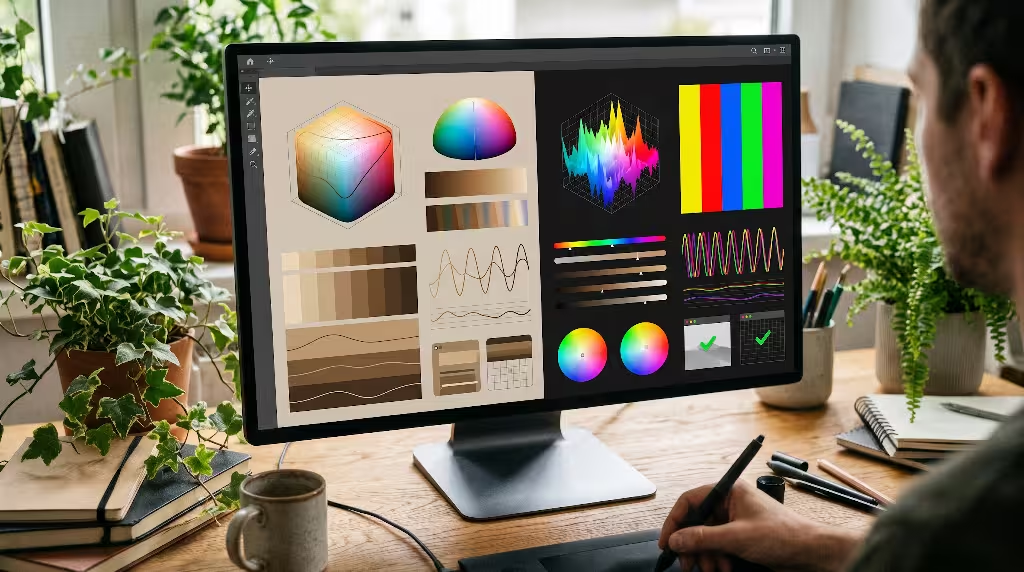
For decades, digital web design has been trapped inside the standard Red-Green-Blue (sRGB) color space. While sRGB worked well for early computer monitors, it has a serious mathematical flaw: it is not perceptually uniform.
In sRGB, two colors with the exact same mathematical brightness value can appear completely different to human eyes. For example, a pure sRGB green looks much brighter to a human than a pure sRGB blue, even if their digital values seem equal. This makes building a reliable earth tone palette very difficult in sRGB, because adjusting the hue often causes the perceived lightness to jump around wildly.
sRGB (Non-uniform):
Pure Blue  [#0000FF] -> Perceived as very dark
Pure Yellow [#FFFF00] -> Perceived as extremely bright

OKLCH (Perceptually Uniform):
L (Perceived Lightness) stays constant across any Hue (H) change.
To build a modern earth tone design system, we must move to advanced color models like OKLCH. The OKLCH color space separates color into three distinct channels: Lightness (L), Chroma (C), and Hue (H).
Lightness in OKLCH represents perceived human brightness. If you set Lightness to 0.70, that color will look equally bright to a user whether the hue is an earthy terracotta, an earthy forest green, or an earthy slate blue. Chroma represents the purity or saturation of the color. To create a dependable earth tone palette, a designer can keep Chroma low, usually between 0.02 and 0.08, while freely adjusting the Hue to explore different organic shades.
Using OKLCH ensures that your earth tone system behaves predictably in code. You can generate consistent scales of an earth tone token without suffering from unexpected dark spots or washed-out highlights.
WCAG 2.2 vs. APCA (Accessible Perceptual Contrast Algorithm)
Accessibility is non-negotiable in digital design. Every user, including people with low vision or color vision deficiencies, has the right to access digital tools easily. However, ensuring accessibility inside an earth tone design system requires careful mathematical planning.
For years, the Web Content Accessibility Guidelines (WCAG) 2.x standard has used a simple ratio to measure contrast, requiring a 4.5 to 1 ratio for normal text and 3 to 1 for large text. The problem is that the old WCAG formula only looks at the mathematical difference between two colors in sRGB. It does not account for the real way the human visual system processes spatial frequency, text thickness, or background luminance.
As a result, designers trying to build an earth tone theme often run into issues with the old WCAG 2.2 math. An earth tone interface relies heavily on warm mid-tones such as clay, olive, ochre, and warm gray. Under old WCAG math, these subtle earth tone mid-tones frequently fail the 4.5 to 1 test, even when they look perfectly readable to the human eye. Conversely, some vibrant neon combinations pass the mathematical ratio while causing terrible eye fatigue and visual vibration.
The Accessible Perceptual Contrast Algorithm (APCA) solves this problem. APCA forms the foundation for future accessibility guidelines (WCAG 3). Instead of a simple pass-or-fail ratio, APCA calculates a lightness contrast score based on human perception. It recognizes that dark text on a light earth tone background behaves differently than light text on a dark background.
When working with an earth tone design system, APCA allows designers to fine-tune typography based on font weight and size. You can confidently use a warm earth tone background as long as your text tokens provide sufficient lightness contrast according to modern perceptual models.
Token Mapping Table
To make an earth tone design system work across a complex web application, you must organize your colors into clear functional tiers. The following table illustrates how a team can map an earth tone architecture alongside a vibrant high-contrast architecture.
| Token Tier | Purpose | Earth Tone Implementation | Vibrant High-Contrast Implementation |
| Canvas Base | The primary screen background | Warm sand, pale linen, soft clay (oklch(0.96 0.02 85)) | Pure white or deep obsidian (#FFFFFF or #050505) |
| Surface Raised | Cards, modals, elevated containers | Warm bone, soft stone (oklch(0.92 0.03 85)) | Crisp cool gray, elevated dark gray (#F4F4F6 or #1E1E24) |
| Border Subtle | Structural lines and divider rules | Muted silt, river pebble (oklch(0.85 0.03 70)) | Sharp hairline gray, high-contrast border (#D1D5DB or #374151) |
| Text Primary | Main body copy and headings | Deep roasted umber, charred bark (oklch(0.22 0.03 50)) | Pure jet black or pure crisp white (#0A0A0A or #FFFFFF) |
| Text Secondary | Supporting metadata, captions | Muted loam, weathered wood (oklch(0.48 0.04 60)) | Medium-high cool slate (#4B5563 or #9CA3AF) |
| Action Primary | Primary buttons and key actions | Rich terracotta or deep pine (oklch(0.55 0.12 45)) | Electric cyan, neon violet, or pure blue (#2563EB or #7C3AED) |
| Status Alert | System warnings and error states | Rust red, burnished amber (oklch(0.60 0.14 35)) | High-chroma crimson, glowing yellow (#EF4444 or #FACC15) |
Common Questions Answered about Contrast Design Systems
When designers search the web for advice on color systems, they repeatedly ask several practical questions. Let us address these common queries directly to provide clear guidance.
What is the difference between earth tone and vibrant high-contrast design?
The primary difference lies in spectral saturation, baseline reflectivity, and user experience intent. An earth tone system uses colors with reduced chroma that mimic minerals, soils, plants, and natural light. Its goal is to create a calm, sustainable workspace that minimizes eye strain and supports long reading sessions.
A vibrant high-contrast design system uses maximum chroma and extreme luminance differences. Its goal is to capture attention immediately, create a sense of cutting-edge technology, and direct user actions with forceful visual cues. While an earth tone palette emphasizes organic harmony, a vibrant system emphasizes energetic hierarchy.
Can earth tone design systems meet strict WCAG accessibility standards?
Yes, an earth tone design system can easily achieve complete WCAG 2.2 AA and AAA compliance. The key is to manage lightness values rather than relying on color saturation to create contrast.
In many failed earth tone designs, the designer mistakenly pairs a mid-tone tan background with a mid-tone brown text. That creates poor contrast. To make an earth tone system accessible, you must establish a wide gap in perceived lightness. For instance, pair a very light earth tone surface, like bleached clay, with a very dark earth tone ink, like deep umber. By stepping your values deliberately along the lightness scale, your earth tone palette will pass every accessibility audit with flying colors.
Which color system drives higher UI conversion rates?
The answer depends entirely on the type of conversion you are measuring. If your goal is a quick, one-time micro-conversion, such as clicking a banner ad or signing up for a newsletter on a landing page, a vibrant high-contrast button will often drive higher immediate click-through rates. The eye cannot help but look at the bright focal point.
However, if your business model depends on retention, daily active usage, and complex task completion, an earth tone system often wins. Users who spend eight hours a day in a software platform will abandon tools that cause physical eye discomfort. An earth tone environment reduces bounce rates in deep-work applications, encouraging sustained user engagement and building long-term brand loyalty.
When should you avoid vibrant high-contrast design systems?
You should avoid vibrant high-contrast design systems in applications built for prolonged concentration, stress reduction, or sensitive workflows. For example, clinical healthcare software, intensive reading platforms, mental wellness apps, and enterprise data analysis tools should stay away from aggressive neons and harsh contrasts. When users are already under cognitive stress, a bright visual system only adds to their mental fatigue. In these cases, an earth tone system is the safer and more professional choice.
Systematic Comparison Framework
Choosing between these two approaches requires looking at multiple product dimensions at the same time. Let us evaluate how an earth tone system compares against a vibrant high-contrast system across key functional criteria.
Visual Energy Spectrum:

[ Earth Tone Systems ] <------------------------> [ Vibrant Systems ]
- Low Chroma (Natural)                             - High Chroma (Display P3)
- Sustainable Focus                                - Rapid Attention Grabs
- Organic Harmony                                  - Stark Boundaries
First, consider the emotional temperature of the interface. An earth tone system creates an environment of warmth and approachability. By using natural pigments like clay, sand, sage, and ochre, the digital screen feels tangible and human. It reduces the emotional distance between the user and the software. Conversely, a vibrant high-contrast system feels synthetic, fast, and electric. It projects power and technical efficiency, but it can also feel cold and sterile if not balanced carefully.
Second, consider the concept of visual hierarchy. In a vibrant system, hierarchy is created through loud contrasts. The most important button is neon, the secondary card is white, and the background is dark. This creates a punchy interface that anyone can navigate instantly. In an earth tone system, hierarchy is achieved through subtle value shifts, refined typography, and thoughtful spacing. An earth tone interface rewards careful reading and helps the user build a mental model of the software without relying on aggressive visual prompts.
Third, look at brand longevity. Saturated design trends change rapidly. What feels like an exciting neon palette today can easily look dated in two years when design trends shift. An earth tone foundation, because it is rooted in timeless physical nature, ages gracefully. An earth tone aesthetic has looked balanced for centuries in architecture and print, and it maintains that same timeless quality on digital screens.
Architectural Token Design: Implementation Models
Semantic Token Architecture
To build a professional design system that engineers can maintain, you must structure your design tokens into logical layers. You should never hard-code raw hex values directly into your components. Instead, use a three-tier token hierarchy: Global Primitive Tokens, Semantic Contextual Tokens, and Component Tokens.
Token Hierarchy:

[ Global Primitives ]  ->  raw color values (e.g., oklch(0.95 0.02 85))
         |
[ Semantic Context ]   ->  functional meaning (e.g., --surface-canvas)
         |
[ Component Tokens ]   ->  direct application (e.g., .card { background: ... })
Let us look at how an engineering team can implement an earth tone token structure using modern CSS variables with the OKLCH color space:
CSS
/* Layer 1: Global Earth Tone Primitives */
:root {
  /* Sand Palette (Light Earth Tone Backgrounds) */
  --earth-sand-50:  oklch(0.98 0.01 85);
  --earth-sand-100: oklch(0.95 0.02 85);
  --earth-sand-200: oklch(0.90 0.03 85);
  --earth-sand-300: oklch(0.82 0.03 80);

  /* Clay and Terracotta (Earth Tone Accent and Primary Actions) */
  --earth-clay-400: oklch(0.68 0.10 45);
  --earth-clay-500: oklch(0.58 0.12 45);
  --earth-clay-600: oklch(0.48 0.12 45);

  /* Umber and Bark (Earth Tone Text and High Contrast Lines) */
  --earth-umber-700: oklch(0.35 0.04 50);
  --earth-umber-800: oklch(0.25 0.03 50);
  --earth-umber-900: oklch(0.18 0.02 50);

  /* Sage and Lichen (Supportive Earth Tone Accents) */
  --earth-sage-100: oklch(0.93 0.03 140);
  --earth-sage-500: oklch(0.60 0.08 140);
}

/* Layer 2: Semantic Design Tokens */
:root {
  /* Surfaces */
  --surface-base: var(--earth-sand-100);
  --surface-raised: var(--earth-sand-50);
  --surface-sunken: var(--earth-sand-200);

  /* Borders and Dividers */
  --border-subtle: var(--earth-sand-300);
  --border-strong: var(--earth-umber-700);

  /* Typography */
  --text-main: var(--earth-umber-900);
  --text-muted: var(--earth-umber-700);
  --text-on-accent: var(--earth-sand-50);

  /* Interactive Elements */
  --action-primary-default: var(--earth-clay-500);
  --action-primary-hover: var(--earth-clay-600);
  --action-secondary-default: var(--earth-sage-100);
}

/* Layer 3: Component Implementation */
.product-card {
  background-color: var(--surface-raised);
  border: 1px solid var(--border-subtle);
  color: var(--text-main);
  border-radius: 8px;
  padding: 1.5rem;
}

.product-card__button {
  background-color: var(--action-primary-default);
  color: var(--text-on-accent);
  border: none;
  padding: 0.75rem 1.25rem;
  border-radius: 4px;
}

.product-card__button:hover {
  background-color: var(--action-primary-hover);
}
By organizing your tokens in this manner, your team can easily maintain an earth tone theme. If you need to make the sand tones slightly warmer or the clay tones slightly deeper, you only adjust the primitive layer. The semantic tokens and components update automatically, preserving visual harmony across the entire application.
Design Tokens in Dark Mode Transformation
Creating a dark mode for an earth tone design system requires a thoughtful approach. In a standard vibrant system, developers often just invert the canvas to pure #000000 or a cold, bluish dark slate. If you try to invert an earth tone palette using pure black, the entire aesthetic falls apart. The interface loses its organic feel and begins to look harsh.
To make an earth tone dark mode succeed, your dark surfaces must still reflect natural materials. Instead of cold black, use deep peat, charcoal shale, charred wood, or rich obsidian tones. The dark background should retain a tiny amount of warm or green chroma.
CSS
/* Earth Tone Dark Mode Overrides */
[data-theme="dark"] {
  /* Deep Earth Tone Surfaces */
  --surface-base: oklch(0.18 0.02 50);    /* Deep Charred Peat */
  --surface-raised: oklch(0.24 0.02 50);  /* Dark River Shale */
  --surface-sunken: oklch(0.14 0.01 50);  /* Deep Mineral Silt */

  /* Earth Tone Borders */
  --border-subtle: oklch(0.30 0.02 50);
  --border-strong: oklch(0.45 0.03 50);

  /* Inverted Earth Tone Typography */
  --text-main: oklch(0.92 0.02 85);       /* Bleached Sand */
  --text-muted: oklch(0.75 0.03 80);      /* Soft Driftwood */

  /* Accents Adjusted for Dark Mode Contrast */
  --action-primary-default: oklch(0.65 0.12 45); /* Lighter Terracotta */
  --action-primary-hover: var(--earth-clay-400);
}
Notice that in an earth tone dark mode, we lighten the terracotta action token slightly. On a dark background, human eyes need a higher lightness value to read text and identify clickable buttons comfortably. By tuning the lightness in OKLCH while keeping the hue stable, the earth tone system preserves its warm personality while remaining easy to read in the dark.
User Scenarios and Industry Archetypes

Not every product should look like a forest floor, and not every product should look like an arcade game. A mature design engineer looks at the user context, the emotional stakes, and the daily session length before deciding whether an earth tone palette is the right choice.
When Earth Tones Dominate
An earth tone system is the ideal choice for software where users spend hours reading, writing, organizing, or reflecting.
- Knowledge Management and Writing Tools: Applications like note-taking platforms, markdown editors, and personal wikis thrive on an earth tone aesthetic. When writing a book or organizing research, a bright neon interface distracts the mind. An earth tone backdrop feels like high-quality paper, inviting sustained thought.
- Health and Wellness Platforms: Telehealth tools, meditation apps, and personal therapy logs demand visual safety. An earth tone interface communicates healing, calm, and biological balance. It reassures the patient that they are in a safe, peaceful space.
- Architecture, Environmental Science, and Craft Commerce: Websites dedicated to sustainable design, landscape architecture, organic agriculture, and artisanal goods have a direct thematic connection to nature. Using an earth tone design system reinforces the authenticity of the brand.
- Documentation and Developer Manuals: Reading technical documentation is mentally taxing. Many modern developer portals have moved toward an earth tone scheme with soft stone backgrounds and warm charcoal text to keep engineers from getting eye fatigue while debugging code late into the night.
When Vibrant High-Contrast Dominates
There are many digital spaces where an earth tone approach would feel sluggish or out of place. Vibrant high-contrast systems excel in environments that demand rapid reactions and high excitement.
- Financial Trading and Stock Terminals: In a day-trading platform, milliseconds matter. Traders need instant, unambiguous signals when a stock is rising or falling. A vibrant green and a vibrant red against an obsidian black screen provide clear, high-speed visibility across dozens of open charts.
- Competitive Gaming and Esports: Gaming dashboards thrive on adrenaline. Intense neon purples, glowing cyans, and razor-sharp contrast evoke the feeling of futuristic technology and competitive energy. An earth tone palette in this context might feel too quiet or unexciting.
- Real-Time Logistics and Emergency Dispatch: When dispatching ambulances, delivery fleets, or flight corridors, operators must scan maps rapidly to catch critical system alerts. High-contrast vibrant tokens ensure that urgent warnings pop out instantly against secondary map layers.
- Short-Funnel Consumer Marketing: Mobile apps built around impulse purchases, quick ride-sharing bookings, or fast social updates benefit from vibrant contrast. Bright colors guide the eye down the funnel before the user loses interest.
The Hybrid “Earthy Vibrancy” Paradigm
Design is rarely a matter of choosing one extreme and ignoring the other. In recent years, forward-thinking product teams have developed a hybrid strategy that combines the best parts of both worlds. We call this approach the earthy vibrancy model.
The Earthy Vibrancy Model:

+-------------------------------------------------------+
|  CANVAS: Grounded Earth Tone (Sand / Clay / Linen)     |
|                                                       |
|   +-----------------------------------------------+   |
|   |  CONTENT: Quiet Earth Tone Typographic Hierarchy|   |
|   |  - Unhurried reading experience               |   |
|   |  - Low eye fatigue across long sessions       |   |
|   +-----------------------------------------------+   |
|                                                       |
|   [ HIGH-CONTRAST ACTION BUTTON (Electric Coral) ]    |
|   <- Single vibrant accent creates immediate focus    |
+-------------------------------------------------------+
In an earthy vibrancy architecture, the bulk of the user interface relies on a calm earth tone foundation. The backgrounds, structural cards, dividers, and body copy use natural tones like sand, soft moss, warm stone, and deep roasted umber. This ensures that ninety percent of the screen real estate is dedicated to visual comfort, preventing eye fatigue and creating an atmosphere of focus.
Then, for the few interactive elements that truly require urgent action, the system introduces a single, carefully calibrated vibrant token. For example, a software tool might use an earth tone canvas of warm linen and soft wood-grain grays, but deploy a sharp, high-chroma electric coral or radiant lapis blue strictly for the primary checkout button.
Because the surrounding earth tone landscape is quiet and desaturated, the vibrant accent pops with dramatic visual force. You do not need to make ten different elements bright to create hierarchy. A quiet earth tone base makes a single vibrant button twice as effective, giving you the best combination of reading comfort and conversion performance.
Technical Execution Pitfalls to Avoid
Implementing an earth tone design system requires technical discipline. Because natural colors rely on subtle chroma shifts and complex undertones, small coding mistakes can ruin the user experience. Here are three critical pitfalls that engineering and design teams must guard against.
Muddy Interfaces
The most common failure in an earth tone design system is the dreaded muddy interface. This happens when a designer attempts to create an earth tone look simply by turning down the saturation slider on every color in an sRGB color picker.
When you desaturate colors without adjusting their lightness values, everything collapses into a flat, lifeless brown-gray sludge. When the background, the cards, and the text all share similar mid-tone values, the user interface loses its structural clarity. Users struggle to identify which cards are clickable, where inputs begin, and what information matters most.
To avoid a muddy earth tone interface:
- Enforce wide lightness spreads: Ensure your background earth tone tokens sit above 0.92 Lightness in OKLCH, while your body text sits below 0.25 Lightness.
- Vary the undertones: Do not build an entire earth tone system out of a single brown hue. Mix warm sand backgrounds with cool river-slate borders and rich terracotta buttons. Bringing in cool slate and deep pine balances the warm clay, creating a crisp, living palette rather than a muddy wash.
- Use crisp micro-borders: When using soft earth tone surfaces, use fine one-pixel borders with clear contrast to define card edges and input fields clearly.
Chromostereopsis and Eye Strain
While an earth tone palette generally protects users from visual fatigue, mistakes can happen when designers try to mix organic colors with saturated accents.
One dangerous optical illusion is chromostereopsis. This occurs when two colors of completely different wavelengths are placed directly against each other, such as a bright red placed on an intense blue background, or a saturated terracotta placed against a vibrant forest green. Because the human eye lens bends different wavelengths at different angles, the red elements and blue elements appear to sit at different physical depths. The screen will look like it is vibrating, and the text will appear to hover uncomfortably in front of the page.
To prevent this issue in your earth tone components:
- Never place high-chroma text directly on a saturated colored background.
- Always separate colored buttons from colored cards using neutral earth tone dividers or clear lightness margins.
- Test your interface on both high-end wide-gamut monitors and inexpensive consumer screens to ensure the colors do not vibrate under different backlight conditions.
The “Eco-Washing” Trap
The final pitfall is philosophical rather than technical. Some teams believe that applying an earth tone palette to a broken, confusing website will magically make it feel friendly, human, and ethical. This is known as digital eco-washing.
A color palette cannot fix bad information architecture, poor accessibility, or manipulative user flows. If an interface hides important subscription details behind confusing buttons, coloring those buttons with an earth tone moss green will not make the experience honest. In fact, users can become suspicious of an earth tone theme if it feels like an artificial disguise for an otherwise frustrating product.
An earth tone design system should reflect genuine care for the user. It should be paired with transparent communication, clean typography, fast loading times, and accessible code. When an earth tone palette is supported by solid engineering and thoughtful interaction design, it transforms a standard website into a welcoming digital home.
Synthesis: Designing Sustainable Interfaces
Building digital products is an exercise in resource management. We manage server bandwidth, battery consumption, memory allocations, and load speeds. But the most precious resource in the entire system is the user attention and physical energy.
A vibrant high-contrast design system treats user attention like an emergency. It uses pure, saturated light to command focus, making it an effective tool for moments of speed, excitement, and immediate action. But that visual intensity comes at a steep physiological cost. Staring into high-contrast screens for hours on end drains cognitive energy and leads to physical discomfort.
An earth tone design system treats user attention like a garden. By grounding digital surfaces in colors derived from the natural world, an earth tone interface honors human evolutionary biology. It lowers the cognitive baseline, eases ocular fatigue, and allows users to work, learn, and create without burning out.
By taking advantage of modern color spaces like OKLCH, implementing clean semantic tokens, and embracing the hybrid earthy vibrancy model, software teams can create products that are both visually captivating and gentle on the human eye. Whether you are building an intimate writing tool or a massive enterprise platform, bringing a thoughtful earth tone approach to your design architecture will ensure your software remains usable, beautiful, and sustainable for years to come.