
Table of Contents
For years, creators built their audiences on giant corporate platforms, only to see their organic reach drop to single digits. Today, smart publishers and digital creators are returning to open web standards to take back ownership of their audience.
When you publish on your own website, you own your data, your design, and your subscriber list. However, you still need an effective way to broadcast your ideas where people gather. Learning how to route blog content to mastodon gives you the best of both worlds. You keep your website as the home base for all your work, while using the power of decentralized networks to spark conversations.
In this comprehensive guide, we will explore the entire process of sending blog content to mastodon using open RSS and Atom feeds. We will examine the core philosophy behind open syndication, see how to prepare your feed data, compare the best no-code tools and plugins, review a custom Python script, and walk through the exact community rules that make your posts succeed.
The Power of POSSE on the Decentralized Web

The modern web is rediscovering an old idea called POSSE. POSSE stands for Publish on Own Site, Syndicate Elsewhere. It is a simple philosophy that protects creators from platform decay. Instead of writing long articles directly into a proprietary social network where an algorithm decides who sees your words, you write on your personal or company blog first. Once your post goes live on your own domain, you broadcast excerpts and links out to social networks.
When you direct blog content to mastodon through a POSSE workflow, you build long-term digital equity. Your website remains your permanent archive. If any social network changes its ownership, goes offline, or updates its terms of service, your content stays completely safe on your own server.
+-------------------------------------------------------------+
|                     Your Own Website                        |
|           (Permanent Canonical Post & RSS Feed)             |
+------------------------------+------------------------------+
                               |
                               v
+-------------------------------------------------------------+
|                 RSS Syndication Pipeline                    |
|          (No-Code Tool, CMS Plugin, or Script)              |
+------------------------------+------------------------------+
                               |
                               v
+-------------------------------------------------------------+
|                 Mastodon / The Fediverse                    |
|        (Public Status, Media Attachments, Hashtags)         |
+-------------------------------------------------------------+
Why Mastodon Outperforms Algorithmic Platforms
Traditional social media platforms use complex engagement algorithms designed to keep users inside their walled gardens. If you add an external link to a post on an algorithmic network, the platform often reduces your visibility. They want users clicking internal ads, not leaving to read an article on an independent site.
Mastodon operates on entirely different principles:
- Chronological Timelines: There is no algorithm sorting the home feed. When people follow your account, your posts appear in their feed in the exact order you publish them.
- No External Link Penalties: Mastodon does not hide posts with links. The platform was built by people who value the open web, so sharing outbound links to quality articles is welcomed.
- Direct Server Federation: When you share blog content to mastodon, your post does not just live on your home instance. It federates across thousands of independent servers worldwide through the ActivityPub protocol, giving you global organic reach without paid boost buttons.
- Community-Led Moderation: Each instance sets its own community standards, keeping discussions healthier and freer from toxic spam networks.
Preparing Your RSS and Atom Feed for Clean Syndication
Before you connect any automation tool, your source feed needs to be clean, reliable, and properly formatted. An RSS or Atom feed is simply a structured XML file that tells reader apps and automation bots whenever you publish a new article. If the XML has broken tags or missing fields, your attempts to syndicate blog content to mastodon will fail or post broken messages.
XML
<?xml version="1.0" encoding="UTF-8" ?>
<rss version="2.0" xmlns:media="http://search.yahoo.com/mrss/" xmlns:content="http://purl.org/rss/1.0/modules/content/">
<channel>
  <title>Silphium Design Blog</title>
  <link>https://example.com</link>
  <description>Sustainable Web Design and Fediverse Insights</description>
  <item>
    <title>Designing for the Open Web in 2026</title>
    <link>https://example.com/open-web-2026</link>
    <guid isPermaLink="true">https://example.com/open-web-2026</guid>
    <pubDate>Tue, 25 Aug 2026 10:00:00 GMT</pubDate>
    <description>Discover why decentralized networks are reshaping digital publishing.</description>
    <category>WebDev</category>
    <category>Fediverse</category>
    <media:content url="https://example.com/images/cover.jpg" medium="image" />
  </item>
</channel>
</rss>
Essential Feed Elements for Social Publishing
To ensure your tool can seamlessly deliver blog content to mastodon, verify that your feed includes these standard tags:
<title>: Contains the plain text headline of your article. Keep HTML tags out of the title to avoid strange formatting characters in your posts.<link>: The full canonical URL pointing directly to the live blog post.<guid>: The unique identifier for the post. Automation tools use this field to remember which articles have already been posted so you do not send duplicate messages.<pubDate>: The standard RFC-822 formatted publication date and time.<description>or<content:encoded>: The short excerpt or summary of your post. A concise 150-word excerpt gives your automation script plenty of text to build an engaging teaser.<category>: The tags or topics assigned to your article. These tags can be converted automatically into social hashtags.<enclosure>or<media:content>: Direct links to your featured header image. Including media URLs allows automation pipelines to download and attach eye-catching images to your updates.
Feed Validation and Caching Best Practices
Run your feed URL through the W3C Feed Validation Service to check for syntax errors. Make sure your web server does not aggressively cache your RSS feed for days at a time. A caching Time-to-Live (TTL) of 15 to 30 minutes works best. That way, when you publish a new post, your automation engine detects the update quickly without overwhelming your server with traffic.
Method 1: No-Code and Cloud-Based Automation Services
If you do not want to write custom code or manage a server, cloud automation tools offer the fastest path to bridge blog content to mastodon. These services continuously check your RSS feed and automatically send updates to your account.
+------------------+      +-------------------+      +------------------+
|   Blog RSS Feed  | ---> |   Cloud Service   | ---> |  Mastodon API    |
| (Checks 15 mins) |      | (Filter & Format) |      | (/api/v1/statuses|
+------------------+      +-------------------+      +------------------+
Dedicated Fediverse Tools
Several lightweight tools have been created specifically for the decentralized web:
- MastoFeed: A free, web-based tool dedicated to feed syndication. You log in through your instance via OAuth, paste your feed link, and define your message layout. It requires no database and runs smoothly in the background.
- Feed2toot: A popular open-source utility that parses feeds and posts updates to Mastodon. It can be hosted locally or run on small cloud instances with minimal configuration.
General Automation Platforms
You can also use multi-platform automation engines to format and distribute blog content to mastodon alongside other social channels:
- Make (formerly Integromat): Offers visual scenario builders where you can add advanced filters, pull custom fields from your XML feed, format hashtags, and upload media files.
- Zapier: A widely used no-code platform with built-in RSS triggers and webhook modules that connect directly to the Mastodon REST API.
- IFTTT: Great for basic setups where you want a simple trigger that sends a headline and link every time your feed updates.
- Fedica and Buffer: Social management dashboards that support RSS queueing, allowing you to review and schedule automated posts before they go live.
Comparing No-Code Automation Options
| Platform | Setup Difficulty | Media Uploads | Tag Mapping | Pricing Model |
| MastoFeed | Very Easy | Basic | Automatic | Free |
| Feed2toot | Moderate | Yes | Advanced | Free (Self-Hosted) |
| Make | Moderate | Yes | Full Control | Free tier / Paid |
| Zapier | Easy | Yes (via Webhooks) | Moderate | Free tier / Paid |
| Fedica | Easy | Yes | Good | Freemium |
Method 2: Native CMS Integrations and WordPress Tools
For site owners running self-hosted content management systems like WordPress or Ghost, you can broadcast blog content to mastodon directly from your dashboard without relying on third-party cloud bridges.
+-------------------------------------------------------------+
|                      WordPress Core                         |
|   +--------------------------+  +------------------------+  |
|   | Share on Mastodon Plugin |  |  ActivityPub Plugin    |  |
|   | (Pushes to an Account)   |  |  (Makes Blog an Actor) |  |
|   +-------------+------------+  +------------+-----------+  |
+-----------------|----------------------------|--------------+
                  |                            |
                  v                            v
        Mastodon REST API              Fediverse Network
    (Posts to @yourname@server)     (Followers subscribe directly)
WordPress: Share on Mastodon vs. ActivityPub
The WordPress ecosystem provides two completely different approaches to syndicating your articles. Understanding this distinction is vital when designing your digital strategy.
1. The Share on Mastodon Plugin
This plugin uses the standard Mastodon API. When you hit publish on a WordPress post, the plugin creates a brand-new post on your designated Mastodon profile.
- It attaches the featured image from your WordPress media library.
- It converts your post tags into CamelCase hashtags.
- It lets you customize the post template per post directly inside the WordPress block editor sidebar.
- It operates as a true syndication bridge for sending blog content to mastodon.
2. The ActivityPub Plugin by Automattic
This plugin turns your entire WordPress blog into a native Fediverse server. Instead of posting out to an existing account on a public instance, your blog authors become followable profiles on the Fediverse (for example, @[email protected]).
- Fediverse users can follow your blog directly from Mastodon, Pixelfed, or Firefish.
- When you publish, your new article appears in your followers’ home feeds as a native status.
- Replies left on Mastodon can sync back to your WordPress post as blog comments.
If you already have an established audience on an existing Mastodon instance, using an RSS pipeline or the Share on Mastodon plugin to route blog content to mastodon is usually the best option. If you want to decentralize your publishing and run your own social identity, the ActivityPub plugin is an incredible choice.
Static Site Generators (SSGs)
If your site runs on Hugo, Jekyll, Astro, or Eleventy, you do not have a dynamic database or PHP runtime to trigger webhooks. Instead, you can run an automated GitHub Action whenever your site builds. The Action reads your newly generated feed.xml, compares it with the previous build commit, and makes a direct API call to post your blog content to mastodon automatically.
Method 3: Self-Hosted and Developer Scripting with Python
For developers who want complete control over data handling, formatting, and media processing, writing a lightweight Python script is a reliable way to automate blog content to mastodon.
Using the feedparser and Mastodon.py libraries, you can build a script that reads your feed, checks a local SQLite database to prevent duplicates, uploads your featured image, and publishes a formatted status update.
+-------------------------------------------------------------+
|                     Python Automation Script                |
|                                                             |
|  1. Parse RSS Feed (feedparser)                             |
|  2. Check SQLite Database (Avoid duplicate GUIDs)           |
|  3. Download Featured Image & Upload to Mastodon Media API  |
|  4. Format Status Text & Convert Categories to Hashtags     |
|  5. Post Status via Mastodon.py API Wrapper                 |
|  6. Store GUID in Database & Close                          |
+-------------------------------------------------------------+
Complete Python Syndication Script
Here is a clean, modular Python script you can run on a schedule:
Python
import os
import sqlite3
import requests
import feedparser
from mastodon import Mastodon

# Configuration constants
FEED_URL = "https://example.com/feed.xml"
DB_FILE = "syndication_history.db"
MASTODON_BASE_URL = "https://mastodon.social"
ACCESS_TOKEN = os.getenv("MASTODON_ACCESS_TOKEN")

def init_database():
    """Create a database table to track processed article IDs."""
    conn = sqlite3.connect(DB_FILE)
    cursor = conn.cursor()
    cursor.execute("""
        CREATE TABLE IF NOT EXISTS posted_articles (
            guid TEXT PRIMARY KEY,
            posted_at TIMESTAMP DEFAULT CURRENT_TIMESTAMP
        )
    """)
    conn.commit()
    conn.close()

def is_already_posted(guid):
    """Check if the article GUID is stored in our database."""
    conn = sqlite3.connect(DB_FILE)
    cursor = conn.cursor()
    cursor.execute("SELECT 1 FROM posted_articles WHERE guid = ?", (guid,))
    result = cursor.fetchone()
    conn.close()
    return result is not None

def mark_as_posted(guid):
    """Save the article GUID so it is not processed again."""
    conn = sqlite3.connect(DB_FILE)
    cursor = conn.cursor()
    cursor.execute("INSERT INTO posted_articles (guid) VALUES (?)", (guid,))
    conn.commit()
    conn.close()

def clean_tags(tags):
    """Convert article categories into CamelCase hashtags."""
    hashtags = []
    for tag in tags:
        term = tag.get("term", "")
        # Remove spaces and punctuation to form a valid hashtag
        clean_term = "".join(word.capitalize() for word in term.split())
        if clean_term:
            hashtags.append(f"#{clean_term}")
    return " ".join(hashtags)

def publish_feed_items():
    """Parse feed and send fresh blog content to mastodon."""
    init_database()
    feed = feedparser.parse(FEED_URL)

    if not feed.entries:
        print("No entries found in feed.")
        return

    # Initialize the Mastodon client
    client = Mastodon(
        access_token=ACCESS_TOKEN,
        api_base_url=MASTODON_BASE_URL
    )

    # Process oldest unposted articles first
    for entry in reversed(feed.entries):
        guid = entry.get("id", entry.get("link"))

        if is_already_posted(guid):
            continue

        title = entry.get("title", "New Article")
        link = entry.get("link", "")
        summary = entry.get("summary", "")

        # Build clean summary teaser under 200 characters
        if len(summary) > 180:
            summary = summary[:177] + "..."

        tags = clean_tags(entry.get("tags", []))

        # Build the final social status message
        status_text = f"{title}\n\n{summary}\n\nRead more: {link}\n\n{tags} #Bot"

        media_ids = []
        # Check for media enclosures or images
        if "media_content" in entry and entry.media_content:
            image_url = entry.media_content[0].get("url")
            if image_url:
                img_data = requests.get(image_url, timeout=10).content
                media = client.media_post(
                    media_file=img_data,
                    mime_type="image/jpeg",
                    description=f"Cover graphic for {title}"
                )
                media_ids.append(media["id"])

        # Post the message to Mastodon
        client.status_post(
            status=status_text,
            media_ids=media_ids if media_ids else None,
            visibility="public"
        )

        mark_as_posted(guid)
        print(f"Successfully posted: {title}")

if __name__ == "__main__":
    publish_feed_items()
Scheduling with Linux Cron
To keep your feed syncing automatically without manual effort, set up a simple cron job on your server. Open your crontab editor by running crontab -e and add a schedule line:
Bash
# Check the feed and syndicate updates every 20 minutes
*/20 * * * * /usr/bin/python3 /opt/syndication/syndicate.py >> /var/log/mastodon_syndication.log 2>&1
This ensures your server regularly checks for updates and posts your blog content to mastodon within minutes of publication.
Mastodon Developer Setup and API Security
Whether you are configuring a custom script or setting up a cloud tool via webhooks, you need to register an application on your Mastodon instance to obtain API credentials.
+-------------------------------------------------------------+
|                 Mastodon Instance Server                    |
|                                                             |
|   Preferences > Development > New Application               |
|                                                             |
|   Select Scopes:                                            |
|   [x] read:statuses                                         |
|   [x] write:statuses                                        |
|   [x] write:media                                           |
|                                                             |
|   Generate Credentials:                                     |
|   - Client Key                                              |
|   - Client Secret                                           |
|   - User Access Token  =======> (Keep Safe in .env File)    |
+-------------------------------------------------------------+
Registering Your Application Step by Step
- Log In to Your Home Server: Go to the web interface of the Mastodon instance where your account is registered.
- Open Development Settings: Click on Preferences, then select Development in the sidebar navigation, and click the New Application button.
- Name Your Application: Give your app a recognizable name like
Blog RSS Publisher. - Configure OAuth Scopes: Mastodon enforces strict permission scopes. For basic syndication, grant only the specific permissions your tool requires:
read:statuses: Allows checking if previous updates were posted.write:statuses: Grants permission to create new posts on your timeline.write:media: Allows uploading featured image graphics to the media endpoint.
- Generate and Store Tokens: Click Submit. Mastodon will provide a Client Key, Client Secret, and an individual User Access Token.
Securing Your Credentials
Your User Access Token grants write access to your account. Treat this token with the same security care you would use for a master password:
- Never commit your access token or client secret into public Git repositories.
- Store tokens in an environment variable file (
.env) or an encrypted secrets manager. - If an access token is accidentally exposed in client-side code, immediately delete the application entry under your Development preferences to revoke access, then generate a new set of credentials.
Understanding Rate Limits
Most standard Mastodon servers enforce a rate limit of 300 requests per 5-minute window per account. A basic script pushing newly published articles uses fewer than five API calls per run. However, if you are migrating an older site and attempting to send a massive archive of past blog content to mastodon all at once, you will quickly hit rate limits and risk having your server IP blocked. Always pace bulk syndication over several days.
Fediverse Etiquette and Community Engagement Rules
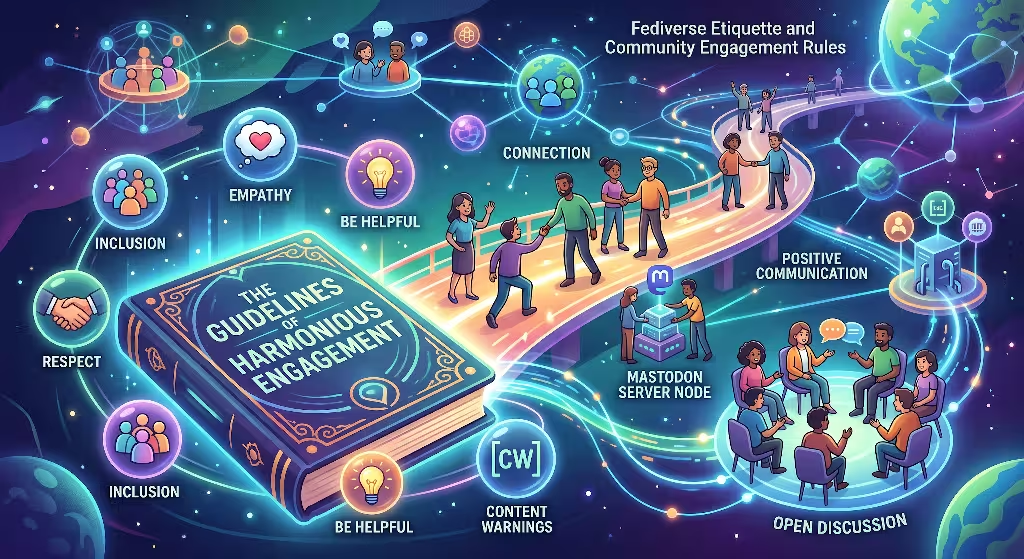
Publishing on Mastodon is different from broadcasting on commercial networks. The Fediverse is built on principles of mutual respect, user consent, and accessibility. Understanding these community norms is essential when you deliver blog content to mastodon.
+-------------------------------------------------------------+
|               Fediverse Publishing Etiquette                |
+-------------------------------------------------------------+
| [x] Mark Account as an Automated Bot in Settings            |
| [x] Use CamelCase for All Hashtags (#OpenWeb, #WebDev)      |
| [x] Provide Meaningful Alt Text for Screen Readers          |
| [x] Apply Content Warnings (CW) for Sensitive Topics        |
| [x] Respond to Replies and Engage with Real People          |
+-------------------------------------------------------------+
The #Bot Declaration
If your account publishes automatically from an RSS feed without a human reviewing every single post in real time, Mastodon convention asks that you flag the account as a bot.
You can do this by going to Preferences > Profile > Appearance and checking the box labeled This is a bot account. Marking your account as a bot adds a helpful badge next to your display name. This transparency builds trust with community moderators and prevents other users from reporting your automated messages as unwanted commercial spam.
Writing Accessible CamelCase Hashtags
Screen reader software reads unbroken lowercase hashtags as long, jumbled words. For example, a screen reader may struggle to pronounce #biophilicdesign, but it reads #BiophilicDesign with proper cadence and clarity.
Whenever you prepare blog content to mastodon with automated tags, ensure your formatting script capitalizes the first letter of each word.
Poor Accessibility:   #sustainablewebdesign #federatednetworks
Great Accessibility:  #SustainableWebDesign #FederatedNetworks
Adding Descriptive Alt Text
Visual graphics make posts stand out in chronological timelines, but images without descriptive alternative text exclude users who rely on screen readers.
When your automation script uploads an image from your RSS enclosure tag, make sure to send a text description along with the media upload. You can pull the image alt text directly from your CMS media library or construct a standard fallback describing the title of the article depicted in the graphic.
Content Warnings (CW)
Mastodon includes a native Content Warning feature that lets users hide post details behind an expandable click banner. While standard business and technology articles do not require a warning, topics covering politics, medical advice, tragic news, or sensitive subjects should always include a clear CW summary. Respecting these boundaries ensures your posts are welcomed across the wider network.
Formatting Posts That Convert Without Looking Like a Robot

The most common mistake creators make when they automate blog content to mastodon is dumping a raw headline and a bare URL into their timeline. Unformatted link drops look cold, automated, and out of place.
Mastodon gives you a default limit of 500 characters per post, and many instances increase that limit to 1,000 characters or more. Use this generous space to deliver real value directly inside the post.
+-------------------------------------------------------------+
|                 Anatomy of a High-Converting Post           |
+-------------------------------------------------------------+
| 1. The Hook: Clear headline with an intriguing angle        |
|                                                             |
| 2. The Context: A concise 2-sentence summary of the core   |
|    insight or takeaway found in the article                 |
|                                                             |
| 3. The Call to Action: Clean permalink to the full post     |
|                                                             |
| 4. Taxonomy & Tags: 3 to 5 relevant CamelCase hashtags      |
|                                                             |
| 5. Transparency Tag: #Bot (if fully automated)              |
+-------------------------------------------------------------+
High-Converting Post Templates
Here are three practical templates you can adapt for your syndication pipeline:
Template A: The Core Insight Summary
How do decentralized social protocols protect independent publishers?
In our latest deep dive, we break down why open web standards let creators maintain direct relationships with their readers without algorithmic interference.
Read the full breakdown: https://example.com/open-web-protocols
#OpenWeb #IndieWeb #DigitalPublishing #ActivityPub #Bot
Template B: The Step-by-Step Teaser
Want to connect your personal site to the Fediverse? Here is the 3-step blueprint:
- Clean and validate your RSS feed structure
- Connect a secure API token with write permissions
- Format your posts with accessible CamelCase tags
Explore our complete tutorial: https://example.com/rss-to-mastodon
#WebDevelopment #WordPress #Fediverse #Blogging #Bot
Template C: The Community Discussion Starter
We just published our 2026 review on open-source CMS platforms. We compared Ghost, WordPress, and Astro for independent creators.
Which platform are you using for your personal blog this year?
Full comparison article: https://example.com/cms-review-2026
#Blogging #OpenSource #TechDiscussion #WebDev
Frequently Asked Questions About Blog Content to Mastodon Syndication
Can I share blog content to mastodon automatically without paying for software?
Yes. Open-source tools like feedparser with Python, dedicated free web tools like MastoFeed, and free tiers on automation platforms like Make allow you to syndicate updates at zero cost.
What is the main difference between RSS syndication and the ActivityPub WordPress plugin?
RSS syndication pushes new post links out to a standard Mastodon account on an existing server. The ActivityPub plugin turns your WordPress website into its own standalone social instance, allowing people to follow your blog domain directly from their Fediverse apps.
Why do some link previews fail to show images on Mastodon?
Mastodon servers fetch OpenGraph metadata when a link is posted, but some servers cache previews slowly or restrict background scraping to save bandwidth. Uploading your featured image directly via the /api/v1/media endpoint ensures your graphic always appears prominently in user feeds.
How do I prevent an RSS bot from posting every old article in my archive?
When you set up a new tool or script, it will scan your entire feed. If your feed contains 20 items, it may try to publish all 20 at once. To avoid flooding your timeline, pre-fill your database or automation trigger with the current article IDs so the tool only processes posts published after your initial setup date.
Will automated syndication get my account banned?
Automated posting is completely welcome on Mastodon as long as you follow basic rules: check the “This is a bot account” box in your profile settings, do not post duplicate links repeatedly, avoid spamming unrelated hashtags, and stay within server rate limits.
Can I map specific blog categories to unique hashtags?
Yes. If your RSS feed includes <category> tags, custom scripts and advanced workflow tools like Make can extract those terms, clean out special characters, and append them as formatted CamelCase hashtags at the end of your message.
Strategic Next Steps for Sustainable Growth
Building a thriving audience across the decentralized web is an ongoing process. Automation saves you valuable time on administrative tasks, but genuine community engagement is what builds long-term loyalty.
+-------------------------------------------------------------+
|                  The 80/20 Fediverse Strategy               |
+-------------------------------------------------------------+
|                                                             |
|   [ 20% Automated Syndication ]                             |
|   - Clean RSS Delivery                                      |
|   - Consistent Publishing Schedule                          |
|   - Accessible Image Tags and Links                         |
|                                                             |
|   [ 80% Human Engagement ]                                  |
|   - Replying to Post Comments                               |
|   - Boosting Other Creators' Work                           |
|   - Participating in Hashtag Discussions                    |
+-------------------------------------------------------------+
The 80/20 Rule for the Fediverse
Use the 80/20 rule to balance automation with genuine human connection. Let automated workflows handle 20% of your activity by broadcasting your new articles as soon as they go live. Dedicate the remaining 80% of your social effort to human interactions:
- Log in regularly to reply to people who comment on your syndicated articles.
- Boost and favorite insightful posts written by other publishers in your niche.
- Participate in organic community discussions without constantly dropping links to your own products.
When readers see that a real person stands behind the account, they are far more likely to click your links, subscribe to your newsletter, and share your work across their own federated timelines.
Implementation Checklist
To get your syndication pipeline up and running smoothly, follow this step-by-step checklist:
- Verify Feed Health: Run your blog feed URL through a feed validator to ensure clean XML tags and valid dates.
- Select Your Method: Choose between a simple no-code tool (MastoFeed or Make), a CMS plugin (Share on Mastodon), or a custom Python script based on your technical comfort level.
- Generate Scoped API Tokens: Create an application under your Mastodon development settings with
read:statuses,write:statuses, andwrite:mediascopes. - Configure Post Templates: Design a post layout that includes a hook, a summary teaser, the link, and CamelCase hashtags.
- Set Bot Transparency: Turn on the bot badge in your Mastodon profile appearance settings.
- Perform a Staging Test: Publish a test article to verify that the excerpt formats properly, the link resolves, and the image uploads cleanly.
- Monitor and Engage: Check your timeline after every new article goes live to answer questions and thank readers who share your work.
Setting up a clean RSS pipeline to route blog content to mastodon lets you maintain full control over your creative work while connecting with a vibrant, growing audience across the open social web. Own your content, embrace open protocols, and enjoy the benefits of decentralized publishing.