
Table of Contents
Every time you unlock your smartphone or sit at your laptop, your eyes and brain face a noisy world. Red alert badges demand your attention. Bright white screens shine into your eyes like headlights in the dark. Loud popups slide in from every corner. Modern software often feels like a crowded, chaotic market where everyone is shouting at you at once.
Many people finish their workdays feeling exhausted, drained, and tense. This constant stress is digital fatigue. As designers and builders, we have to ask ourselves an honest question: why are we building software that makes people feel so stressed?
There is a better path forward. That path is hygge in digital product design.
In Denmark, the word hygge describes a special feeling of warmth, safety, comfort, and simple contentment. When you practice hygge in the real world, you might light a beeswax candle, put on warm wool socks, and sit by a fire with a close friend while the snow falls outside. You feel completely safe. You are not worried about yesterday, and you are not stressed about tomorrow.
When we apply hygge in digital product design, we bring that exact feeling of safety and comfort into our digital tools. We build interfaces that treat the human mind with kindness, patience, and respect. A product built with hygge does not scream for your attention. It does not trick you into clicking buttons you did not mean to click. Instead, it offers a peaceful digital room where you can do your work, talk to the people you care about, and log off feeling calm.
In this deep guide, we will explore the ten core criteria that make up hygge in digital product design. We will look at visual design, physics, sound, accessibility, and human biology. By the time you finish reading, you will understand how to craft digital experiences that heal instead of harm.
What Is Hygge in Digital Product Design?
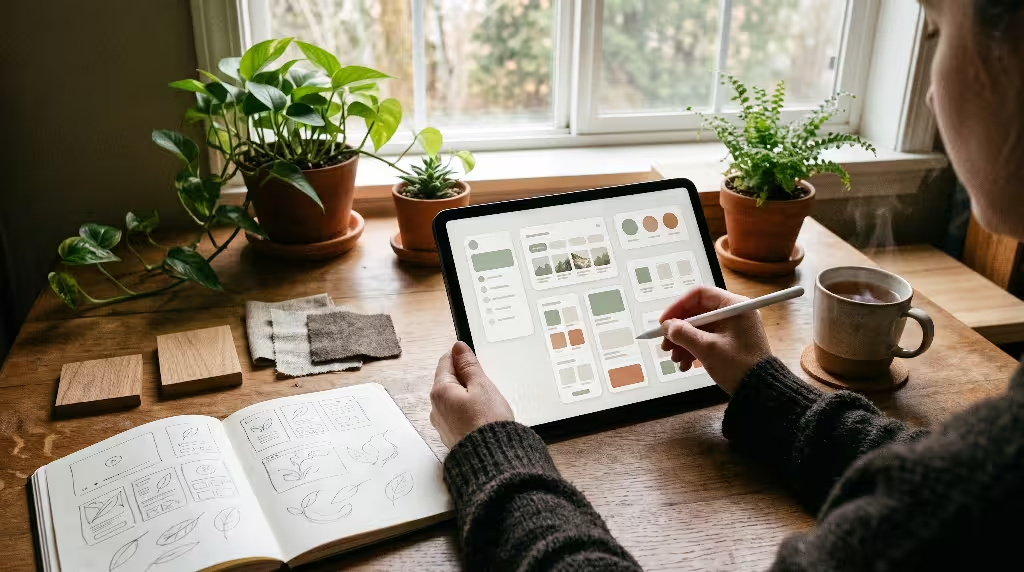
To understand hygge in digital product design, we must first look at how humans react to computers. The human brain was not built to stare at tiny glowing glass panels for ten hours a day. Our eyes and nervous systems evolved to scan open fields, watch the gentle movement of leaves in the wind, and track the slow changes of sunlight from morning until dusk.
When software ignores human biology, it causes friction. Fast moving banners trigger our fight or flight response. Harsh blue light tricks our brain into thinking it is high noon, even when it is midnight. Urgent countdown timers raise our heart rate.
Applying hygge in digital product design means designing software that honors human biology. It means creating tools that feel like a quiet home rather than an airport terminal. When you use hygge in digital product design, you focus on comfort, emotional safety, clarity, and peace.
Beyond Candles and Blankets: Translating Danish Comfort into Human-Computer Interaction
Many people think hygge is just a lifestyle trend about hot cocoa, wool blankets, and wooden chairs. In software, some people think it just means using brown colors or drawing pictures of tea cups. That is a mistake.
In software engineering and user experience, hygge in digital product design is a complete design philosophy. It changes how an application looks, how it moves, how it speaks, and how it treats user attention.
Most modern software is built around aggressive growth metrics. Companies track daily active users, click rates, and screen time. To boost these numbers, designers often use tricks. They make it hard to cancel subscriptions. They make notifications look like life or death emergencies. They build feeds that scroll forever without an end.
When you practice hygge in digital product design, you reject these predatory tricks. You believe that a good digital product should help a person do what they came to do and then let them get back to their real life.
Practicing hygge in digital product design means you build interfaces that protect user peace. You choose soft colors that do not burn the eyes. You write clear buttons that tell the truth. You design pages that do not jump around while they load. You create software that feels gentle, reliable, and deeply respectful.
The Historical Evolution from Scandinavian Architecture to Graphical User Interfaces
To really master hygge in digital product design, it helps to understand where these ideas came from. For centuries, Scandinavian architects faced long, cold, dark winters. The sun would set in the middle of the afternoon. Snow and wind battered the outside walls.
To survive and stay happy, builders developed Scandinavian functionalism. They built homes with warm wood, thick stone hearths, and large south-facing windows to catch every ray of natural light. They eliminated useless decorations that gathered dust. Every chair, table, and window had a purpose, yet every corner felt cozy and safe.
In the late twentieth century, computer scientists started thinking about physical spaces too. Pioneers at Xerox PARC and researchers like Mark Weiser introduced calm computing. Weiser argued that the most powerful computers would be the ones that disappear into the background. A computer should not demand your focus; it should support you while you live your life.
This is where architecture and computer science shake hands. The lessons learned from physical Danish homes apply directly to the layout of a screen. By bringing Scandinavian spatial wisdom into our code, hygge in digital product design becomes the natural successor to calm computing. It takes the practical nature of software and wraps it in the emotional warmth of home.
Criterion 1: Chromatic Harmony and Circadian Display Mechanics
Color is the first thing our eyes notice on a screen. Long before a user reads your words or clicks your buttons, their eyes process the light waves coming off the display. If your colors are harsh, their eyes will feel tired within minutes. This is why color selection is the foundation of hygge in digital product design.
The Failure of High-Contrast Starkness
For years, many designers followed a strict rule of pure black text on pure white backgrounds. You see this everywhere: #000000 text sitting on a #FFFFFF canvas.
While pure contrast looks crisp on paper, it behaves very differently on a backlit monitor. A computer screen is not paper; it is a lamp shining light directly into your pupils. When you place pitch-black characters on a blinding white field, the edges of the letters vibrate slightly in the human eye. This effect is called halation. It strains the tiny muscles around your eyes and gives people headaches.
In dark mode, many designers make the opposite mistake. They use pure pitch-black backgrounds with bright white text. When you scroll, the white letters leave blurry trails on OLED screens. This also strains the eye.
When applying hygge in digital product design, we avoid these extreme contrasts. Nature rarely presents pure white or pure black. In nature, light is softened by air, dust, and moisture. Hygge in digital product design copies this natural softening to keep eyes comfortable for hours.
Establishing Warm, Low-Contrast Spectral Palettes
To build a warm palette using hygge in digital product design, you replace harsh tones with natural ones. Instead of clinical white, use warm cream, soft oat, or unbleached linen. These surfaces reflect light with warmth, just like physical paper.
Instead of pitch black, use deep charcoal, dark walnut, or rich slate. These dark tones provide plenty of contrast for clear reading, but they never cut into the eye like a razor.
Here is an example of CSS variables configured for hygge in digital product design:
CSS
:root {
  --surface-base: #F7F5F0;     /* Warm unbleached paper */
  --surface-card: #FFFFFF;     /* Pure white reserved for raised cards */
  --text-main: #2C2A29;        /* Soft charcoal */
  --text-muted: #6B6661;       /* Warm slate for secondary text */
  --accent-hearth: #C87D55;    /* Muted terracotta for buttons */
  --accent-moss: #5E7A68;      /* Earthy green for success states */
  --border-calm: #E6E2D8;      /* Gentle division line */
}
Notice how these shades work together. They feel like a room made of oak, stone, and wool.
Furthermore, hygge in digital product design takes advantage of circadian display adjustments. By checking the user’s local clock, software can gently warm up its interface tones as the evening approaches. This reduces blue light emissions and tells the user’s brain that it is time to rest, perfectly showing the care of hygge in digital product design.
Criterion 2: Structural Layout and Negative Space Ratio
How you organize elements on a screen determines how relaxed a person feels while using your product. If an interface is crowded with dozens of toolbars, blinking icons, and crammed text blocks, the user feels lost and trapped.
The Digital Hyggekrog: Designing Safe, Focused Corners
In Danish culture, a hyggekrog is a cozy nook. It is usually a small space, like a window seat with cushions, where you can sit with a book, feel protected from behind, and look out over the room. It gives you a feeling of sanctuary.
In hygge in digital product design, we build digital hyggekrogs. A digital hyggekrog is a clean, enclosed space on the screen where the user can focus on one single task without distractions.
Consider a writing application. In a traditional program, you are surrounded by thirty different formatting buttons, word counters, margin rulers, and popup tooltips. In an app built with hygge in digital product design, the interface tucks those tools away until you need them. You are left with a single, beautiful column of text on a warm background. The edges of the screen are calm and empty. You feel protected. You can think clearly because hygge in digital product design clears away the digital clutter.
Whitespace as an Active Protective Layer
Many managers and designers treat empty space as wasted space. They want to fill every empty pixel with promotional banners or related links.
In hygge in digital product design, whitespace is not empty space; it is an active protective shield. Whitespace protects the user’s brain from cognitive overload.
The human working memory can only hold a few pieces of information at once. When you pack ten elements into a small box, you force the brain to work hard just to sort through the noise. When you use generous whitespace, you give every element room to breathe.
When planning layouts under hygge in digital product design, use a baseline spacing grid that scales comfortably:
- Small padding: 12 pixels for internal button spacing.
- Medium padding: 24 pixels between related text blocks.
- Large padding: 48 to 64 pixels between distinct page sections.
By allowing content to sit comfortably inside generous space, hygge in digital product design makes complex data feel friendly and manageable.
Criterion 3: Kinetic Ergonomics and Natural Transitions
Physical objects in the real world do not appear and disappear instantly. When you push a wooden drawer closed, it glides across its tracks, slows down, and clicks into place. It obeys the laws of mass, gravity, and momentum.
Too often, web pages and mobile apps ignore these laws. Windows snap open instantly, menus pop up like jack-in-the-boxes, and buttons flash without warning. This artificial motion feels robotic and jarring.
Eradicating Abrupt Linear Animation
A linear animation moves at the exact same speed from start to finish. It starts instantly, moves stiffly, and stops dead in its tracks. No living creature moves this way. When a user sees linear motion on a screen, it feels unnatural and cold.
Even worse are high-speed flashing transitions designed to catch your attention. These rapid movements startle the human visual system. When something flashes in your peripheral vision, your brain assumes it might be danger. This triggers tiny releases of stress hormones.
A core rule of hygge in digital product design is the total removal of jarring, linear motion. When an element moves, it should move with grace, purpose, and natural weight.
Spring Physics and Biomimetic Dampening
Nature moves with springs, pendulums, and waves. When a bird lands on a tree branch, the branch dips down, absorbs the weight, and gently settles back into place.
In hygge in digital product design, we model interface movement after this kind of organic physics. We use cubic-bezier curves and spring physics that mimic natural inertia.
Instead of a harsh linear transition, use a gentle deceleration curve:
CSS
.card-hygge {
  transition: transform 0.4s cubic-bezier(0.16, 1, 0.3, 1),
              box-shadow 0.4s cubic-bezier(0.16, 1, 0.3, 1);
}

.card-hygge:hover {
  transform: translateY(-3px);
  box-shadow: 0 8px 24px rgba(44, 42, 41, 0.08);
}
Notice what happens in this code snippet:
- The card does not jerk upward; it floats up gently by just three pixels.
- The movement takes 400 milliseconds, giving the eye plenty of time to track the change.
- The bezier curve starts smoothly, decelerates softly, and settles without shaking.
- The shadow is light, warm, and broad, creating a soft feeling of depth.
This is kinetic ergonomics in action. By bringing the laws of the physical world into our code, hygge in digital product design ensures that screen movements feel soothing rather than shocking.
Criterion 4: Tactile Resonance and Micro-Haptics
One of the hardest challenges in software design is the coldness of touchscreens. A smartphone is just a flat sheet of cold, hard glass. When you touch a physical book, you feel the grain of the paper, the weight of the cover, and the rough linen of the spine. When you touch glass, you feel nothing.
To bring hygge in digital product design to mobile and touch devices, we have to bridge this tactile gap.
Subconscious Tactility in Glass Surfaces
Modern mobile devices contain advanced haptic engines. These tiny motors can vibrate with incredible precision, creating taps, clicks, and pulses that mimic physical sensations.
Sadly, many apps use these motors poorly. They vibrate aggressively for every notification, startling the user.
In hygge in digital product design, haptic feedback is used with great restraint. It is used to confirm physical actions rather than shout for attention. When you toggle a switch, you feel a faint, soft tap that feels like clicking a well-crafted mechanical button. When you pull down to refresh a page, you feel a gentle release when the content updates.
This subtle feedback makes the flat glass feel alive and warm. It satisfies our human need for tactile connection without shaking our hands or causing stress.
Subtle Analog Anchors
We can also create a feeling of tactility through visual styling. This does not mean returning to heavy, old-fashioned skeuomorphism where every button looked like shiny plastic.
Instead, hygge in digital product design uses subtle analog anchors:
- Soft-rounded corners: Sharp ninety-degree corners rarely appear in nature. Sharp corners point outwards and look prickly to the human brain. Using border radiuses between 12 and 20 pixels softens every element, making cards and buttons look touchable and friendly.
- Warm, layered elevation: Instead of pitch-black drop shadows that look like ink stains, use multiple layered shadows tinted with warm amber or slate. This creates the illusion that your interface cards are made of thick, soft paper floating just above a wooden desk.
- Subtle grain textures: Adding a very faint, 2% noise texture to background surfaces can break up the sterile flat look of digital pixels. It reminds the subconscious mind of handmade paper or woven cloth, reinforcing the comforting spirit of hygge in digital product design.
Criterion 5: Auditory Balance: The Anti-Alarm Interface
Think about the sounds your devices make every day. High-pitched dings, harsh buzzes, and piercing beeps ring out constantly. These sounds are designed using the same audio principles as car horns and smoke detectors: they are built to alarm you.
When your computer makes alarming sounds all day, your body stays in a state of quiet panic. A major goal of hygge in digital product design is replacing this noise with auditory peace.
The Problem with High-Frequency Earcons
An earcon is a brief audio message used in an operating system or app, like the sound of an email arriving or an error dialog popping up.
Most tech companies use high-frequency synthesized tones between 2,000 and 5,000 Hertz. Why? Because the human ear is extremely sensitive to this frequency range. It is the exact frequency range of a screaming human infant.
When an app chimes at 3,000 Hertz, your brain cannot ignore it. Your attention is violently dragged away from what you were doing. Even if the sound is quiet, it spikes your heart rate. Filling an office or a home with these sounds destroys peace. Hygge in digital product design asks us to stop alarming users for everyday events.
Low-Decibel, Organic Acoustic Signatures
When designing soundscapes for hygge in digital product design, we turn to the natural world for inspiration. Natural sounds are rich, warm, and have soft attack times.
- Wooden strikes: A gentle wooden tap or the soft sound of bamboo makes a wonderful confirmation sound for sending a message or completing a task.
- Muted marimbas and bells: Instead of sharp electronic beeps, use low-frequency notes played on warm acoustic instruments. A soft marimba chord tells the user their action worked without making them jump in their seat.
- Gradual volume swells: Real-world sounds do not reach maximum volume in a microsecond. Natural sounds swell and decay smoothly. Giving your interface sounds soft attack curves makes them feel polite and gentle.
When you use hygge in digital product design, silence is always the default. Sounds are only used when they add real comfort, and users should always have an easy way to mute everything with a single click.
Criterion 6: Temporal Friction vs. Dopaminergic Exploitation

Most modern consumer platforms are designed to trap you. They want you to scroll, tap, and watch for as many minutes as possible. To achieve this, engineers deliberately remove natural stopping points.
Hygge in digital product design takes the opposite stance. It embraces deliberate slowness and intentional interaction.
The Case for Deliberate Slowness (Slow Tech)
Consider the infinite scroll. When you scroll through a social feed, new posts load automatically before you reach the bottom. There is no finish line. In psychology, this is known as a variable reward schedule, the exact same psychological trick used in casino slot machines. You keep pulling the lever because you do not know what will show up next.
This design pattern leaves users feeling empty, distracted, and exhausted.
When you apply hygge in digital product design, you bring back natural stopping points. You use clear pages with page numbers. When a user reaches the bottom of a page, they get a natural moment of rest. They can choose to click to page two, or they can put their phone down and go for a walk.
Hygge in digital product design treats a user’s time as precious. A product built with hygge does not boast about having users spend five hours a day inside its walls. It boasts about helping users finish their tasks in five minutes so they can enjoy their real lives.
Implementing Reflective Pauses in Critical Flows
Speed is not always a virtue. When an interface moves too fast, people make mistakes they regret.
In hygge in digital product design, we introduce intentional pauses during important moments. These are short, calm moments that give the user time to breathe and think.
For example, imagine a user is about to delete an entire project or send a message to a large group of people. Instead of an alarming red popup that says “ARE YOU SURE?”, an app using hygge in digital product design might use a peaceful undo bar:
- The action is saved quietly.
- A warm, soft banner appears at the bottom of the screen: “Your project has been archived. You have 30 seconds to undo this if you change your mind.”
- A calm, circular timer slowly counts down without flashing.
This simple change removes panic. The user does not feel cornered or hurried. They feel completely safe because hygge in digital product design gives them time to think, reflect, and correct mistakes without stress.
Criterion 7: Mitigating Cognitive Overload via Contextual Hierarchy
When you walk into a tidy, well-organized home, you instantly feel calm. Everything has its place. The coats are on hooks, the shoes are by the door, and the counters are clean. But if you walk into a house where clothes, boxes, and dirty dishes are piled on every surface, your mind feels scrambled.
Interfaces work the same way. When an application displays too many choices, buttons, and menus all at once, the user suffers from cognitive overload. Hygge in digital product design creates visual order that brings deep peace of mind.
Minimizing Decision Anxiety (Hick-Hyman Law in Hygge UX)
In psychology and human factors engineering, the Hick-Hyman Law states a simple truth: the more choices you give a person, the longer it takes them to make a decision, and the more anxiety they feel.
When an interface presents twelve different buttons of equal size and color, the user freezes. They worry about clicking the wrong thing.
In hygge in digital product design, we cure this anxiety with clear hierarchy:
- One Primary Action: Each screen or card should have only one main action. That action is clearly shown using a warm, inviting accent color.
- Subordinated Secondary Options: Other actions, like cancel or export, are given quiet text styles or neutral backgrounds. They remain visible, but they do not compete for attention.
- Progressive Disclosure: Advanced settings and rare tools are hidden behind tidy menus. A user who just wants to write a quick note is not forced to look at forty different database configuration options.
By organizing choices with care, hygge in digital product design removes decision fatigue and lets people work with confidence.
Gentle Onboarding Without Psychological Toll
Think about the first time you opened a new productivity app. You were probably greeted by a dark screen overlay, five consecutive popup bubbles, a spinning tutorial arrow, and a video prompt. You just wanted to look around, but the app forced you to sit through a lecture.
Hygge in digital product design treats onboarding like welcoming a guest into your living room. You do not hand a guest a list of twenty rules when they step through your front door. You take their coat, offer them a warm drink, and let them get comfortable.
When onboarding users under hygge in digital product design:
- Allow users to explore immediately without forcing them to take a tour.
- Use empty states that look inviting, featuring helpful starter templates and warm illustrations.
- Offer tips only when the user takes a specific action, offering guidance right when it is needed.
This gentle approach respects the user’s intelligence and makes their first impression warm, capable, and stress-free.
Criterion 8: Conversational Warmth and Error Forgiveness
Computers are cold machines that process ones and zeros. But software is used by emotional human beings. The words you write across your buttons, dialog boxes, and error messages set the emotional tone of your entire application.
In hygge in digital product design, we write copy that feels like an encouraging, supportive friend rather than a cold legal document.
Microcopy That Comforts Rather Than Reprimands
Consider standard error messages. A user enters their phone number incorrectly, and the system screams in red: “ERROR 400: INVALID INPUT. FIELD CANNOT BE EMPTY.”
This language treats the user like a criminal who broke a law. It causes embarrassment and frustration.
When writing copy for hygge in digital product design, we remember that errors are usually the software’s fault for not explaining things clearly. We write messages that comfort and guide:
- Traditional Error: “Invalid password. Does not meet complexity requirements.”
- Hygge Microcopy: “That password is a little too short. Let us add two more letters or numbers to keep your account safe and secure.”
Notice the difference. The second message is warm, explains why the rule exists, and uses collaborative language (“Let us”). It removes shame. It upholds the core value of hygge in digital product design: making people feel safe, respected, and supported at every turn.
Absolute Algorithmic Transparency
You cannot feel hygge without feeling safe, and you cannot feel safe if you suspect someone is lying to you.
Many websites use dark patterns. They pre-check boxes to sign you up for email spam. They hide extra fees until the final step of checkout. They make the “Decline” button light gray on a white background so you cannot see it.
These tricks destroy user trust. They fill users with quiet suspicion.
In hygge in digital product design, we practice radical honesty:
- Prices are shown clearly from the very first screen, including all taxes and fees.
- Subscriptions can be canceled with a single click from the main account page, without making users call a phone number.
- Privacy permissions clearly explain what data is collected and why, using plain language that an eighth-grader can understand.
When a digital product is completely honest, users can finally lower their defenses. They relax because they know the tool will never trick them, which is the heart of hygge in digital product design.
Criterion 9: Lightweight Computing and Offline Grace
True comfort requires reliability. A beautiful wooden chair is useless if its legs wobble and break when you sit down. In the digital world, reliability means fast performance and stability under poor conditions.
Speed Without Agitation
There is a myth that cozy design means slow, heavy software filled with large background images and heavy video loops. That is completely wrong.
Slow software causes intense frustration. When a user clicks a button and nothing happens for three seconds, their stress levels jump. They click the button three more times, wondering if the page is broken. Then the page suddenly jumps down, causing them to misclick an advertisement. This jank is the enemy of calm.
In hygge in digital product design, technical performance is treated as an essential human comfort. Software must be lean, fast, and responsive:
- Keep file sizes small so pages load in less than one second, even on slow cell connections.
- Avoid layout shifts where text jumps around while images load. Reserve space for images before they render.
- Optimize code so the computer fan does not start spinning loudly, keeping the user’s physical environment quiet and peaceful.
By prioritizing lightweight performance, hygge in digital product design ensures that the interface feels solid, dependable, and effortless to use.
Graceful Offline States
What happens when your user steps onto a subway train or walks through an area with no cell reception?
In most modern web apps, the screen turns blank and displays a cold error: “NO INTERNET CONNECTION.” The app stops working entirely, locking the user out of their own documents and notes.
In hygge in digital product design, we design for offline grace. We treat loss of internet as a completely normal part of everyday life:
- The application stores recent documents locally so the user can keep reading and writing without interruption.
- Instead of a giant red warning, a small, warm badge appears in the corner: “Working offline. Your changes are saved safely on your device and will sync as soon as you reconnect.”
- When the connection returns, the app syncs quietly in the background without throwing celebratory popups or reloading the entire page.
An offline-capable app feels like a physical notebook. It is always there for you, whether you are sitting in a cozy cabin deep in the woods or sitting at an office desk. This unbreakable reliability is essential to hygge in digital product design.
Criterion 10: WCAG 2.2 AA Conformance within Warm Aesthetics
There is a common misunderstanding that warm, low-contrast design is bad for accessibility. Some designers think that if they use soft colors, people with visual impairments will not be able to read their text.
This is a dangerous false choice. You do not have to choose between a comfortable aesthetic and an accessible product. In fact, true hygge in digital product design demands world-class accessibility. You cannot claim your product is welcoming and cozy if it locks out people with disabilities.
Ensuring Low Stress Does Not Mean Low Legibility
The Web Content Accessibility Guidelines (WCAG) 2.2 AA standard requires a minimum contrast ratio of 4.5:1 for regular text and 3:1 for large text.
Many designers try to create a cozy feel by putting light gray text on a beige background, resulting in a terrible contrast ratio like 2:1. That is not hygge; that is poor design. It forces users to squint and lean closer to the glass, causing neck and eye strain.
In hygge in digital product design, we achieve warmth while meeting or exceeding every accessibility standard:
| Surface Pair | Background Hex | Foreground Hex | Contrast Ratio | WCAG 2.2 AA Status |
| Primary Body Copy | #F7F5F0 (Warm Cream) | #2C2A29 (Deep Charcoal) | 11.4:1 | Passes AAA (Exceptional) |
| Secondary Notes | #F7F5F0 (Warm Cream) | #5A5550 (Warm Slate) | 5.3:1 | Passes AA (Solid) |
| Hearth Button | #C87D55 (Terracotta) | #FFFFFF (Pure White) | 4.6:1 | Passes AA (Compliant) |
| Forest Action | #2E4A38 (Deep Forest) | #F7F5F0 (Warm Cream) | 8.1:1 | Passes AAA (Exceptional) |
As this table shows, you can easily maintain deep, rich contrast while avoiding harsh, clinical black and white. Hygge in digital product design proves that extreme legibility and soothing warmth can exist together in harmony.
Inclusive Motor and Sensory Accommodations
Accessibility goes far beyond color contrast. It also covers how people interact with buttons and links through movement and touch.
- Generous Tap Targets: Small buttons that sit right next to each other cause stress. People with hand tremors, arthritis, or large fingers constantly worry about tapping the wrong link. In hygge in digital product design, all interactive targets have a minimum size of 48 by 48 pixels, with plenty of cushion between them.
- Full Keyboard Navigation: Every single feature must be fully usable with a keyboard alone. Focus rings should be clearly visible, styled with a warm, distinctive outline rather than a faint blue smudge.
- Respect for Reduced Motion: Some users suffer from vestibular disorders. When they see sliding cards or zooming windows, they experience real nausea and dizziness. Hygge in digital product design listens to the user’s operating system settings:
CSS
@media (prefers-reduced-motion: reduce) {
  * {
    animation-duration: 0.01ms !important;
    animation-iteration-count: 1 !important;
    transition-duration: 0.01ms !important;
    scroll-behavior: auto !important;
  }
}
When a user requests reduced motion, our animations stop. The software remains just as functional and warm, but without any physical movement. This is true hospitality, proving that hygge in digital product design welcomes every human being with care.
Common Questions About Hygge in Digital Product Design
To provide complete clarity on this topic, let us answer the most common questions people ask when exploring hygge in digital product design.
How is hygge different from minimalism in UI/UX?
While minimalism prioritizes the elimination of visual elements to maximize efficiency and stark whitespace, hygge in digital product design balances simplicity with warmth, tactile comfort, and emotional security.
Minimalism often strips away everything until only cold, clinical lines remain. It can feel like an empty art gallery with concrete floors where you are afraid to speak above a whisper. In contrast, hygge in digital product design keeps the clarity of minimalism but fills the space with comfortable warmth, soft textures, natural palettes, and emotional safety. Minimalism asks, “What can we take away?” Hygge asks, “How can we make the user feel at home?”
Can an enterprise SaaS application use hygge design?
Yes, complex enterprise software benefits enormously from hygge in digital product design. In high-pressure corporate environments, workers spend eight or more hours a day inside spreadsheets, project trackers, and dashboards.
When enterprise tools use aggressive red alerts, cramped tables, and blinding white screens, employee burnout and error rates climb quickly. By applying hygge in digital product design, enterprise applications can soften eye fatigue with warm palettes, reduce panic through gentle microcopy, and help employees maintain deep focus by decluttering complex data views.
What color palettes define a hygge digital interface?
Hygge color schemes feature low-saturation, nature-derived tones rather than harsh primaries or clinical monochromes.
Dominant surfaces rely on warm oatmeal, unbleached linen, and bone white, paired with grounding accents like muted moss green, terracotta, soft slate, and warm walnut brown. These colors mirror the natural world, keeping visual stress low while providing clear, comfortable contrast for reading.
How does hygge UX reduce cognitive fatigue?
Hygge UX minimizes cognitive fatigue by aligning interface interactions with human neurobiology.
It eliminates attention-hijacking interruptions, slows down kinetic motion using natural spring physics, and uses progressive disclosure so the user is never confronted with sensory or informational clutter. By removing unnecessary choices and replacing loud chimes with gentle audio or silent states, hygge in digital product design allows the nervous system to remain calm throughout the workday.
Technical Performance and Retention Metrics: The Business Value of Hygge UX
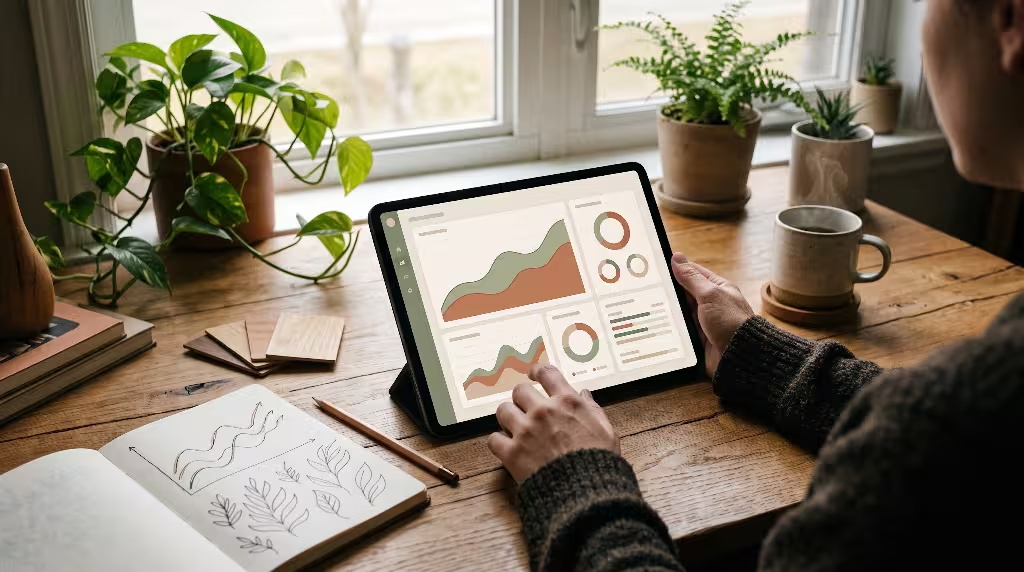
Some business leaders might worry that focusing on comfort, quietness, and warmth will hurt company profits. In the fast-moving tech world, people often assume that loud, aggressive interfaces are necessary to make money.
The hard data shows the exact opposite. Aggressive design patterns might produce short-term spikes in clicks, but they lead to high user churn, bad reviews, and brand hatred over time. When an app treats its users like lab rats, users look for an exit the moment a better alternative appears.
Embracing hygge in digital product design offers enormous long-term business value:
1. Retention Curve Stabilization
When people use an app that leaves them feeling calm, refreshed, and successful, they return to it day after day. It becomes their digital safe haven. Products built around hygge in digital product design show much flatter, healthier 90-day retention curves compared to apps built on aggressive notification loops.
2. Lower Support and Return Costs
When microcopy is clear, humble, and supportive, users make fewer errors. When forms are easy to read and buttons are comfortably spaced, mistaken clicks vanish. Companies that adopt hygge in digital product design routinely see double-digit drops in customer support tickets regarding account settings, accidental purchases, and form failures.
3. Word-of-Mouth Organic Growth
People are hungry for digital peace. When a user finds a tool that respects their attention, does not spam their inbox, and looks gorgeous on their screen, they tell their colleagues and friends. Hygge in digital product design turns casual customers into loyal brand ambassadors who champion your software because it respects their humanity.
The Main Principles of Hygge in Digital Product Design: A Summary Checklist
Before launching your next digital project, run your interface through this practical design audit to ensure it fulfills the promise of hygge in digital product design:
- Spectral Warmth: Have you eliminated pure black (
#000000) and pure white (#FFFFFF) in favor of warm, low-contrast, nature-inspired surfaces? - Generous Breathing Room: Does your layout feature open whitespace that shields users from visual and mental crowding?
- Biomimetic Movement: Are your animations powered by natural spring physics and soft deceleration curves, completely free of abrupt linear movements?
- Tactile Grounding: Do cards and modals use soft radiuses (12px to 20px) and warm, multi-layered shadows to mimic physical paper?
- Auditory Restraint: Are high-frequency beeps replaced with warm acoustic strikes, with silence preserved as the primary default?
- Intentional Pacing: Have you removed infinite scrolls and artificial urgency triggers in favor of clear stopping points and undo states?
- Single-Action Focus: Does each view have one obvious primary action, keeping decision anxiety low?
- Empathetic Words: Does your microcopy guide and support users during errors rather than scolding them with technical codes?
- Radical Honesty: Are pricing terms, data policies, and cancel buttons completely transparent and free of manipulative dark patterns?
- Universal Hospitality: Does the interface pass WCAG 2.2 AA contrast standards and support full keyboard navigation, large tap targets, and reduced motion modes?
Crafting Software That Feels Like Home
We spend an enormous portion of our lives inside digital worlds. We work in them, we learn in them, and we use them to stay in touch with our families. If those digital spaces remain loud, clinical, and manipulative, our collective stress and exhaustion will only continue to rise.
Software does not have to be cold and exhausting. By taking the time-tested wisdom of Scandinavian architecture and pairing it with modern computer science, hygge in digital product design gives us a path toward a healthier digital future.
When you choose hygge in digital product design, you decide that human comfort is more important than cheap clicks. You commit to building digital tools that welcome the user with open arms, protect their attention, comfort their eyes, and let them leave feeling better than when they arrived.
Let us stop building software that feels like a shouting crowd. Let us build software that feels like coming home.