Table of Contents
Today, our digital spaces cause severe mental exhaustion. As designers, we build interfaces that overwhelm human attention. We trap users in rigid grids and repetitive loops. At Silphium Design LLC, our focus is to bring the healing patterns of the physical outdoors into software architecture.
To fix digital fatigue, we must look closely at how human sensory organs process movement. Nature is full of gentle, unpredictable movements, such as leaves rustling in a light breeze or water rippling on a pond. In science, we call these natural events non-rhythmic stimuli. By studying how non-rhythmic stimuli function in physical ecosystems, we can build social applications that respect the human mind, ease mental strain, and create calm digital experiences.
The Prefrontal Tax: Directed Attention Fatigue in Modern Feeds
To understand why social apps drain our energy, we must examine the human brain. The front part of your brain is called the prefrontal cortex. This region acts like an energy filter. It helps you focus on work, read dense information, and ignore background noise. Psychologists Stephen and Rachel Kaplan identified this active focus as directed attention. Directed attention is not free. Every time you force your brain to ignore a bright banner, read a sudden pop-up message, or scan a fast moving feed, your prefrontal cortex burns through energy reserves. When these cellular energy stores run low, you experience directed attention fatigue.
Directed attention fatigue makes people irritable, unfocused, and mentally exhausted. Modern social media feeds place an enormous tax on directed attention. When you scroll through a standard feed, your eyes make rapid, jumpy movements called saccades. Your visual system must constantly evaluate high contrast cards, sudden bright videos, and flashing badges. Each card demands an immediate decision: should you read it, like it, or skip it? This continuous mental filtering drains the brain fast.
+-------------------------------------------------------------------+
|                        THE PREFRONTAL TAX                         |
+-------------------------------------------------------------------+
| Modern Social Feeds                Natural Sensory Environments   |
| -------------------                ----------------------------   |
| High contrast borders              Soft light gradients           |
| Mechanical linear movement         Gentle non-rhythmic stimuli    |
| Demands directed attention         Engages soft fascination       |
| Depletes prefrontal energy         Restores cognitive reserves    |
| Results in mental fatigue          Produces calm awareness        |
+-------------------------------------------------------------------+
Nature works in the opposite way. When you walk through a forest, your prefrontal cortex gets to rest. You do not have to force yourself to ignore trees or rocks. Instead, your mind enters a restful state called soft fascination. Soft fascination happens when your attention is caught effortlessly by subtle, changing events in the environment. Gentle non-rhythmic stimuli, like clouds drifting across the sky or sunlight dancing on water, hold your gaze without forcing you to think hard.
Modern social apps completely lack this restorative quality. Traditional apps rely entirely on mechanical, repetitive animations that demand focus. If we want to reduce digital fatigue in social apps, we must deliberately introduce non-rhythmic stimuli into interface layouts. By providing gentle sensory rests, non-rhythmic stimuli give the prefrontal cortex a chance to recover. Integrating non-rhythmic stimuli into social feeds shifts the user experience from mental depletion to peaceful engagement.
Defining Non-Rhythmic Sensory Stimuli in Screen Interfaces
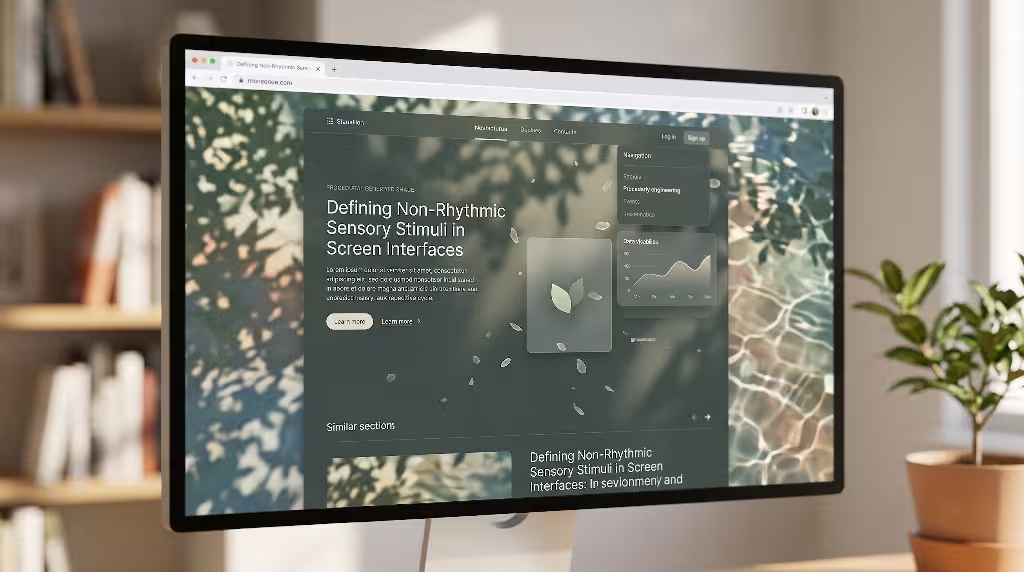
What are non-rhythmic stimuli within software? In biophilic architecture, environmental experts categorize natural patterns that support health. Pattern number two in the biophilic design framework is non-rhythmic sensory stimuli. In physical architecture, this pattern describes momentary, random movements that occur in nature. Examples include the unpredictable sway of tall grass, the sudden scent of blossoms carried by an irregular gust of wind, or the soft ripples spreading across a pool of water.
In physical spaces, non-rhythmic stimuli have clear traits:
- They occur unpredictably rather than on a set clock.
- They are gentle, subtle, and non-threatening.
- They hold attention briefly without demanding conscious analysis.
- They fade smoothly into the background environment.
Translating non-rhythmic stimuli into digital screen design requires moving away from standard animation libraries. Most mobile and web interfaces use deterministic animations. A deterministic animation follows a fixed mathematical path, like a standard sine wave or an ease-in curve. If you tap a like button, the heart icon bounces for exactly 300 milliseconds in the exact same way every single time. This mechanical repetition feels unnatural to human perception. Over time, predictable animations become boring, while abrupt pop-ups trigger stress reactions.
Deterministic Animation (Mechanical)
Time:  0ms ------ 100ms ------ 200ms ------ 300ms (Fixed Loop)
Path:  [Point A] ========================> [Point B] (Predictable)

Stochastic Movement (Non-Rhythmic Stimuli)
Time:  Variable drift across organic intervals
Path:  [Origin] ~~~ (Perlin Noise Field) ~~~> [Fluid Rest] (Organic)
Digital non-rhythmic stimuli rely on bounded randomness, also known as stochastic motion. Instead of repeating the exact same transition curve, an interface using non-rhythmic stimuli incorporates mathematical noise, such as Perlin noise or Simplex noise. This noise creates tiny, smooth variations in speed, angle, and position. When an element shifts using non-rhythmic stimuli, the movement feels alive, similar to a leaf settling on the ground.
The human visual cortex processes living motion through a special neural pathway called the superior temporal sulcus. Our brains are hardwired to recognize biological motion instantly. When an interface uses mechanical motion, the brain views it as an artificial tool that requires active monitoring. When an app uses non-rhythmic stimuli, the nervous system recognizes the organic movement patterns. This recognition calms the sympathetic nervous system and activates parasympathetic pathways, lowering stress and relieving mental strain.
The Mechanics of Digital Fatigue: Why Rigid Grids Break User Cognition
Digital fatigue is not caused merely by looking at glass screens. It is caused by the rigid, unnatural geometry we render on those screens. Contemporary design systems rely heavily on strict geometric grids. These systems force every piece of information into neat rectangles, straight lines, and uniform cards. While this sterile structure makes software easy for engineering teams to organize, it creates an unnatural visual environment for the human eye.
In the natural world, perfectly straight lines and rigid 90-degree angles are rare. Natural terrain is filled with fractals, soft curves, and subtle shifts in surface texture. When the human visual system is forced to look at a uniform grid for hours, the eye muscles stay locked in fixed focal planes. The eye makes repetitive, unnatural movements across identical cards. This visual monotony creates sensory deprivation, while high-contrast text and bright images cause cognitive overstimulation.
+-------------------------------------------------------------------+
|                 THE DIGITAL FATIGUE CYCLE                         |
+-------------------------------------------------------------------+
|  1. Rigid Grids & Uniform Boxes (Visual Monotony)                 |
|     |                                                             |
|     v                                                             |
|  2. Forced Visual Saccades & Fixed Focus (Physical Eye Strain)     |
|     |                                                             |
|     v                                                             |
|  3. Repetitive, Mechanical Motion Loops (Cognitive Boredom)       |
|     |                                                             |
|     v                                                             |
|  4. High-Salience Badges & Alerts (Prefrontal Depletion)          |
|     |                                                             |
|     v                                                             |
|  5. Chronic Digital Fatigue (Irritability & Mental Burnout)       |
+-------------------------------------------------------------------+
This combination of sensory deprivation and cognitive overload is a primary driver of digital exhaustion. Traditional social interfaces offer no visual rest. When an app provides no natural variation, the brain tries to compensate by searching for novelty, driving compulsive scrolling habits. The user keeps swiping, hoping to find a resting point, but the mechanical layout only delivers more visual clutter.
Introducing non-rhythmic stimuli breaks this exhausting cycle. By adding organic, subtle variations to the layout, non-rhythmic stimuli soften the harsh structure of the grid. Think of how sunlight filters through tree branches onto a forest path. The light breaks up the hard ground with changing patterns of shadow and warmth. In an application, non-rhythmic stimuli can create similar soft lighting shifts, gentle edge transitions, and organic pacing.
When users interact with interfaces softened by non-rhythmic stimuli, their eyes do not remain locked in rigid, repetitive tracks. Non-rhythmic stimuli encourage gentle, varied eye movements, reducing physical strain on ocular muscles. Furthermore, the presence of non-rhythmic stimuli satisfies the brain’s innate craving for natural patterns, reducing the urge to scroll compulsively in search of visual relief.
Visual Execution: Procedural Shaders and Stochastic Motion Systems
To put non-rhythmic stimuli into practice, front-end engineers and UI designers must rethink how they build animations. Standard CSS transitions rely on static timing functions like linear, ease-in, and ease-out. These functions produce predictable, mechanical results. To create effective non-rhythmic stimuli, we must build procedural systems that generate subtle, organic variations in real time.
One effective way to generate non-rhythmic stimuli on screens is through canvas elements and fragment shaders using WebGL. Shaders allow us to compute visual changes directly on the graphics processing unit (GPU) for each pixel. By feeding mathematical noise functions into these shaders, we can render soft, living backgrounds that shift like calm water or passing clouds.
                    PROCEDURAL MOTION PIPELINE

  [ Time Input (t) ] ------> [ 2D/3D Perlin Noise ]
                                     |
                                     v
                           [ Vector Displacement ]
                                     |
                                     v
  [ UI Card Layer ] <---- [ Dynamic Micro-Shift ]
Consider the subtle movement of a UI container. Instead of letting a content card sit completely frozen on the screen, we can apply an extremely small, procedural drift. This drift must be slow and gentle so it never distracts the reader. The mathematical basis for this type of non-rhythmic stimuli can be derived from a continuous noise field:
Position}(t) = BasePosition + Noise (t X speed) X amplitude
In this formula, the amplitude is kept very low, perhaps moving only a fraction of a pixel to two pixels over several seconds. The speed is kept slow, mimicking the rhythm of human respiration. Because the noise function never repeats in an obvious loop, the motion acts as authentic non-rhythmic stimuli.
Let us look at how you might write a simple procedural drift using standard JavaScript and the HTML5 canvas API:
JavaScript
// Procedural drift simulating non-rhythmic stimuli for UI surfaces
const canvas = document.getElementById('biophilic-surface');
const ctx = canvas.getContext('2d');

let time = 0;
const speed = 0.002;
const maxDisplacement = 3.0;

function pseudoRandomNoise(x) {
    // Simple deterministic wave combination to simulate noise
    return Math.sin(x) * 0.5 + Math.sin(x * 2.3) * 0.3 + Math.sin(x * 5.1) * 0.2;
}

function renderNonRhythmicStimuli() {
    time += 1;

    // Calculate non-rhythmic offsets
    const offsetX = pseudoRandomNoise(time * speed) * maxDisplacement;
    const offsetY = pseudoRandomNoise((time * speed) + 100.0) * maxDisplacement;

    ctx.clearRect(0, 0, canvas.width, canvas.height);

    // Draw an organic resting card with soft edges
    ctx.save();
    ctx.translate(offsetX, offsetY);
    ctx.fillStyle = 'rgba(240, 244, 241, 0.85)';
    ctx.beginPath();
    ctx.roundRect(40, 40, 320, 200, [16, 18, 14, 20]);
    ctx.fill();
    ctx.restore();

    requestAnimationFrame(renderNonRhythmicStimuli);
}

renderNonRhythmicStimuli();
In this example, the corner radii of the card are not uniform, and the card drifts slightly based on overlapping wave frequencies. The values never resolve into a mechanical loop. This unpredictable, calm shifting provides genuine non-rhythmic stimuli to the viewer’s peripheral vision.
Another method for creating non-rhythmic stimuli is through dappled lighting shaders. Sunlight shining through leaves creates light patches that expand, contract, and soften unpredictably. By applying a low-contrast shader overlay across the background of a social app feed, we create digital dappled light.
These soft lighting shifts act as passive non-rhythmic stimuli. As the user reads a post, their peripheral vision detects the gentle shifts in luminance. The prefrontal cortex registers that the environment is dynamic yet safe, which lowers heart rates and relieves ocular tension. When building these visual treatments, the key rule of non-rhythmic stimuli is subtlety: if the user consciously stops to analyze the movement, it is too fast or too strong. The effect should remain in the peripheral background, soothing the nervous system without pulling focus from the content.
Feed Architecture: Replacing the Treadmill with Organic Pacing
The infinite scroll feed is one of the most fatiguing designs ever created. Traditional feeds operate like endless mechanical treadmills. Content loads constantly, offering no natural ending points. This format forces the user into an unbroken posture of directed attention. As you scroll, your eyes must continuously track, evaluate, and discard information.
Natural movement is never an endless treadmill. In nature, animals walk through clearing areas, pause near water, rest under trees, and move at variable speeds. Physical movement has natural pacing, resting points, and quiet zones. To reduce digital fatigue, social feeds must abandon the mechanical treadmill and adopt an organic feed architecture powered by non-rhythmic stimuli.
Traditional Feed (Mechanical Treadmill)
[Post] -> [Post] -> [Post] -> [Post] -> [Post] -> [Post] (Continuous Drain)

Organic Feed Architecture (Restorative)
[Post] -> [Post] -> [Organic Resting Pool] -> [Post] -> [Post]
                           |
                           +---> Driven by Non-Rhythmic Stimuli
                                 (Breathing space, soft transitions)
An organic feed uses resting pools to break up content streams. Instead of loading post after post in an unbroken line, the feed introduces visual pauses. These pauses are not blank white boxes or annoying loading spinners. Instead, they are dedicated biophilic spaces filled with non-rhythmic stimuli.
A resting pool might feature a soft field of generative ripples that respond to the user’s past scrolling speed. If the user was scrolling quickly and abruptly stops, the resting pool slowly absorbs that kinetic energy, rippling gently until it settles into a calm state. These fluid animations serve as non-rhythmic stimuli that invite the user to take a breath, look away from text, and give their prefrontal cortex a needed break.
Furthermore, we can apply non-rhythmic stimuli directly to scrolling physics. Most mobile operating systems use rigid friction models for scroll gestures. When you fling your finger across the glass, the feed decelerates along a predetermined curve. We can replace these rigid mathematics with non-linear spring physics that include small amounts of organic variation:
                      SPRING PHYSICS COMPARISON

  Standard Scroll Physics:
  Velocity: [High] --------------------------> [Zero] (Predictable Curve)

  Biophilic Scroll with Non-Rhythmic Stimuli:
  Velocity: [High] ~~~ (Fluid Resistance) ~~~> [Gentle Oscillation] ~> [Zero]
By adding gentle spring variations, the interface mimics the resistance of natural materials like water or wind. When the user reaches the end of a section, the bounce is not a harsh rubber-band snap. Instead, the interface settles with the subtle, multi-frequency settling of a leafy branch returning to rest.
These physics adjustments provide continuous, non-rhythmic stimuli that break the mechanical feel of the software. When scrolling feels like touching natural matter, the brain stays relaxed. Integrating non-rhythmic stimuli throughout the navigation model turns a stressful feed into a restorative experience.
Multisensory Systems: Adaptive Acoustics and Haptic Resonance
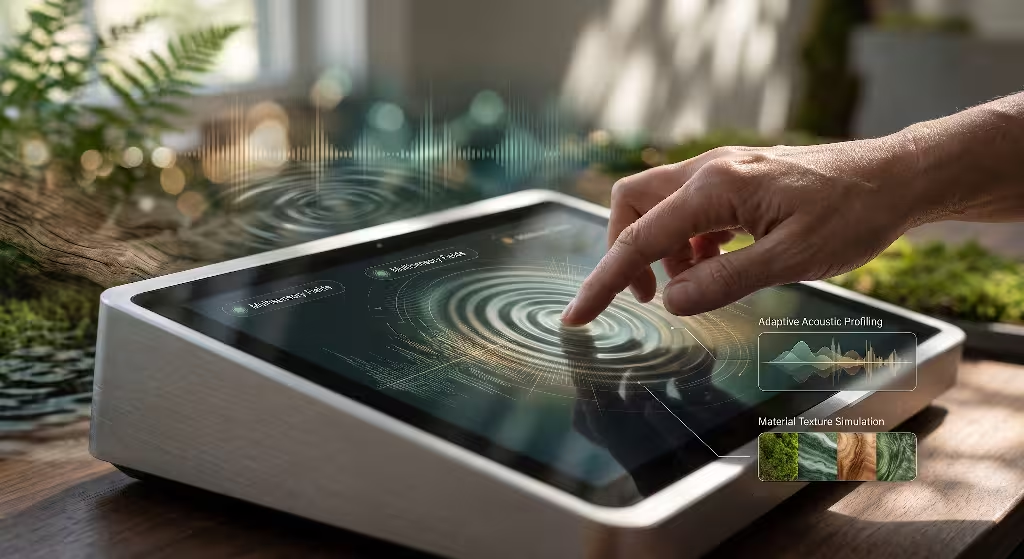
Biophilic design is not limited to what we see. Nature is a rich multisensory environment. When you sit outdoors, you hear the irregular patter of raindrops on leaves, feel the fluctuating pressure of a cool breeze against your skin, and sense the damp earth beneath your feet. These multisensory inputs are all non-rhythmic stimuli. They combine to tell your nervous system that you are in a safe, hospitable habitat.
In contrast, our digital devices produce jarring, artificial sensory feedback. Think about standard phone notifications: sharp electronic beeps, harsh sine wave pings, and buzzing motor vibrations. These sounds and vibrations use unnatural square waves and fixed frequencies. They act as alarm signals that spike cortisol and trigger immediate stress.
+-------------------------------------------------------------------+
|                  SENSORY FEEDBACK PROFILES                        |
+-------------------------------------------------------------------+
| Sensory Channel | Mechanical Feedback     | Biophilic Feedback    |
|                 | (Fatiguing)             | (Non-Rhythmic Stimuli)|
|-----------------|-------------------------|-----------------------|
| Auditory        | High-frequency beeps,   | Pink noise, water,    |
|                 | synthetic sine tones    | wood, dynamic volume  |
|-----------------|-------------------------|-----------------------|
| Haptic          | Harsh motor buzz,       | Stochastic micro-taps,|
|                 | fixed-interval pulses   | variable resonance    |
+-------------------------------------------------------------------+
To create a calming sensory environment, we must design sound and touch using non-rhythmic stimuli. In audio design, this means replacing synthetic tones with organic, procedural acoustics. Rather than using an identical sound file every time someone posts a comment or likes a photo, we can generate audio cues dynamically.
Natural sounds typically follow a pink noise distribution, where energy is inversely proportional to frequency (1/f). Pink noise sounds pleasing and calming to the human ear. Water droplets, falling twigs, and rustling leaves all follow this acoustic distribution.
When a user triggers an action in a social app, the app can synthesize a soft acoustic response modeled on these organic sounds. By slightly varying the pitch, resonance, and timing of each audio event, we introduce auditory non-rhythmic stimuli:
JavaScript
// Conceptual Web Audio API implementation of stochastic acoustic feedback
const audioCtx = new (window.AudioContext || window.webkitAudioContext)();

function playBiophilicTap() {
    const osc = audioCtx.createOscillator();
    const gainNode = audioCtx.createGain();

    // Vary the frequency slightly around an organic base tone (non-rhythmic stimuli)
    const baseFreq = 220; // A3 tone, warm and earthy
    const variance = (Math.random() - 0.5) * 20; // Unpredictable natural variation
    osc.frequency.setValueAtTime(baseFreq + variance, audioCtx.currentTime);

    // Soft exponential decay mimicking organic impact (wood or stone)
    gainNode.gain.setValueAtTime(0.08, audioCtx.currentTime);
    gainNode.gain.exponentialRampToValueAtTime(0.001, audioCtx.currentTime + 0.12);

    osc.connect(gainNode);
    gainNode.connect(audioCtx.destination);

    osc.start();
    osc.stop(audioCtx.currentTime + 0.12);
}
This same approach applies to touch. Modern smartphones contain advanced linear resonant actuators capable of delivering precise haptic feedback. Instead of using sharp, identical buzzing patterns for every interaction, interfaces can deliver soft, non-rhythmic stimuli through touch.
When you drag a slider or pull down to refresh a feed, the device can emit tiny micro-taps with varying intervals and amplitudes. The tactile feeling resembles running your fingers across natural linen, rough cedar, or polished beach pebbles. Because the feedback varies organically, it provides tactile non-rhythmic stimuli that ground the user in physical reality.
Multisensory non-rhythmic stimuli prevent the sensory numbness that comes from touching smooth, lifeless glass all day. By engaging our ears and hands with subtle natural variation, these systems alleviate digital strain across the entire nervous system.
Questions About Screen Fatigue and Natural Motion
When designers, engineers, and digital product owners begin researching ways to make software healthier, they often ask similar questions. Here are clear answers to the most common questions regarding digital fatigue, natural patterns, and the practical application of non-rhythmic stimuli.
What are non-rhythmic sensory stimuli in biophilic design?
In biophilic design, non-rhythmic sensory stimuli are subtle, natural, and unpredictable events that occur in our surroundings. These stimuli include the rustle of leaves in the wind, light reflecting off moving water, or clouds casting changing shadows on a hillside.
These events are distinct because they cannot be predicted with exact precision, yet they never feel erratic or alarming. They capture our attention softly without demanding active focus. In digital design, non-rhythmic sensory stimuli refer to UI animations, visual shaders, acoustic feedback, and haptic responses that mimic these gentle, organic patterns to make software feel less mechanical.
How do non-rhythmic stimuli reduce digital fatigue in social apps?
Modern social applications tire the brain because they demand continuous directed attention. The constant stream of uniform cards, bright banners, and rapid pop-ups drains energy reserves in the prefrontal cortex. Non-rhythmic stimuli reduce digital fatigue by activating an alternative cognitive pathway called soft fascination.
When an interface presents gentle, non-repetitive visual movements and soft sensory feedback, the brain’s alert systems relax. The eye muscles release tension, heart rate variability improves, and the prefrontal cortex has time to replenish its energy. By breaking up the monotony of digital screens, non-rhythmic stimuli restore mental clarity.
What causes digital fatigue when using social media?
Digital fatigue comes from three main sources:
- Prefrontal Cortex Depletion: Constantly reading text, assessing notifications, and deciding whether to engage with posts drains mental energy.
- Visual and Ocular Strain: Looking at high-contrast screens and rigid grids forces the eyes into fixed, unnatural positions and causes rapid saccades without rest.
- Sensory Monotony: Flat surfaces, predictable animations, and repetitive clicks create an unnatural sensory vacuum that leaves the nervous system restless.
Together, these factors cause headaches, eye strain, brain fog, and chronic irritability.
How can UI designers add non-rhythmic stimuli without distracting users?
The most important rule when designing non-rhythmic stimuli is subtlety. These stimuli should live in the peripheral vision and background layers of an application, never in the foreground where reading takes place. Designers can implement non-rhythmic stimuli effectively by:
- Using low-contrast procedural shaders behind content feeds to simulate moving light.
- Introducing subtle, non-linear spring physics to scroll gestures so lists settle organically.
- Modulating interface sounds and haptic clicks with small variations in pitch and timing.
- Inserting restorative breathing spaces into long feeds to break continuous scrolling.
If a user stops reading to watch the animation, the effect is too pronounced. Effective non-rhythmic stimuli soothe the nervous system quietly from the background.
+-------------------------------------------------------------------+
|               GUIDELINES FOR SUBTLE IMPLEMENTATION                |
+-------------------------------------------------------------------+
| Design Attribute   | Incorrect (Distracting) | Correct (Biophilic)|
|--------------------|-------------------------|--------------------|
| Contrast Ratio     | High (Pops out at user) | Low (Blends back)  |
| Motion Speed       | Fast (>1.0 Hz)          | Slow (0.1 - 0.2 Hz)|
| Screen Placement   | Center of focus/cards   | Periphery/margins  |
| Movement Amplitude | Large (>10 pixels)      | Tiny (0.5 - 2 px)  |
+-------------------------------------------------------------------+
Technical Guardrails and Performance Standards
While non-rhythmic stimuli offer substantial cognitive benefits, they must be implemented carefully. Poorly written animations can harm device performance, drain batteries, and cause accessibility issues for users with vestibular sensitivities. As software engineers and biophilic designers, we must follow strict technical guardrails when deploying non-rhythmic stimuli.
                    PERFORMANCE SAFETY FLOW

    [ Check User Preferences: prefers-reduced-motion ]
            |                               |
        (Enabled)                       (Disabled)
            |                               |
            v                               v
    [ Render Static ]           [ Check Battery & Device State ]
    [ Biophilic Color ]                 |               |
                                    (Low Power)     (Normal)
                                        |               |
                                        v               v
                                [ Cap at 30 FPS ] [ Full 60 FPS ]
                                [ Simple Noise  ] [ WebGL Shader]
1. Motion Accessibility and Vestibular Safety
Not every user can comfortably view moving content. People with vestibular disorders can experience nausea, dizziness, and disorientation from unexpected screen movement. Every interface that uses non-rhythmic stimuli must respect the user’s operating system preferences:
CSS
/* Respecting accessibility preferences for motion */
@media (prefers-reduced-motion: reduce) {
    .biophilic-surface,
    .ambient-drift-card {
        animation: none !important;
        transform: none !important;
        transition: none !important;
    }
}
When a user enables reduced motion, the interface should stop all procedural movement. Instead of moving shaders, the app can display static, calming color gradients inspired by natural landscapes. The goal of non-rhythmic stimuli is to support well-being, which means user comfort and accessibility always come first.
2. Battery Consumption and Hardware Management
Running continuous noise calculations on the main CPU thread will drain mobile batteries quickly. Heat and battery drain cause user frustration, defeating the purpose of calm design. To deploy non-rhythmic stimuli efficiently, follow these technical rules:
- Offload to the GPU: Render procedural effects using WebGL or WebGPU so calculations run on dedicated graphics hardware instead of the main CPU thread.
- Pause Hidden Elements: Use the
IntersectionObserverAPI and thedocument.hiddenstate. When the user switches tabs or scrolls a canvas off-screen, stop rendering loops immediately:
JavaScript
// Efficient rendering control for non-rhythmic stimuli
let animationFrameId;

function handleVisibilityChange() {
    if (document.hidden) {
        cancelAnimationFrame(animationFrameId);
    } else {
        animationFrameId = requestAnimationFrame(renderNonRhythmicStimuli);
    }
}

document.addEventListener('visibilitychange', handleVisibilityChange);
- Cap Frame Rates on Ambient Loops: High-intensity games require 120 frames per second, but background non-rhythmic stimuli move slowly. Capping peripheral shader loops at 30 frames per second saves device energy while preserving smooth, organic movement.
3. Contrast Ratios and Legibility Standards
Non-rhythmic stimuli should never interfere with the legibility of text or essential interactive buttons. All text sitting above dynamic backgrounds must comply with the Web Content Accessibility Guidelines (WCAG 2.2).
For normal text, maintain a minimum contrast ratio of 4.5 to 1 against dynamic backgrounds. For large text, maintain at least 3 to 1. When shaders shift through light and shadow, clamp the color values in code so the background never gets too bright or too dark. Legibility is the foundation of clear communication, and non-rhythmic stimuli must enhance clarity, not hinder it.
Empirical Validation and User Experience Metrics
To prove that non-rhythmic stimuli improve software, we cannot rely solely on personal opinions. We need objective, scientific measurements. At Silphium Design LLC, we evaluate biophilic interfaces using both laboratory biomarkers and product analytics. These tests show how non-rhythmic stimuli tangibly reduce physical stress and improve focus.
+-------------------------------------------------------------------+
|                 BIOMETRIC MEASUREMENT METHODS                     |
+-------------------------------------------------------------------+
| Laboratory Biomarker    | Measurement Tool    | Stress Indicator  |
|-------------------------|---------------------|-------------------|
| Heart Rate Variability  | Photoplethysmograph | Low RMSSD =       |
| (HRV)                   | (Pulse sensor)      | High Stress       |
|-------------------------|---------------------|-------------------|
| Pupillary Dilation      | Infrared Eye-       | Rapid fluctuations|
| & Microsaccades         | Tracking Cameras    | = Cognitive strain|
|-------------------------|---------------------|-------------------|
| Facial Muscle Tension   | Electromyography    | High Corrugator   |
|                         | (EMG sensors)       | activity = Strain |
+-------------------------------------------------------------------+
Laboratory Biometrics: Measuring Physical Calm
In a controlled laboratory setting, we can monitor how a user’s body responds to different screen layouts. Three key physiological metrics provide valuable data:
- Heart Rate Variability (HRV): When a person is calm, the intervals between their heartbeats vary naturally, reflecting healthy parasympathetic activity. When stressed, these intervals become rigid and uniform. Testing shows that interfaces incorporating non-rhythmic stimuli help maintain healthy heart rate variability during extended reading sessions, while rigid grids cause variability to drop.
- Pupillometry and Eye-Tracking: When people experience cognitive overload, their pupils dilate slightly and their eyes make small, erratic movements called microsaccades. Eye-tracking cameras reveal that screens with non-rhythmic stimuli produce smoother visual pursuit paths, fewer erratic saccades, and more relaxed pupil responses.
- Facial Muscle Tension: Electromyography (EMG) sensors placed near the brow muscle (corrugator supercilii) detect involuntary frowning, a reliable sign of mental frustration. Users browsing feeds softened by non-rhythmic stimuli show significantly lower brow tension than those using standard social apps.
Product Analytics: Measuring Healthy Engagement
In live commercial software, we cannot attach heart monitors to users. However, we can measure how non-rhythmic stimuli affect user behavior through ethical product metrics:
- Session Degradation Rate: In traditional social media apps, long sessions lead to erratic behavior, such as rapid scrolling, aggressive swipe-backs, and hasty exits. By tracking these patterns, teams can see how non-rhythmic stimuli help maintain smooth, intentional interactions throughout a session.
- Scroll Velocity Stability: Compulsive scrolling is marked by sudden, frantic bursts of movement. An interface grounded in non-rhythmic stimuli fosters a steady, natural browsing speed, indicating that the user is reading comfortably rather than scanning in distress.
- Post-Session Well-Being Surveys: Simple micro-surveys displayed when a user closes an app can measure subjective well-being. Asking questions like “How do your eyes feel right now?” provides direct feedback on how effectively non-rhythmic stimuli reduce eye strain and mental exhaustion.
Synthesis and the Future of Biophilic Software
The tools we build shape the way we think, feel, and live. For two decades, our industry has built software around principles of mechanical efficiency, engagement optimization, and rigid geometric organization. We treated human attention like an unlimited resource that could be mined endlessly through high-contrast notifications, rigid grids, and infinite scroll treadmills.
The result is widespread digital fatigue. Our minds are overstimulated, our prefrontal cortices are exhausted, and our physical sensory systems are starved for natural variety. We cannot solve this problem simply by telling people to put down their phones. Digital devices are central to modern work, education, community, and creative expression. The real solution is to redesign our digital tools so they harmonize with human biology.
Biophilic design provides the blueprint for this transformation. By looking to living systems, we discover that human perception craves balance, organic movement, and gentle sensory variation. Integrating non-rhythmic stimuli into our digital spaces is a vital step toward creating a calmer digital world.
+-------------------------------------------------------------------+
|              THE EVOLUTION OF SOFTWARE INTERFACES                 |
+-------------------------------------------------------------------+
| Era 1: Skeuomorphic Design                                        |
| Heavy textures, artificial 3D bevels, literal metaphors           |
|-------------------------------------------------------------------|
| Era 2: Flat & Material Design                                     |
| Rigid grids, high contrast, mechanical motion, sterile boxes      |
|-------------------------------------------------------------------|
| Era 3: Biophilic Computing                                        |
| Organic pacing, living procedural shaders, multisensory feedback, |
| restorative architecture powered by gentle non-rhythmic stimuli   |
+-------------------------------------------------------------------+
When we bring non-rhythmic stimuli into social applications, we alter the relationship between user and interface:
- We replace mechanical predictability with living, procedural motion that soothes the visual cortex.
- We soften harsh geometric grids with subtle, dynamic lighting inspired by nature.
- We break exhausting infinite scrolls with restorative resting spaces.
- We trade jarring synthetic alarms for multisensory acoustic and haptic feedback that grounds the body in peaceful awareness.
At Silphium Design LLC, we believe software should restore human energy rather than drain it. Designing with non-rhythmic stimuli is not merely a visual trend or an aesthetic style. It is an intentional, scientifically supported commitment to human well-being.
By building software that reflects the beauty, randomness, and gentle rhythms of the natural world, we can create digital environments that heal, inspire, and support the human mind. The future of design belongs to systems that honor our living nature, bringing the calm restorative power of non-rhythmic stimuli to every screen we touch.