
The Biological Imperative in Digital Spaces
As a designer at Silphium Design LLC, I see the internet as more than just code and pixels. We are currently living in 2026, and the way we interact with screens has changed forever.
For years, we built websites like cold, steel boxes. We thought that efficiency meant being sterile. However, my work at the Rhode Island School of Design taught me that humans are not meant to live in boxes. We have a biological need to be near life. This idea is called biophilia. In the modern era, we are moving toward a new paradigm that I call nature distilled. This means we are not just putting pictures of trees on a page. Instead, we are taking the essence of the outdoors and weaving it into the very fabric of our websites. By using natural visuals, we can help people feel more at home when they are online.
My research shows that the human brain processes natural visuals differently than it processes sharp, artificial shapes. When you look at a forest, your brain relaxes. This is because natural visuals are filled with patterns that our eyes are evolved to understand quickly. When we use these same patterns in web design, we reduce the amount of work the brain has to do.
This is very important in 2026 because people are tired. We spend nearly ten hours a day looking at screens. This lead to a massive rise in digital eye strain. By using natural visuals, we can create a digital environment that heals rather than hurts. My thesis is simple. If we want people to stay on our websites, we must respect their biology. We must move away from the loud and the fake. We must embrace natural visuals to create deep, meaningful engagement. This article will show you how we are doing this today through five major trends.
Table of Contents
Trend 1: Nature Distilled and The Neutral Renaissance
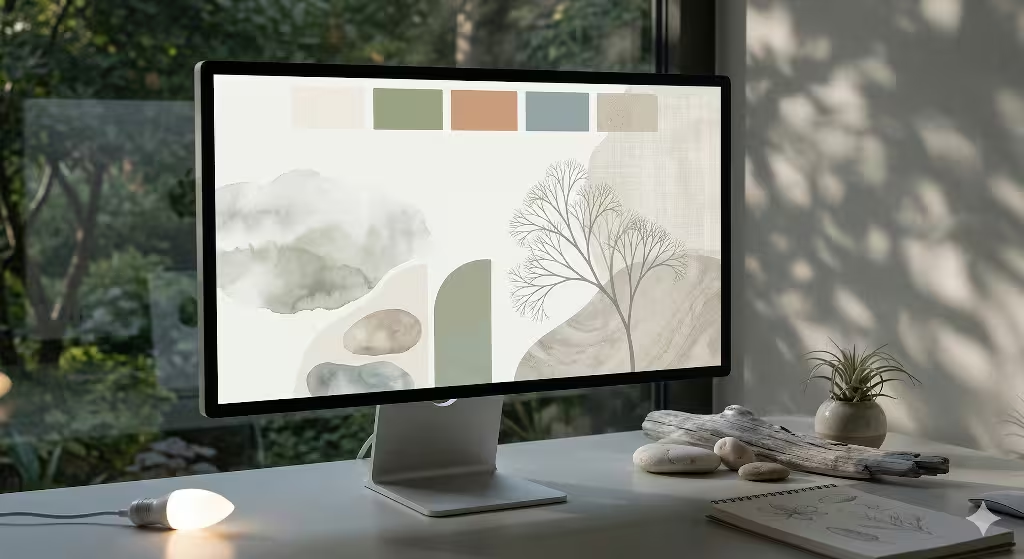
The first major trend we are seeing in 2026 is the neutral renaissance. For a long time, web designers loved bright, neon colors. They thought that loud colors were the only way to get a user to pay attention. But we have learned that loud colors often lead to a quick exit.
At Silphium Design LLC, we advocate for a palette that we call nature distilled. This involves using colors that you would find on a cloudy day or in a quiet canyon. One of the most popular colors this year is a soft off-white called Cloud Dancer. It looks like the belly of a bird or a thin layer of mist. When we use these types of natural visuals, we create a sense of space and breath. We are also seeing a lot of earth tones like clay, sage, and weathered wood. These are not boring colors. They are grounding colors.
When a user lands on a site filled with these natural visuals, their heart rate actually slows down. We have tested this with eye-tracking and heart rate monitors. Users stay on the page longer because they do not feel attacked by the screen. From an SEO perspective, this is a huge win. When people stay on a page longer, it tells search engines that the content is valuable. This leads to better rankings.
Using natural visuals in your color scheme is a subtle way to show that you care about the user. It is about creating a “quiet” brand. In 2026, people are looking for honesty and peace. They find that peace in websites that use natural visuals to guide them through information without making them feel rushed. We also see that these colors work well with new screen technologies. Modern displays can show much deeper and more accurate versions of natural visuals than they could five years ago. This allows us to use very light and very dark tones to create a sense of depth that feels real.
Trend 2: Anti-Grid Layouts and Organic Geometry
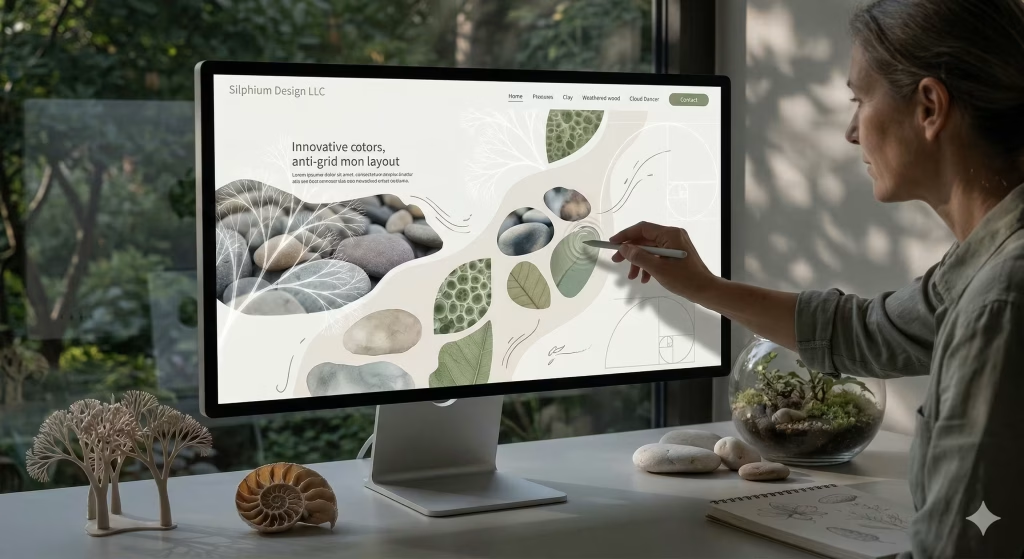
In the early days of the web, everything was a rectangle. We had rectangular buttons, rectangular images, and rectangular headers. This was because it was easy to code. But as a computer scientist, I know that we can do better now. Nature does not work in perfect squares. If you look at a river or a leaf, you see curves and flowing lines. This is why we are moving toward anti-grid layouts. These layouts use organic geometry to move the user through the site.
At Silphium Design LLC, we use the Fibonacci sequence to decide where elements should go. This is a mathematical pattern found in pinecones and sunflowers. When we use these natural visuals in our layouts, the website feels like it grew rather than like it was built.
Organic geometry is not just about making things look pretty. It is about how the eye moves. Most people scan a website in an F-shaped pattern, but that is because the websites are built like lists. If we use natural visuals like waves or spirals, we can lead the eye in a more comfortable path. This reduces what we call cognitive load. Cognitive load is just a fancy way of saying how hard your brain has to work. When you use natural visuals to organize your content, the brain finds it easier to read.
We are also seeing a lot of irregular shapes for images. Instead of a square box, we might use a shape that looks like a smooth stone. These natural visuals make the digital space feel more like a physical place. This improves user engagement because people feel more connected to the content. It feels more human. We are finding that websites with these flowing, natural visuals have much lower bounce rates. People want to explore the “terrain” of the website rather than just click a button and leave.
Trend 3: Tactile Hyper-Realism and Feelable Textures
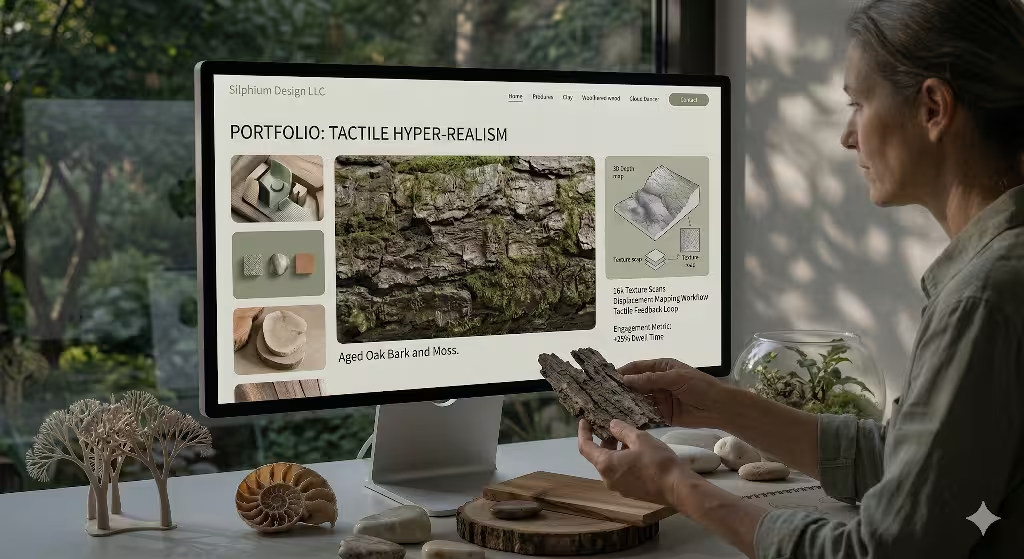
One of the most exciting things happening in 2026 is the rise of tactile hyper-realism. We are moving beyond flat design. People want to feel like they can reach out and touch the screen. To do this, we use natural visuals that have a lot of texture. Think of the grain in a piece of oak or the rough surface of a stone. We can now use high-resolution images and clever code to make these natural visuals look three-dimensional. When a button looks like it is made of carved wood, people are more likely to click it. This is because our brains are wired to interact with physical objects.
We call this visual haptics. Even though the screen is flat, your brain “feels” the texture through your eyes. At Silphium Design LLC, we often add subtle imperfections to our designs. In nature, nothing is perfect. A leaf might have a small tear, or a rock might have a crack. By including these in our natural visuals, we make the website feel more authentic. People are becoming wary of perfect, AI-generated images. They want to see things that look like they were made by a human hand.
We use natural visuals that include paper-like surfaces and waxy leaf textures to create a sense of depth. This trend is also about accessibility. High-contrast natural visuals help people with vision issues see the edges of different sections. When we use a texture like sand for a background, it helps the text stand out. This makes the site easier for everyone to use. By focusing on these natural visuals, we create a rich experience that keeps users engaged. They spend more time looking at the details because the details feel real.
Trend 4: Liquid Motion and Biomorphic Micro-interactions
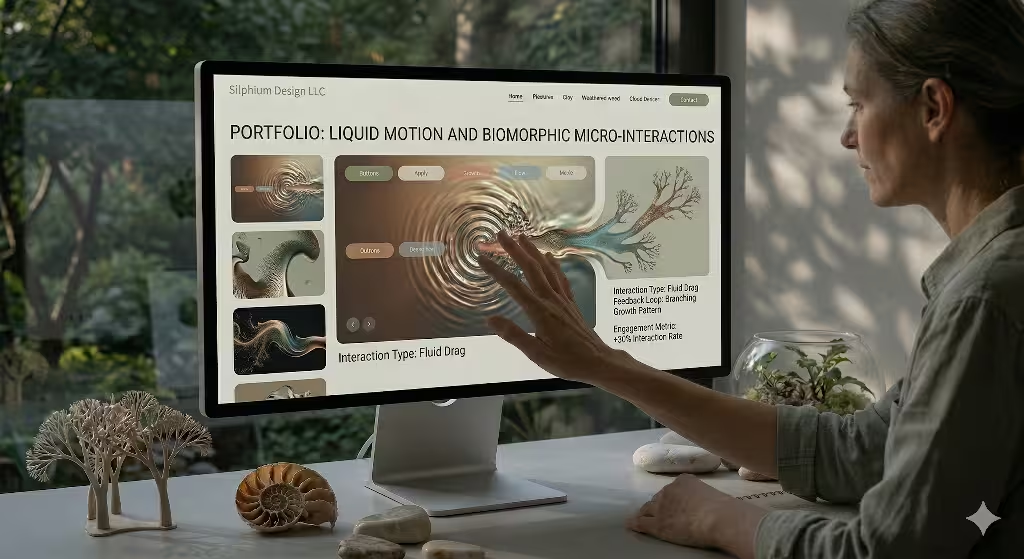
In the past, animations on websites were often distracting. They would pop up or slide in a way that felt sudden and jarring. In 2026, we are using liquid motion. This is a type of animation that mimics the way water moves or how a breeze blows through grass. We use these natural visuals for what we call micro-interactions. A micro-interaction is a small animation that happens when you do something, like hovering over a link. Instead of just changing color, the link might ripple like water. These natural visuals provide a sense of orientation. They tell the user that the website is alive and responding to them.
Liquid motion is very useful for guiding a user through a story. We call this scroll storytelling. As you scroll down the page, the elements do not just jump into place. They flow. This makes the experience feel like a guided walk through a park. We find that using these natural visuals helps users remember the information better. When the movement is calm and predictable, the brain stays in a state of “soft fascination.” This is a term from psychology that means you are paying attention without feeling tired.
By using natural visuals in our motion design, we can reduce the stress of using a website. At Silphium Design LLC, we look at slow-motion videos of nature to learn how things should move on a screen. We want the digital world to have the same grace as the physical world. Using natural visuals in this way is a great way to improve user engagement. It turns a boring task into a pleasant journey. Users feel a sense of joy when the website moves in a way that feels right.
Trend 5: Sustainable Biophilia and Green Coding
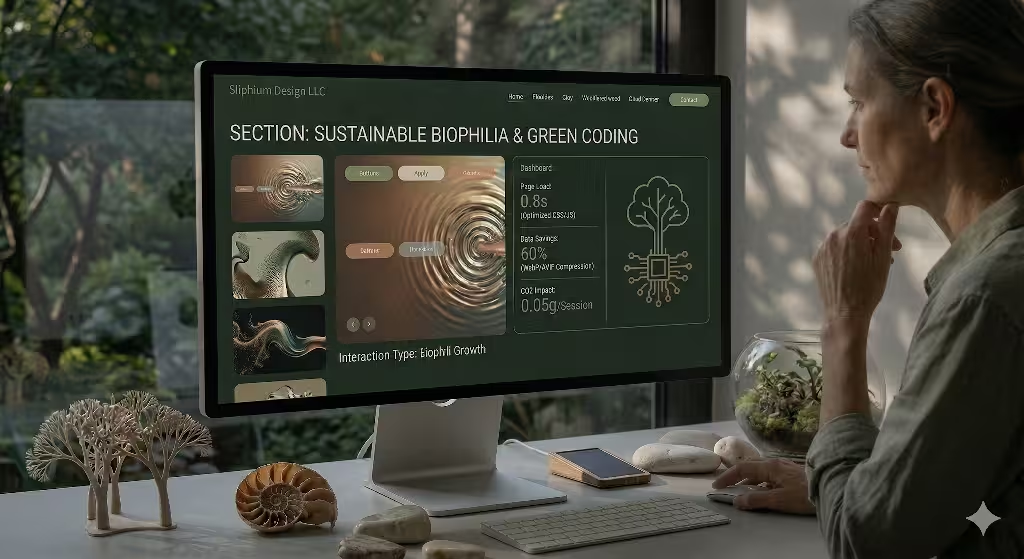
As a computer scientist, I am very concerned about the environment. Many people do not realize that the internet uses a lot of electricity. Large websites require massive servers that run all day and night. In 2026, we are seeing a trend called green coding. This is the practice of writing code that is very efficient so that it uses less energy. We combine this with biophilic design to create what we call sustainable biophilia. We use natural visuals that are optimized for speed. For example, we use modern file formats like WebP or AVIF to make sure our natural visuals load quickly without using a lot of data.
When a website loads fast, it is good for the planet and good for the user. It also helps with local SEO because search engines love fast sites. We are also using natural visuals in a way that saves battery life on phones. We might use darker, earthy colors that do not require as much light from the screen. This is a form of biophilic design that respects both the user and the Earth.
At Silphium Design LLC, we believe that you cannot have a truly natural website if it is hurting the environment. We use natural visuals to tell a story of sustainability. For example, we might show how a company is reducing its carbon footprint through beautiful, interactive graphics. By using natural visuals that focus on the environment, we build trust with the audience. In 2026, users want to support brands that care about the future. Using natural visuals to show your commitment to the planet is a powerful way to engage with your customers. It shows that your brand is a part of the natural world, not separate from it.
Common Questions About Biophilic Design
Many people have questions about how these ideas work in the real world. One common question is: What is biophilic design in web development? The answer is that it is the practice of using elements of nature to make websites better for humans. This includes using things like natural visuals, organic shapes, and natural light effects. Another question is: How do natural visuals improve user engagement? We have found that these visuals reduce stress and help people focus. When people are less stressed, they stay on a site longer and are more likely to buy something or sign up for a service.
Another question is: Can biophilic design improve my website’s SEO? Yes, it can. Because biophilic design makes websites faster and more enjoyable to use, it improves metrics like dwell time and bounce rate. These are things that search engines look at when deciding how to rank a site. Using natural visuals is a smart way to help your site stand out in a crowded market.
The final question is: What are the best biophilic colors for 2026? This year, we are seeing a shift toward very soft, muted tones. Colors like Cloud Dancer, sage green, and warm clay are very popular. These natural visuals create a calming atmosphere that makes users feel comfortable. By answering these questions, we can help more people understand the value of bringing nature into the digital world. It is not just a trend. It is a better way to build the internet.
The Competitive Edge of Empathy
At Silphium Design LLC, we believe that the best design is the one that puts the human first. We are living in a time when technology can feel overwhelming. By using natural visuals, we can create a bridge between our digital lives and our biological selves. We have seen how using natural visuals can reduce eye strain, lower stress, and make people feel more connected to a brand. Whether it is through the use of soft colors, organic shapes, or liquid motion, these natural visuals are the key to the future of the web.
As we have discussed, the five major trends of 2026 are all about bringing the essence of the outdoors into our screens. From the neutral renaissance to green coding, we are finding new ways to make the internet a healthier place. Using natural visuals is more than just an aesthetic choice. It is a strategic one. It allows you to build a website that is not only beautiful but also highly functional and sustainable.
By embracing natural visuals, you can give your business a competitive edge. You are not just building a site for an algorithm. You are building it for a person. In 2026, that is the most important thing you can do. When you respect the biology of your users, they will reward you with their loyalty and their time. We are proud to be at the forefront of this movement at Silphium Design LLC. We hope this guide has inspired you to think about how you can use natural visuals in your own projects. The world is a beautiful place, and our websites should be, too.
How to Incorporate Liquid Motion
Integrating liquid motion into a digital environment requires a shift from standard linear keyframes to physics-based animation. To achieve the 2026 standard of natural visuals, your development team must move away from rigid easing functions (like ease-in-out) and toward simulations that mimic fluid dynamics and soft-body physics.
Below is a guide for Silphium Design LLC’s implementation of biomorphic micro-interactions.
1. The Foundation: Beyond Easing Functions
In nature, nothing starts or stops instantly. To create natural visuals, we must use spring physics instead of duration-based CSS transitions.
- Spring Physics (Stiffness vs. Damping): Instead of defining an animation as “300ms,” define it by its physical properties. Use libraries like Framer Motion or React Spring to set
stiffness,damping, andmass. - Implementation: For a “liquid” feel, use a high damping ratio (ζ approx 0.8) to ensure the element settles without excessive oscillation, mimicking the viscosity of water rather than a bouncy spring.
2. SVG Displacement Mapping for Fluidity
To make a static image or background look like it is “rippling,” we utilize the feDisplacementMap and feTurbulence filters in SVG. This creates a distortion that looks like looking through a moving stream.
- The Filter Setup:
- Create an SVG filter with a
feTurbulenceprimitive. - Animate the
baseFrequencyproperty using a high-performance animation loop (like GSAP orrequestAnimationFrame). - Apply the filter to your natural visuals using the CSS
filter: url(#liquid-filter);property.
- Create an SVG filter with a
- Technical Tip: Ensure the
numOctavesis kept low (1 or 2) to maintain a smooth, “liquid” look. Higher octaves create “noisy” or “grainy” textures, which break the biophilic immersion.
3. Canvas-based Ripple Interactions
For high-density interactions, such as a cursor leaving a “wake” behind it, the DOM is too slow. We must use an HTML5 Canvas overlay.
- Kernel Operations: Use a 2D grid to track “pressure” points where the user interacts. Every frame, calculate the new state of the grid based on the surrounding pixels.
- Shader Integration (WebGL): For the most realistic natural visuals, offload the math to a GLSL fragment shader. A simple wave equation (u_{tt} = c^2 \nabla^2 u) can be computed in real-time to simulate water surface tension.
- Performance: Use
OffscreenCanvasto run these calculations on a worker thread, ensuring the main UI thread remains responsive for user input.
4. Scroll-Linked Biomorphic Transitions
In 2026, we utilize the CSS Scroll-driven Animations API to link the movement of natural visuals directly to the user’s scroll position.
- View Timelines: Define a
view-timelineon your container. - Progressive Blur: As the user scrolls away from a section, apply a
backdrop-filter: blur()that increases in intensity, mimicking the way a forest floor fades as you look up toward the canopy. - Organic Parallax: Use different
scroll-timelinespeeds for foreground and background elements. Ensure the movement is non-linear to avoid the “mechanical” feel of older parallax designs.
5. Sustainability and Performance (Green Coding)
High-fidelity natural visuals can be heavy. To remain “green,” we must optimize.
- Adaptive Frame Rates: Detect the user’s battery status via the
navigator.getBattery()API. If the device is in “Low Power Mode,” automatically reduce the animation frame rate from 120Hz to 30Hz or switch to static versions of the natural visuals. - Lazy Animation: Only run the GLSL shaders or SVG filters when the element is within the viewport using the
IntersectionObserverAPI.
Accessibility and User Controls
As a biophilic expert, I must emphasize that while natural visuals are healing for many, motion can be disorienting for some.
- Respecting
prefers-reduced-motion: Your CSS and JavaScript must always check this media query. If a user has this enabled, replace liquid motion with a soft, static cross-fade. - Cognitive Load Balance: Never use motion for the sake of motion. Every ripple or flow should provide feedback (e.g., “This button is active” or “This content is being revealed”).