
Here at Silphium Design, we specialize in biophilic web design. As a result, we view the digital interface as a digital ecosystem. For too long, the internet has been a place of stiff boxes and robotic transitions. But humans did not evolve in a world of perfect squares and instant appearances. We evolved in a world of wind, gravity, and fluid growth.
When we talk about adding the principles of natural motion in animation to a website, we are talking about making a screen feel like a living thing. This is not just about making things look “cool.” It is about science. It is about making sure the user’s brain does not feel stressed by movements that seem impossible in the physical world. If a menu pops up instantly without any transition, it feels like a jump scare. But if it slides in with the right weight, it feels like a leaf catching a breeze.
Table of Contents
The Biophilic Imperative for Motion
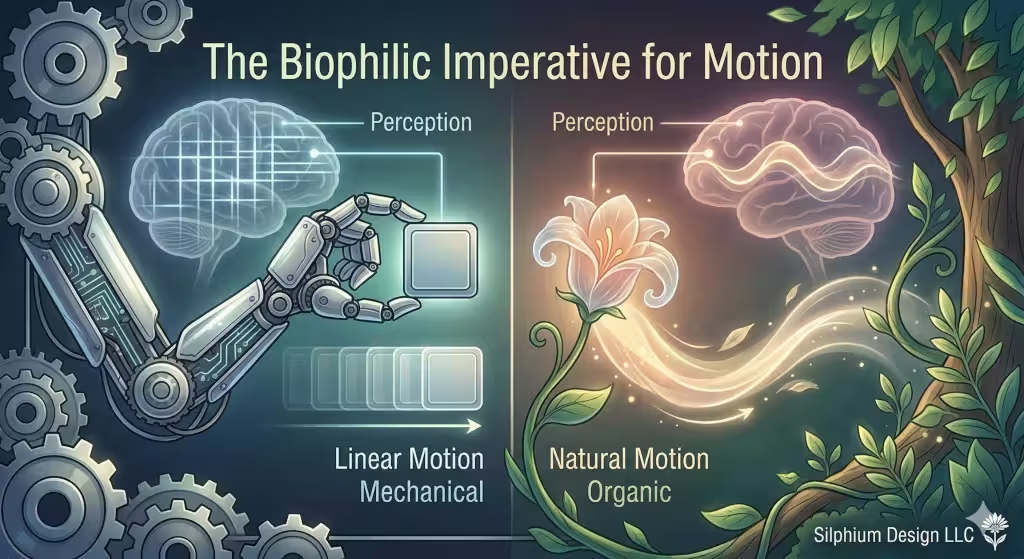
Most digital interfaces suffer from what I call “static-shock.” This occurs when a user interacts with a page that behaves like a machine rather than an organism. The Biophilic Imperative for Motion is the scientific and design-based requirement to inject natural motion into these spaces to satisfy our biological expectations.
Evolutionary Expectation
Humans spent hundreds of thousands of years in environments where movement signaled life, threat, or opportunity. In nature, nothing is truly still, yet nothing moves with the mathematical perfection of a computer. When a website element appears instantly, going from 0% visibility to 100% in a single frame, it triggers a minor “startle response” in our nervous system. This is because, in the physical world, only lightning or a predator’s strike happens that fast.
By contrast, using natural motion to introduce a new menu or an image gallery mimics how a fern unfurls or how a cloud drifts into view. This creates a “soft fascination,” a state where the user is engaged but not stressed. This is the core of biophilic design: we are designing for the animal brain that still lives inside the modern internet user.
Reducing Cognitive Friction
When we use natural motion, we are providing “visual breadcrumbs.” If a user clicks a folder and it expands outward from the icon, their brain understands the spatial relationship between the icon and the new content. If the content simply “pops” up in the center of the screen, the brain has to work for a millisecond to figure out where it came from.
Over a twenty-minute browsing session, these milliseconds of “where am I?” add up. This leads to digital fatigue. By applying natural motion, we ensure the interface feels like a fluid extension of the user’s own intent. The movement follows the laws of physics, such as momentum and gravity, which our brains calculate automatically without effort.
The Biological Pulse of Easing
One of the most vital parts of this imperative is “easing.” In the outline, I mentioned how a tree branch sways. In technical terms, this is a non-linear transition. To achieve natural motion, we must move away from “linear” timing, where an object moves at the exact same speed from point A to point B.
Linear movement is a hallmark of “dead” design. It feels robotic because no living thing moves that way. Living things must overcome inertia to start moving and use energy to stop. When we program our websites to “ease in” and “ease out,” we are giving the pixels a pulse. We are telling the user that this digital ecosystem is healthy, responsive, and most importantly, safe to navigate.
Creating a Living Narrative
Finally, the biophilic imperative is about storytelling. A website is a journey through information. Natural motion acts as the narrator. It tells the user where to look next, which elements are related, and which actions were successful. It turns a collection of data into a living narrative.
At Silphium Design LLC, we don’t just add animation for decoration. We add it because the human spirit craves the rhythms of the natural world. When your scroll bar has a bit of “weight” or your buttons have a soft “bounce,” you are communicating competence and care. You are showing that you understand the human element behind the screen.
The 12 Basics of Natural Motion
1. Squash and Stretch
This is the most important of the 12 basics of natural motion. In the real world, very few things are perfectly rigid. If you drop a rubber ball, it flattens slightly when it hits the ground and then stretches out as it bounces back up. This shows the viewer that the object has mass and flexibility.
On a website, we can apply this to buttons. When a user clicks a button, it shouldn’t just change color. It should slightly “squash” down as if it is being pressed by a finger. This makes the digital world feel tangible. It uses natural motion to give the user feedback that says, “I felt you click me.” Without this, the internet feels like a cold, glass wall. With it, the internet feels like a soft, responsive environment.
2. Anticipation
In nature, nothing happens without a warning. A cat crouches before it leaps. A golfer swings back before hitting the ball. This “backward” move before the “forward” move is called anticipation. It tells the brain what is about to happen.
If you have a sidebar menu on your site, you can use natural motion to show it is about to open. Perhaps the icon wiggles slightly or the main screen shifts a tiny bit before the menu slides out. This prepares the user’s eyes. It prevents them from being surprised. Surprises are good for parties, but they are bad for web design. People like to feel in control, and anticipation gives them that power.
3. Staging
Staging is about where you look. In a forest, your eyes go to the bird that is flying, not the thousands of still leaves. In web design, we use natural motion to stage the most important part of the page. If you want someone to sign up for a newsletter, that box should have a gentle, natural motion that draws the eye.
It should not be a flashing neon sign. Instead, it should be a soft pulse, like a lung breathing. This is a biophilic way to say, “Look here.” It is clear, but it is not aggressive. By staging our elements with natural motion, we respect the user’s attention rather than stealing it.
4. Straight Ahead Action vs. Pose to Pose
This is a technical way of talking about how we build the movement. “Straight ahead” means drawing every single frame in a row. “Pose to pose” means drawing the start and the end, then filling in the middle.
In modern web design, we usually use “pose to pose” with code. We tell the computer where the element starts and where it ends. However, to get natural motion, we have to be careful with the “middle” parts. If we let the computer just move things in a straight line, it looks fake. We have to add “in-between” instructions that follow the rules of physics.
5. Follow Through and Overlapping Action
When a person with long hair stops walking, their hair keeps moving for a second. This is follow through. Nothing in nature stops all at once. If it does, it looks like a robot hitting a wall.
On a website, if a window closes, it should perhaps overshoot its mark just a tiny bit and then settle back. Or, if a list of items appears, they shouldn’t all pop up at once. They should “overlap.” The first one starts, then the second one starts a fraction of a second later. This cascading effect creates a sense of natural motion that feels like a waterfall or a deck of cards being spread out. It feels expensive and high-quality because it mimics the complexity of the real world.
6. Slow In and Slow Out (Easing)
If you take only one thing away from my expertise, let it be this: nothing in the universe moves at a constant speed from start to finish. Cars have to accelerate. Runners have to build up speed. This is called “easing.”
In CSS (the code that styles websites), the default movement is often “linear.” Linear movement is the enemy of natural motion. It is boring and it feels “dead.” By using “Slow In” and “Slow Out,” we make the animation start slow, move fast in the middle, and then gently come to a rest. This is the hallmark of natural motion. It makes the user feel like the interface is governed by gravity and friction, just like they are.
7. Arc
Think about your arm. When you wave at a friend, your hand moves in an arc because it is attached to a pivot (your shoulder). Very few things in the natural world move in perfectly straight lines.
When you move an element from one side of a website to another, try moving it along a slight curve. This arc makes the transition feel more organic. It is a subtle change, but the human eye is very good at spotting it. Straight lines feel clinical and cold. Arcs feel warm and biological. Incorporating arcs is a great way to bring natural motion to your design without making it look “cartoonish.”
8. Secondary Action
A secondary action is a small movement that supports the main one. If a character is walking, their arms swinging is the secondary action. On a website, if a user hovers over a product image and it grows larger, a “secondary” natural motion might be a soft shadow appearing underneath it.
The growth is the main action, but the shadow makes it feel like it is lifting off the page. This adds “depth.” It tells the brain that this object exists in a 3D space. Using natural motion in layers like this creates a rich experience that keeps users engaged.
9. Timing
Timing is everything. If an animation is too fast, the user misses it. If it is too slow, the user gets frustrated and thinks the site is broken. Natural motion requires the perfect tempo.
In nature, small things move fast (like a hummingbird) and big things move slow (like a whale). We should use this in web design. A small icon should zip into place quickly. A large background image should shift very slowly. This creates a sense of “scale” and “weight.” It makes the website feel like a balanced ecosystem where everything knows its place.
10. Exaggeration
Sometimes, to make something feel real, you have to make it a little bit “extra.” Exaggeration does not mean making it silly. It means making the natural motion clear enough to be felt.
If a notification pops up, we might make the “bounce” a little more bouncy than a real object would be. This helps the user notice it instantly. Since users scan websites very quickly, we use exaggerated natural motion to communicate ideas in a split second. It is like using a highlighter on a piece of paper. It tells the eye what is important.
11. Solid Drawing (Solid Modeling)
In animation, this means making a 2D drawing look like it has 3D volume. In web design, we use shadows, highlights, and gradients to do this. But natural motion is what really sells the effect.
When an object rotates on a screen, the way the shadows shift determines if we believe it is “solid.” If the shadows move in a way that matches the movement, we get a sense of natural motion that feels “real.” This is vital for e-commerce sites. If you can make a product look solid and real through motion, people are more likely to trust it and buy it.
12. Appeal
Appeal is the “charisma” of your design. A website should be pleasant to look at. Just like a beautiful garden has a certain “feel,” a website should have a consistent style of movement.
Are the movements bouncy and fun? Or are they slow and elegant? This “personality” is created by how you apply the principles of natural motion. If every part of the site moves with a consistent sense of natural motion, the user feels a sense of harmony. Harmony is a core value of biophilic design. It makes the digital world feel like a place where we belong, rather than a place we are just visiting.
Gravity and Friction: The Physics of UI
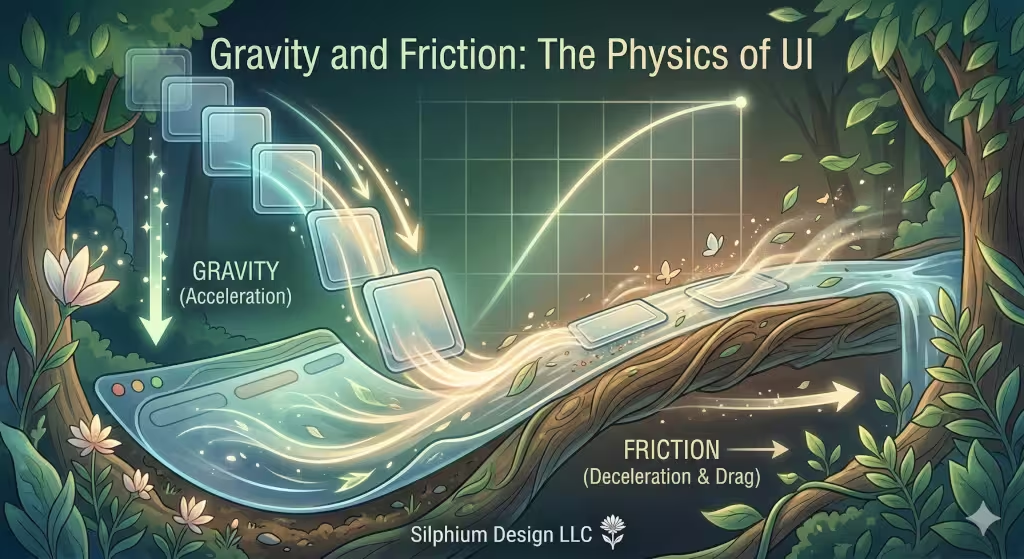
To truly master natural motion, we have to look at the math of the real world. Every time I design a site at Silphium Design LLC, I think about gravity. Gravity is a constant force. When something falls, it speeds up.
If a menu falls from the top of the screen, it should accelerate as it drops. If it stops suddenly, it should have a tiny bit of a “bounce.” This is because of inertia. Inertia is the idea that an object in motion wants to stay in motion. If we ignore inertia, we ignore natural motion.
Friction is also important. Friction is what slows things down. When you scroll on a smartphone, the list doesn’t stop the moment you lift your finger. It glides and slowly stops. This is “frictional scrolling.” It is a perfect example of natural motion that we use every day without thinking about it. If that scroll stopped instantly, it would feel broken and “unnatural.”
The Biology of Perception
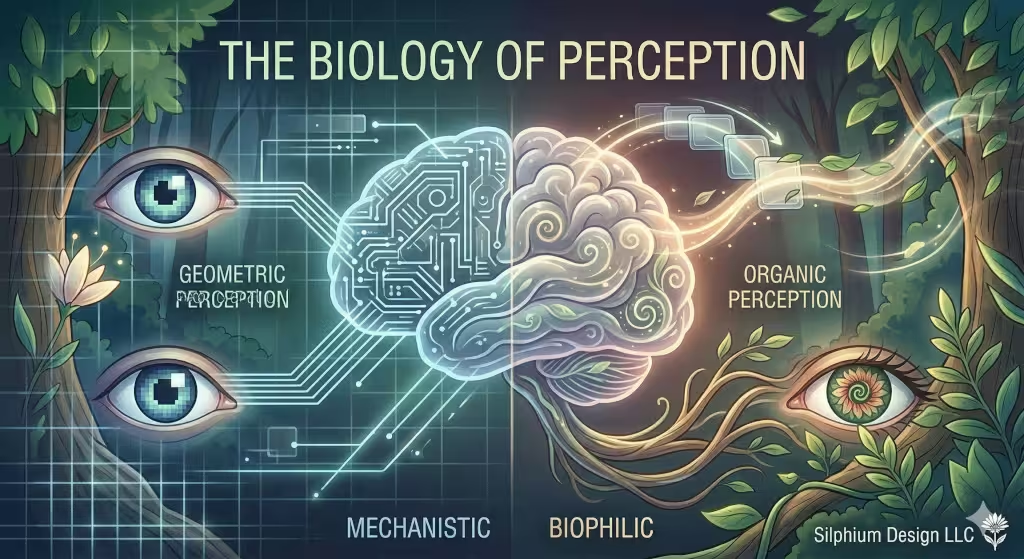
Our brains are hard-wired to react to movement. Millions of years ago, noticing a slight movement in the grass could save your life. We are still those same people today. When we see natural motion on a screen, our brains relax because it looks familiar.
However, if we see “unnatural” motion—like things flickering or moving at weird speeds—our brain goes into “alert mode.” This can cause stress and eye strain. As a biophilic expert, my goal is to reduce that stress. Natural motion is a tool for wellness. A website that moves like a living forest is a website that makes people feel good.
Common Questions Answered about Natural Motion
Many people ask me, “How do you make animation look more natural?” The answer is always to look at nature first. Go outside and watch how a leaf falls or how water ripples. Then, try to mimic those “curves” in your code. Avoid “linear” settings at all costs.
Another common question is, “Does this help my SEO?” The answer is a loud yes. Search engines like Google now measure “user experience.” If people love your site because it feels alive and easy to use, they stay longer. They click more things. Google sees this and ranks your site higher. Natural motion is not just “pretty”—it is a business strategy.
Technical Implementation for the Modern Web
How do we actually do this? We use tools like CSS and JavaScript. In the past, animations were heavy and slowed down the site. But today, we have very “light” ways to create natural motion.
One of the best tools is the Web Animations API. It allows us to create complex, physics-based movements that don’t hurt the site’s speed. We also use SVGs (Scalable Vector Graphics). SVGs are great because they can stretch and bend without getting blurry. This allows us to create “organic” shapes that move with natural motion, like a flower blooming as a page loads.
The Future of Living Interfaces
The internet is changing. We are moving away from the “static page” and toward the “living interface.” By using the principles of natural motion in animation (12 basics applied), we can create websites that feel like partners rather than just tools.
We want to build a digital world that reflects the beauty and logic of the biological world. Natural motion is the key to that door. It brings a sense of “innovation” and “competence” to every project. When you use natural motion, you aren’t just making a website. You are creating an experience that breathes.
At Silphium Design LLC, we believe that the best technology is the kind that feels like nature. It should be intuitive, graceful, and full of life. By mastering natural motion, we bridge the gap between the cold world of computer science and the warm world of biology.