Table of Contents
When you step into a forest, your ears take in a constant flow of information. You hear leaves rustling in an irregular breeze. You hear water tumbling over smooth granite stones. You hear the sharp, damp snap of a twig underfoot, or the distant, soft call of a songbird. None of these sounds feel harsh or tiring. Your brain evolved over millions of years to listen to these organic patterns. They tell you that your environment is alive, balanced, and safe.
Now think about what happens when you open your computer or mobile browser. You are met with sharp digital chirps, loud warning buzzes, synthetic pop alerts, and piercing clicks. Most of these digital sounds are built with harsh electronic tones. They have sudden starts, flat middle sections, and blunt cutoffs. They do not sound like anything found in nature. Instead of helping you focus, they trigger micro-bursts of stress. They wear down your mental energy and cause sensory exhaustion.
This contrast reveals a major missing piece in modern digital design. At Silphium Design LLC, we spend our days studying how natural systems improve web software. When we build a digital environment, we must design for the human nervous system. We have spent years bringing plants, earthy colors, and curved organic shapes into visual design. Yet we have almost completely ignored the acoustic side of digital interfaces.
This brings us to our central topic: what is auditory biophilia in web interface design?
Auditory biophilia is the deliberate practice of bringing natural acoustic properties, organic frequency curves, and nature-inspired sound cues into interactive digital interfaces. The goal of auditory biophilia is not to play random bird recordings while someone tries to read an article. Instead, auditory biophilia takes the deep mathematical principles of natural sound and applies them to everyday interface actions. When you click a button, submit a form, or open a navigation menu, auditory biophilia provides subtle acoustic feedback that feels natural, calming, and clear.
By applying auditory biophilia to user experience design, we can reduce cognitive fatigue, improve interface usability, and make digital tools feel humane. When we use auditory biophilia correctly, sound becomes a functional guide rather than an annoying distraction.
The Neurobiology of Sound in UX: Attention Restoration Theory and Psychoacoustics

To understand why auditory biophilia works, we must look at how the human brain processes sound. Your auditory system never sleeps. Even when you look away from a screen, your ears continuously monitor your surroundings. Every sound you hear carries an energetic cost because your brain must analyze it, evaluate its threat level, and decide whether to ignore it.
Modern screen use demands directed attention. Directed attention is the mental energy you use to read text, enter numbers, write code, or solve problems. Psychologists Stephen and Rachel Kaplan developed Attention Restoration Theory, often called ART, to explain how our mental energy gets drained and restored. Directed attention requires effort, and it has a hard limit. When you spend hours staring at screens while absorbing synthetic alert noises, your brain’s prefrontal cortex becomes overloaded. This leads to mental fatigue, irritability, and higher error rates.
Attention Restoration Theory shows that nature restores this drained mental energy by triggering an effortless mental state known as soft fascination. Soft fascination occurs when your attention is held by gentle, ever-shifting patterns that do not demand active thinking. Watching clouds move across the sky or listening to rain fall on soil creates soft fascination. In the digital realm, auditory biophilia acts as an acoustic pathway to soft fascination. When micro-interactions use the organic frequency profiles of auditory biophilia, they provide clear feedback without forcing the prefrontal cortex to expend valuable energy. Auditory biophilia lets your working memory stay focused on your primary task.
Another key framework is Roger Ulrich’s Stress Recovery Theory. Ulrich demonstrated that exposure to natural scenes and sounds triggers the parasympathetic nervous system, which slows the heart rate and lowers stress hormones like cortisol. Synthetic computer beeps do the exact opposite. Because synthetic square waves and sawtooth audio waves do not exist in the biological world, the brain interprets their sudden bursts of energy as alarms. By substituting these abrasive electronic alarms with the principles of auditory biophilia, interface designers can reduce user stress during complex tasks. Auditory biophilia turns an otherwise stressful transaction into a calm, grounded experience.
Psychoacoustics, the scientific study of how humans perceive sound, explains why the shape of a sound wave matters so much. Every sound has an amplitude envelope, which describes how its volume changes over time. Acoustic engineers break this down into four stages: attack, decay, sustain, and release.
In nature, sounds almost never have an instant attack or a sudden drop to absolute silence. When a water drop hits a puddle, the attack is rounded, the decay is parabolic, and the resonance tapers off smoothly. In contrast, bad digital audio often uses an instant attack and an unnatural sustain. By adopting natural acoustic envelopes, auditory biophilia matches the physical realities our ears expect. Through auditory biophilia, a button tap sounds like a physical event governed by friction and gravity. This creates an intuitive connection between the user and the software.
The Three Pillars of Biophilic Soundscapes in Digital Interfaces
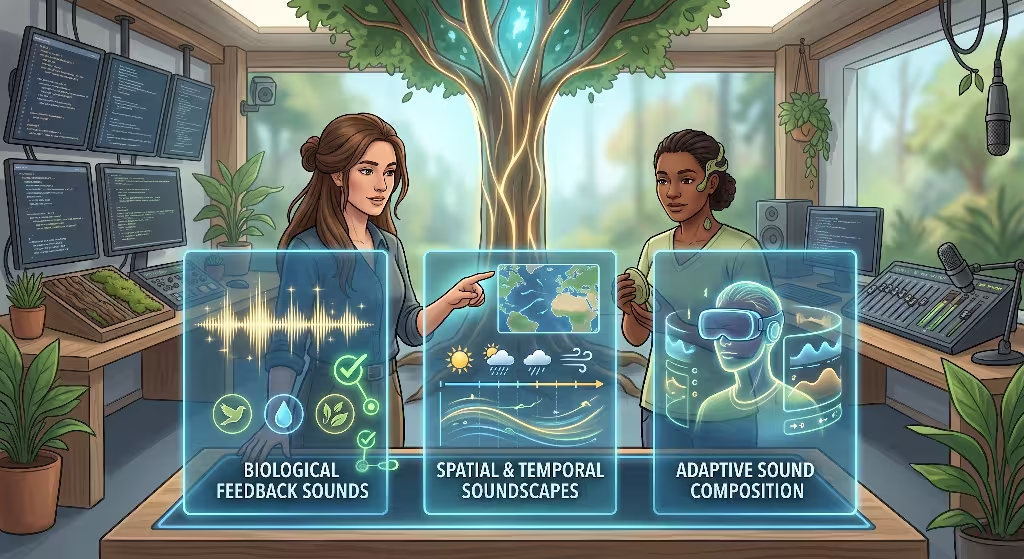
To apply auditory biophilia successfully, designers cannot simply drop random audio samples into an interface. Auditory biophilia must follow clear physical and biological rules. In our work, we divide the design of auditory biophilia into three foundational pillars.
1. Non-Rhythmic Sensory Stimuli
The first pillar of auditory biophilia is based on the concept of non-rhythmic sensory stimuli. In nature, you never hear exact, mechanical loops. If you sit next to a mountain brook, the sound of the water is continuous, but it never repeats identically. The flow changes as tiny pebbles shift and eddies form. The rustle of aspen leaves in the wind fluctuates with gentle, unpredictable drafts.
Traditional digital interfaces fail when they play the exact same recorded audio file every time a user triggers an action. If a user clicks a button ten times and hears the exact same identical sound ten times, the brain notices the unnatural repetition. This repetition creates acoustic annoyance, sensory numbness, and irritation.
Auditory biophilia solves this problem by using subtle variation. When building interfaces with auditory biophilia, designers introduce minor shifts in pitch, volume, and timbre for every repeated interaction. A button click might sound five cents higher on the first press and three cents lower on the second press. The duration might vary by a few thousandths of a second. This gentle, organic variation reflects the natural physics of the physical world, where no two physical impacts are ever identical. By honoring this principle, auditory biophilia keeps interfaces fresh and pleasant during long work sessions.
2. Biomimetic Earcons vs. Auditory Icons
The second pillar of auditory biophilia is the distinction between auditory icons and biomimetic earcons. To use auditory biophilia properly, you must know which approach to take.
An auditory icon is a direct, literal caricature of an everyday physical sound. When a computer plays the literal sound of paper being crumpled up when you empty your trash folder, that is an auditory icon. While auditory icons can be fun for beginners, they quickly become irritating in professional web applications. Hearing a loud splash or a chirping robin every time you save a spreadsheet feels childish and disruptive.
Auditory biophilia relies instead on biomimetic earcons. An earcon is a short, abstract audio cue that carries symbolic meaning. A biomimetic earcon takes the mathematical and harmonic structures of nature and synthesizes them into an elegant, abstract tone.
Instead of playing a literal recording of water, a biomimetic earcon uses a gentle sine wave with a fluid decay that mimics the acoustic resonance of a water droplet. Instead of a literal branch snapping, it uses a dampened transient click that carries the resonance of dry cedar wood. Biomimetic earcons are the core building blocks of auditory biophilia. They communicate system states clearly while maintaining the clean, modern aesthetic of high-performance web software. Through auditory biophilia, we gain the emotional benefits of nature without cluttering our software with literal field recordings.
3. Spectral Density and the 1/f Pink Noise Spectrum
The third pillar of auditory biophilia is grounded in the mathematical beauty of natural noise spectrums. In physics, different types of sound are classified by their spectral density, or how energy is distributed across different frequencies.
Most people are familiar with white noise. White noise contains equal energy across all frequencies, much like static on an old television. White noise sounds harsh, hiss-heavy, and cold. In contrast, natural sounds like ocean surf, distant rain, cascading waterfalls, and mountain winds follow a mathematical pattern known as pink noise, or 1/f noise. In pink noise, the energy per octave drops by three decibels as the frequency increases. This creates a balanced, warm sound where low, mid, and high frequencies sit in harmony with the human ear.
Research in auditory biophilia shows that the human brain feels most relaxed and focused when surrounded by 1/f pink noise profiles. When background audio or masking layers are needed in web applications, auditory biophilia utilizes pink noise rather than flat electronic hiss. This profile provides natural sound masking that protects users from distracting room noises without adding mental strain. By applying the 1/f rule to digital sound synthesis, auditory biophilia grounds digital products in the foundational acoustic rhythms of the living world.
Practical UI Applications: Where Auditory Biophilia Belongs on the Web
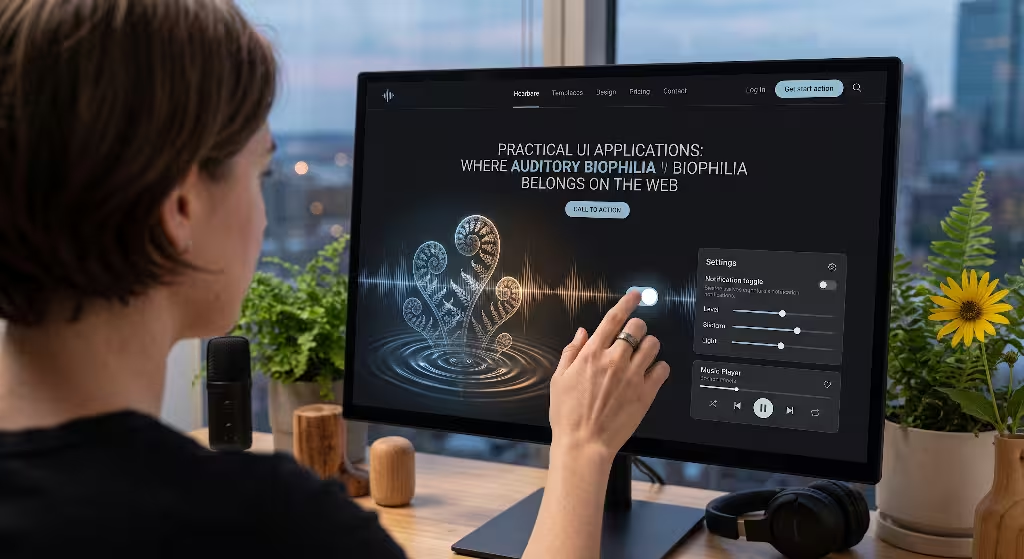
To make auditory biophilia effective, it must be mapped thoughtfully across the user journey. Auditory biophilia is not an all-or-nothing feature. It should be applied selectively to specific user interactions where sound can guide attention, confirm actions, and reduce doubt.
Let us explore the interaction levels where auditory biophilia provides the greatest value.
Micro-Feedback for Physical Grounding
The most frequent interactions on the web are micro-interactions: clicking buttons, sliding toggles, checking boxes, and selecting dropdown items. In a flat touch screen or visual browser, these actions lack physical tactility. Without clear feedback, users sometimes wonder if their click registered.
Auditory biophilia transforms micro-interactions by giving them an organic, tactile presence. When a user flips a toggle switch, auditory biophilia can provide an acoustic cue modeled after the dry, gentle click of two smooth stones meeting. When a user taps a button, auditory biophilia can supply a micro-transient inspired by the acoustic properties of a seed pod snapping shut.
These sounds should be extremely brief, lasting between 15 and 40 milliseconds. They should sit at low volume levels, barely above the threshold of conscious hearing. When auditory biophilia is used this way, users do not think about the sound consciously. Instead, they feel a comforting sense of physical solidity that makes the interface feel responsive and well-made.
Macro-State Transitions and Spatial Navigation
Web interfaces frequently change their visual states. Modals open, sidebars slide out, full-page navigation menus unfold, and dashboards refresh. Rapid visual changes can disorient users, especially when multiple page components move at once.
Auditory biophilia anchors these large movements by providing spatial continuity. When a navigation drawer slides open from the edge of the screen, auditory biophilia can accompany the movement with a soft, low-frequency atmospheric sweep, reminiscent of a slow breeze through tall prairie grass. The sound should pan across the stereo field to match the visual direction of the animation.
When the user closes the modal, the sound should reverse its frequency sweep, letting the user know that the space has returned to its initial state. By using auditory biophilia for macro-state transitions, we help users maintain their mental map of the interface. Auditory biophilia turns visual disorientation into an organized physical journey.
Completion and Success Events
One of the most rewarding moments in any user flow is reaching the finish line. A user might submit a complex mortgage application, complete a multi-step checkout flow, or finalize an architectural blueprint. These moments call for positive reinforcement.
In standard applications, success is often marked by an abrasive, high-pitched electronic fanfare or a generic brass chime. Auditory biophilia replaces these synthetic fanfares with organic resonance. A successful form submission might trigger a layered harmonic tone inspired by water droplets falling into a clear mountain pool, or the deep, rich resonance of a hollow wooden bell.
The sound envelope of auditory biophilia in success events should feature a clean, rounded rise followed by an extended, natural acoustic decay. This smooth decay gives the user’s mind a psychological moment of release. It signals that the cognitive effort is finished, helping the brain shift from high alertness into a state of relaxed accomplishment.
Error Messages and Warning States
Errors are unavoidable in digital experiences. A user mistypes their email, leaves a required field blank, or loses their network connection. In most software, errors are accompanied by jarring, aggressive buzzes or harsh red alert tones. These sounds trigger an immediate fight-or-flight stress reaction, making users feel embarrassed, frustrated, or anxious.
Auditory biophilia completely changes how interfaces communicate errors. An error should be an informative guide, not a punishment. When an error occurs, auditory biophilia uses low, muffled acoustic profiles. Instead of a loud electronic beep, auditory biophilia might use the soft, hollow thud of wood tapping against earth, or a low-frequency rumble similar to distant thunder.
These sounds have enough weight to capture the user’s attention, but they lack the sharp, biting frequencies that trigger panic. Auditory biophilia tells the user that something needs their attention without causing unnecessary emotional distress. This keeps users calm and focused as they correct their input.
Ambient Soundscapes for Deep Focus
Some web platforms are designed for prolonged, high-focus work. Think of text editors, online design canvases, project planning dashboards, and research portals. Working inside these tools for eight hours a day can be exhausting, particularly in noisy office environments or distracting home settings.
In these environments, auditory biophilia can provide an optional ambient sound layer. Rather than forcing users to find their own music or third-party background sounds, the application itself can offer an integrated auditory biophilia focus mode.
This ambient layer uses generative, non-looping sound patterns built on natural themes: gentle rainfall on broad leaves, the soft movement of a shallow stream, or wind drifting through pine needles. The soundscape should sit comfortably in the background, masking environmental distractions while preserving the user’s directed attention. Through auditory biophilia, a workspace becomes a digital sanctuary where deep creative work can flourish.
| Interaction Level | UI Event | Auditory Biophilia Sound Profile | Psychological and UX Function |
| Micro-Feedback | Button press, toggle, checkbox | Dampened stone click, dry seed pod transient | Gives a tactile sense of touch without annoying the user |
| Macro-Transition | Modal open, sidebar slide, page change | Gentle air sweep, soft rustle of tall grass | Anchors spatial orientation and smooths visual shifts |
| Success Event | Form submission, checkout complete | Resonant water chime, wooden harmonic tone | Provides positive emotional closure and mental release |
| Error State | Form validation failure, lost connection | Muffled wood tap, low subterranean rumble | Alerts the user clearly without causing stress or panic |
| Ambient Layer | Deep work focus mode, long reading view | Generative stream flow, 1/f canopy breeze | Masks outside noise and restores drained mental energy |
Implementing Biophilic Audio via the Web Audio API
To implement auditory biophilia in real-world websites, we must use the right technical tools. Relying on old-fashioned techniques will quickly ruin both the user experience and site performance.
The Problem with Static Sound Files
In the past, adding sound to a website meant loading static MP3 or WAV files. A developer would write a simple script to trigger an audio element whenever a user clicked a button. For modern auditory biophilia, this method is fundamentally flawed for several reasons:
First, static audio files hurt website performance. Each audio file represents an extra network request that slows down page loading. If you want a rich sound design with dozens of micro-interactions, your users will have to download megabytes of audio data. This harms your site speed, raises bounce rates, and damages your search engine rankings.
Second, static audio files cause severe latency. When a user clicks a button, they expect immediate feedback. An audio file loaded over the network or triggered through a heavy media player often experiences a delay of 100 to 200 milliseconds. This tiny lag ruins the illusion of physical touch. Instead of feeling like a real button, it feels broken and disjointed.
Third, static files sound mechanical. As we discussed earlier, auditory biophilia requires non-rhythmic sensory stimuli. If you play the exact same MP3 file on every click, you lose all organic variation. Your interface quickly becomes irritating.
Procedural Sound Generation with the Web Audio API
The modern solution for auditory biophilia is procedural audio using the native browser Web Audio API. Procedural audio means that we do not download pre-recorded sound files. Instead, we write lightweight JavaScript code that instructs the browser’s audio engine to synthesize sounds mathematically in real time.
The Web Audio API is built directly into modern web browsers. It runs on a dedicated, high-performance background audio thread. This means that audio plays instantly, with less than five milliseconds of latency, matching the speed of physical sound in the real world.
Furthermore, the code required to generate procedural sounds is tiny. An entire library of rich, nature-inspired sounds can be written in less than ten kilobytes of clean JavaScript. This keeps your web pages lightning-fast and preserves your performance budgets.
To create auditory biophilia with the Web Audio API, we assemble an audio processing graph using basic nodes:
- AudioContext: The master controller that manages all audio operations and connects our sounds to the user’s speakers.
- OscillatorNode: A sound generator that creates clean mathematical waveforms, such as sine, triangle, and sawtooth waves. We use sine and triangle waves as the starting point for organic, gentle tones.
- AudioBufferSourceNode: A node that can hold and play procedural noise buffers, such as custom pink noise or white noise buffers.
- BiquadFilterNode: An acoustic filter that shapes frequencies. We use low-pass and band-pass filters to shave off harsh high frequencies, giving our sounds the warm, rounded character required by auditory biophilia.
- GainNode: A volume controller that shapes the amplitude envelope (attack, decay, sustain, and release) of our sounds.
JavaScript
// A simple procedural biomimetic earcon using the Web Audio API
// This function creates an organic, water-drop inspired micro-click

function playBiophilicClick() {
  // Create the audio context
  const AudioContext = window.AudioContext || window.webkitAudioContext;
  const ctx = new AudioContext();

  // Create an oscillator for the fundamental tone
  const osc = ctx.createOscillator();

  // Create a gain node for the volume envelope
  const gainNode = ctx.createGain();

  // Create a subtle randomized pitch to prevent mechanical repetition
  // This supports the non-rhythmic pillar of auditory biophilia
  const randomVariation = (Math.random() - 0.5) * 40;
  const baseFrequency = 580 + randomVariation;

  // Use a smooth sine wave
  osc.type = 'sine';
  osc.frequency.setValueAtTime(baseFrequency, ctx.currentTime);

  // Sweep the frequency downward to mimic a natural water drop
  osc.frequency.exponentialRampToValueAtTime(320, ctx.currentTime + 0.04);

  // Shape the volume envelope: quick attack, parabolic decay
  gainNode.gain.setValueAtTime(0.001, ctx.currentTime);
  gainNode.gain.linearRampToValueAtTime(0.12, ctx.currentTime + 0.005);
  gainNode.gain.exponentialRampToValueAtTime(0.0001, ctx.currentTime + 0.04);

  // Connect the nodes to the destination speakers
  osc.connect(gainNode);
  gainNode.connect(ctx.destination);

  // Start and stop the sound
  osc.start(ctx.currentTime);
  osc.stop(ctx.currentTime + 0.045);
}
The Dynamic Randomization Engine
To make auditory biophilia truly effective, every interaction should have its own dynamic character. By adding a small randomization helper function to your code, you can slightly modulate the frequency, decay time, and filter settings on every trigger event.
When a user clicks a navigation link, your code can generate a random value between negative two percent and positive two percent. This value shifts the pitch and resonance just enough that the user’s brain perceives the sound as a living, organic event rather than a canned recording. This is the heart of procedural auditory biophilia: using simple mathematics to recreate the rich, endless diversity of the biological world.
Ethics, Accessibility, and the Do No Harm Policy
Sound is a powerful medium, and because it is so powerful, it can easily be abused. Bad sound design can ruin a website, drive away users, and create major accessibility barriers. When we build interfaces with auditory biophilia, we must follow strict ethical rules. We call this our “Do No Harm” policy.
The Golden Rule: Never Autoplay Unprompted Audio
The fastest way to destroy user trust is to play sound without permission. When a user opens a web page, they might be in a quiet library, an open-plan office, a hospital waiting room, or riding public transit. Blasting unprompted audio violates their personal space and creates immediate frustration.
Auditory biophilia must always be opt-in, or it must be directly initiated by user action.
For ambient soundscapes, the application should never start playing audio automatically when the page loads. The user must click a clear, labeled control to engage the soundscape. Modern web browsers have strict autoplay policies that block unprompted audio, and designers should embrace these policies as a core design principle. Respecting user consent is fundamental to auditory biophilia.
WCAG 2.2 Compliance and Universal Controls
The Web Content Accessibility Guidelines, known as WCAG 2.2, outline mandatory requirements for digital accessibility. Anyone working with auditory biophilia must understand and follow these guidelines.
- Guideline 1.4.2 (Audio Control): If any audio on a web page plays automatically for more than three seconds, the interface must provide an easy mechanism to pause, stop, or control the audio volume independently from the overall system volume. To go beyond the minimum standard, auditory biophilia systems should feature a persistent, globally visible mute toggle in the primary navigation header. This control must be fully keyboard accessible, allowing users to press a single key to silence the interface instantly.
- Guideline 1.1.1 (Non-text Content) and Guideline 1.3.1 (Info and Relationships): Auditory cues must never be the sole method of communicating important information. If a user is deaf, hard of hearing, or working on a muted computer, they must be able to understand the interface through visual and text cues. Auditory biophilia must always act as a secondary, supportive layer of feedback. An error sound must always be accompanied by a clear text label and visual indicator. Sound enhances the experience, but sight and text carry the message.
Neurodiversity and Sensory Sensitivities
Designers must also consider neurodivergent users, including individuals with autism, attention deficit hyperactivity disorder (ADHD), sensory processing disorders, or hyperacusis (extreme sensitivity to everyday sounds).
For someone with hyperacusis, a sound that seems quiet to an average listener can feel physically painful. For a user with ADHD, unexpected sounds can shatter their train of thought and make it difficult to return to work.
Auditory biophilia naturally protects sensitive users because it eliminates harsh, high-frequency transients and abrasive waveforms. However, designers should always provide a dedicated audio preferences panel in the application settings. This panel should allow users to toggle interface sounds on or off, switch between different nature families, adjust sound volume independently, and choose whether they want ambient focus soundscapes. True auditory biophilia respects individual differences and empowers users to choose their own sensory balance.
Frequently Asked Questions about Auditory Biophilia
Here are clear, direct answers to the most common questions about the topic.
What is an example of auditory biophilia in modern digital products?
A clear example of auditory biophilia in modern digital products is found in mindfulness and wellness applications such as Calm, Headspace, and Endel. Rather than relying on simple, repeating audio recordings, these platforms use algorithmic, procedurally shifting water and weather soundscapes that avoid looping patterns. This dynamic variation creates restorative mental states.
In transactional and productivity software, examples of auditory biophilia appear in custom micro-interaction sound sets. Instead of harsh electronic beeps for button presses and notification alerts, progressive tools use subtle biomimetic earcons. These earcons are synthesized using the frequency profiles of natural events, such as drops of water, hollow wood knocks, or gentle wind transients. By replacing abrasive synthetic tones with organic acoustic profiles, these tools ground the user in a calm, focused environment.
How does auditory biophilia reduce cognitive fatigue?
Auditory biophilia reduces cognitive fatigue by operating through Attention Restoration Theory and the physics of 1/f pink noise. In traditional interfaces, synthetic digital beeps force the prefrontal cortex to spend directed attention filtering out unnatural, high-pitched frequencies. These abrupt sounds trigger minor fight-or-flight stress responses that slowly deplete mental energy.
Auditory biophilia uses natural amplitude envelopes with rounded attacks, warm frequency spectrums, and non-rhythmic variations. These natural sounds trigger soft fascination, an effortless mental state that allows directed attention mechanisms to rest and recharge. By masking chaotic room noise and eliminating abrupt electronic alarms, auditory biophilia lowers stress hormones and preserves cognitive stamina during long computer sessions.
Doesn’t adding sound to a website increase bounce rate?
Adding loud, looping, unprompted autoplay audio will certainly increase bounce rates and drive users away from your site. When visitors are startled by unexpected noise, their immediate instinct is to close the browser tab.
However, auditory biophilia does not rely on loud autoplay audio. When auditory biophilia is implemented thoughtfully, sound is kept at micro-volumes, typically between negative eighteen and negative twenty-four decibels relative to full scale. Furthermore, it is tied directly to user-initiated actions, such as clicking a toggle or submitting a form. When users receive gentle, tactile feedback that confirms their actions, perceived site performance improves, confusion decreases, and satisfaction rises. The key is user agency: keeping sounds subtle, functional, and completely within the user’s control.
How do you balance auditory biophilia with WCAG accessibility guidelines?
Balancing auditory biophilia with WCAG 2.2 accessibility standards requires three core design rules:
- Universal Control: Ensure that any ambient or sustained audio can be instantly paused, stopped, or muted via a prominent, keyboard-accessible control that is available on every screen.
- Sensory Redundancy: Never make sound the only way a user learns about a system change. Every auditory biophilia confirmation or error sound must be matched with an equivalent visual cue, such as text feedback, color changes, or screen reader announcements.
- Acoustic Comfort: Master all audio assets to low dynamic impact levels, eliminating sharp volume spikes and piercing frequencies above six kilohertz that could disorient users with sensory sensitivities.
What is the difference between an auditory icon, an earcon, and a biophilic sound marker?
An auditory icon is a direct, literal caricature of an everyday physical sound, such as playing the literal sound of a mechanical camera shutter when taking a screenshot.
An earcon is an abstract, brief musical motive or synthetic electronic tone used to represent a computer action, such as a three-note electronic chime played when receiving an email.
A biophilic sound marker combines the functional abstraction of an earcon with the natural psychoacoustic envelope of the biological world. Instead of using a harsh electronic wave or a literal, complex recording, a biophilic sound marker synthesizes an abstract, elegant tone that follows the mathematical laws of nature. It uses the frequency curve of a water drop, the dampening of wood, or the spectral distribution of wind to create an informative, restorative interface signal.
Step-by-Step: Designing a Biophilic Audio System for Web Interfaces
If you want to bring auditory biophilia into your own digital products, you need an organized, repeatable process. Designing an audio system should be just as structured as building a visual design system. Here is our five-step framework for creating an effective auditory biophilia sound design system.
Step 1: Acoustic Audit and Friction Mapping
Before you write a single line of audio code or choose a sound palette, you must audit your existing user experience. Review your user flows to identify moments of high cognitive friction, confusion, or stress.
Look closely at long data entry forms, multi-step checkout processes, complex dashboards, error screens, and file upload systems. These high-friction moments are the areas where auditory biophilia offers the greatest psychological benefit.
Mark each interaction on a user journey map. Decide whether each moment calls for micro-feedback, state transition guidance, success reinforcement, or an error alert. Be conservative during this step. A great interface uses sound sparingly. If you add sound to every single pixel, you will overwhelm the user. Focus on moments where auditory biophilia can solve a real communication challenge.
Step 2: Palette Synthesis and Biological Alignment
Once you have identified your interaction points, select a biological sound family that reflects your brand identity. Nature provides several distinct acoustic palettes, each with its own emotional character:
- Hydrological Palette (Water): Features smooth sine waves, downward frequency sweeps, fluid decays, and cascading resonance. Best suited for wellness platforms, communication software, and smooth, fluid interfaces.
- Botanical Palette (Foliage and Wood): Features crisp, dampened transients, hollow acoustic resonances, and soft friction textures. Ideal for productivity tools, content management systems, and organizational software.
- Geological Palette (Stone and Earth): Features low-frequency rumbles, solid, grounded clicks, and dense acoustic weights. Well-suited for security systems, financial tools, and enterprise dashboards where stability and trust are paramount.
- Atmospheric Palette (Air and Wind): Features gentle pink noise sweeps, wide stereo diffusion, and soft atmospheric swells. Excellent for navigation systems, canvas zoom states, and spatial interfaces.
Choose one dominant palette for your core interface and stick with it. Mixing random water drops with heavy stone rumbles creates acoustic confusion. Consistency is essential for effective auditory biophilia.
Step 3: Harmonic Calibration and Volume Mastering
One of the most common mistakes in web sound design is making sounds too loud. When sounds are too loud, they break the user’s concentration and feel intrusive.
In auditory biophilia, every sound should be mastered to a low volume baseline. In professional audio terms, interface sounds should sit between negative eighteen decibels (-18 dB LUFS) and negative twenty-four decibels (-24 dB LUFS). At this level, sounds are clearly perceptible without competing with background conversation, music, or assistive technologies.
Next, calibrate your frequency spectrum. The human ear is exceptionally sensitive to frequencies between two kilohertz and five kilohertz, which is where human speech and emergency alarms reside. To keep auditory biophilia relaxing, use low-pass filters to roll off frequencies above five kilohertz. Keep your primary tones anchored in the warm mid-range, between two hundred hertz and eight hundred hertz. This gives your interface an approachable, organic warmth.
Step 4: Procedural Implementation with Real-Time Modulation
Now it is time to build your sound system using the Web Audio API. Work with your front-end development team to create clean, reusable procedural audio functions.
Build an audio engine that handles sound synthesis on the client side. Ensure that your functions accept dynamic parameters for pitch, volume, and filter cutoff. Connect these parameters to a pseudo-random seed generator so that every interaction includes subtle non-rhythmic variations.
Make sure your audio engine monitors user activity. If a user clicks a button five times in rapid succession, the audio engine should automatically scale back the volume or suppress subsequent sounds. This technique, called acoustic debouncing, prevents rapid-fire clicks from turning into an annoying machine-gun sound. Auditory biophilia should always remain graceful, even when users interact rapidly.
Step 5: Usability Telemetry and Validation Testing
The final step is to measure the real-world impact of your auditory biophilia system. Deploy your sound system to a test group or run an A/B test against a silent version of your interface.
Track key performance metrics:
- Task Completion Rates: Are users completing complex forms faster and with fewer abandoned sessions?
- Error Correction Time: Do users notice and fix form errors more quickly when guided by organic acoustic cues?
- Opt-Out Rates: What percentage of users choose to disable the audio system via the global mute toggle? If your opt-out rate is higher than five percent, your sounds are likely too loud, too frequent, or poorly calibrated.
- User Sentiment: Run qualitative surveys asking users how calm, focused, and in control they felt while using the software.
Use this data to refine your sound design. Lower volumes, adjust filter cutoffs, and remove sounds from low-value interactions. An auditory biophilia system should evolve based on real human feedback until it feels completely effortless.
The Future of Biophilic Web Interfaces: Spatial Computing and Generative Soundscapes
As we look toward the future of web design, auditory biophilia will play an even larger role in shaping digital experiences. The internet is evolving rapidly from flat, static pages into dynamic, multi-dimensional workspaces.
Spatial Audio in WebXR and 3D Canvas Environments
With the rapid growth of WebGL, WebGPU, and WebXR, the web browser is becoming a spatial medium. Users are no longer just looking at flat columns of text. They are navigating three-dimensional data spaces, virtual architectural models, and spatial product showrooms.
In a three-dimensional digital space, auditory biophilia becomes essential for spatial orientation. When sound follows the laws of real-world physics, your brain can instantly understand where objects are located.
By using the Web Audio API’s PannerNode, developers can place biomimetic earcons at exact coordinates in virtual 3D space. As a user moves through a digital environment, the sounds of active tasks, incoming data, and system changes diffuse around them naturally, mimicking how sound echoes through a forest clearing or across an open valley. Auditory biophilia provides the spatial cues needed to make virtual spaces feel intuitive and safe.
Circadian Alignment and Biometric Adaptation
Another exciting frontier for auditory biophilia is environmental and circadian adaptation. In the physical world, nature’s soundscape shifts throughout the day. Morning is marked by clear, bright bird calls and energetic winds. Afternoon brings warm, steady murmurs. Evening and night give way to deep, rhythmic, low-frequency tones.
Future web applications can align their auditory biophilia systems with the user’s local time and environment. A productivity dashboard might use crisp, botanical micro-interactions during the morning to support energy and focus. As late afternoon arrives, the interface can automatically shift its frequency profile downward, using deeper, warmer tones that help the user wind down and avoid evening stress.
By reading system-level preferences like dark mode and combining them with local sunrise and sunset data, an interface can provide an acoustic experience that harmonizes with the user’s biological clock. This is the ultimate expression of auditory biophilia: digital tools that live in harmony with the natural rhythms of human biology.
From Machines to Living Digital Habitats
For decades, digital design has been dominated by the metaphor of the machine. We built interfaces that looked like physical control boards, filled with mechanical buttons, harsh lights, and electronic buzzes. We treated users as machine operators who simply needed to process data as quickly as possible.
Auditory biophilia represents a fundamental shift in how we view technology. A website is not just a machine. For many of us, it is a primary environment where we spend eight, ten, or twelve hours every day. It is an intellectual habitat.
When we design our habitats, we must honor our evolutionary heritage. We need environments that support our mental well-being, protect our focus, and bring us a sense of calm. By embracing auditory biophilia, we can strip away the cold, abrasive static of the digital age. In its place, we can build digital spaces that feel alive, grounded, and restorative. Auditory biophilia shows us that the future of web technology does not have to sound like a machine. It can sound like life itself.